Rouellla
28 days agoNew Novice
[PS] GUI corruption
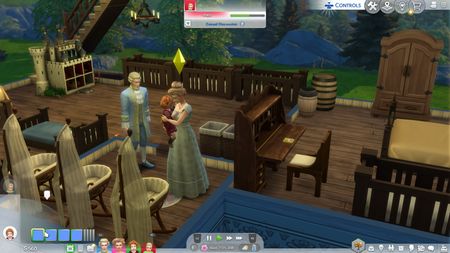
this is what my game look like, im on console so no mods or cc but the game UI is completely unfunctionable and cant save right now, same with if I clicked on a sim and the profile it shows a li...
 25 days ago
Heya Rouellla let's try the following steps:
Turn off Your system completely, let it sit for a few minutes and power it back on.
Check that your game is fully updated:
- Go to the PlayStation home screen.
- Highlight the game you're playing and press the Options button on your controller.
- Select "Check For Update" and install any updates that are available.
- Restart the Console completely.
Restore the licenses on your console.Make sure your console system software is up to date.
- Select Settings at the top of the PlayStation home screen.
- Choose "System Software Update" and allow any system updates to install.
- Reboot your PlayStation.
Having issues with a system software update? Follow these guides:
Uninstall and Reinstall the game:
- Go to Settings > Application Saved Data Management > Saved Data in System Storage > Delete.
- Select a game or application.
- Set check marks beside the data you wish to delete or Select All.
- Select Delete > then OK to confirm your decision.