Re: Why xbox could not load the new sims4 after I bought new series?
@superjessie hi there you may have already tried some of these already, make sure that you are signed in to your Xbox. You could also try restarting your Xbox and Sign in again.
I recommend having your controller sign you in if you haven't already done that.
Profile & system>Settings>Account>Sign-in, security & PIN. Select This controller signs in and Link Controller.
For connection problems with your Game/EA Account:
To make sure your EA Account is linked, this guide should explain it better than I can:
https://help.ea.com/en-gb/help/account/link-your-console-accounts/
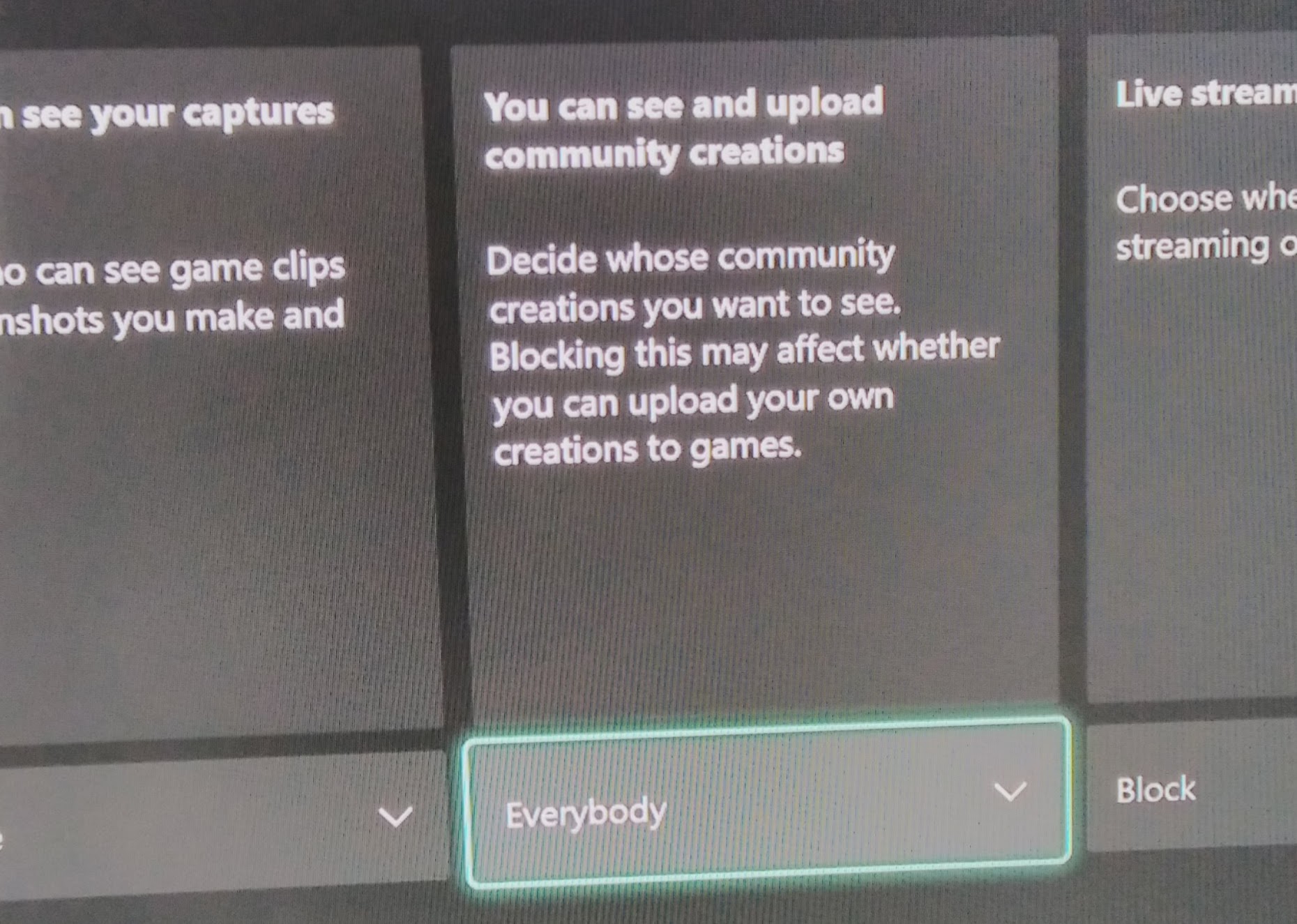
Then in your Sims 4 game when you can load it up go to Game Options>Other and see the attached image to show you the options on that screen. Once your account is linked select Auto Reconnect so that your game is always connected to your EA account. To access the Gallery select Online Social Features Access. With these checked you should always remain connected to your EA account and the Gallery. For Gallery access I attach an image of how it looks in my Xbox Series X Settings too.
If it's a console connection issue:
Then try going to
Settings >General>Network settings>Test network connection on your Xbox.
You can also remove and reconnect your WiFi and restart your router.
There's a link here with more connection help:
https://support.xbox.com/en-GB/help/hardware-network/connect-network/network-settings
If it's an Xbox hardware problem I recommend their Live Chat here:
https://support.xbox.com/en-GB/contact-us
Hope this helps!