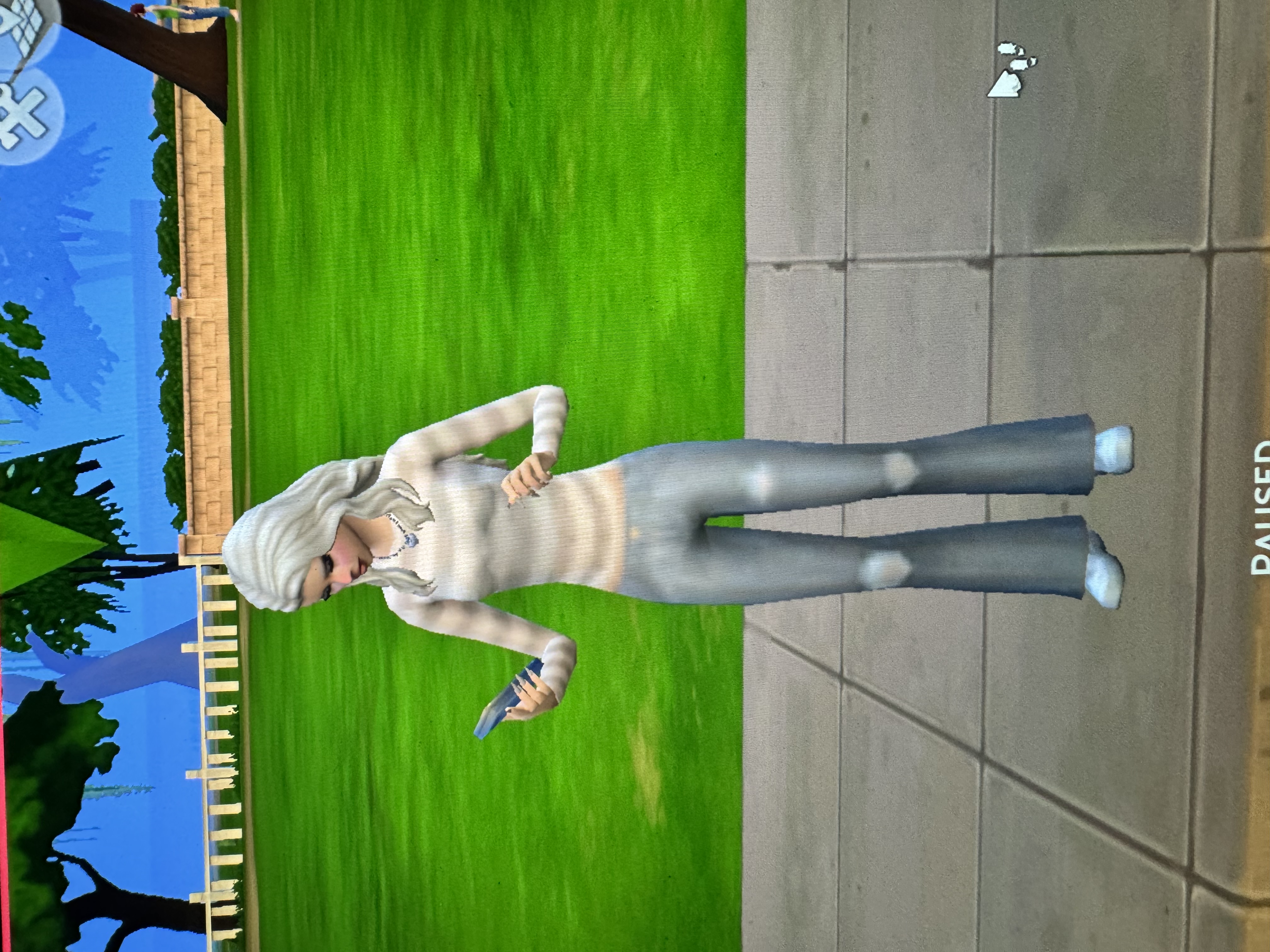
Graphics Broken after Update

I changed my setting and am trying to restart my game and it won’t load in. I don’t think i’ve ever played on that high of graphic setting bc ive never really messed with them. I reset my NVRAM. Also i’m not sure what Big Sure is or how to fix it.

Ok. Close the game, rename the Sims 4 folder (just add 1 or something to it), launch the game to the main menu, change those graphics settings I suggested then save then quit. Change to medium instead of high if you like.
Big Sur is the operating system you're running. It's in the screenshot you provided of your Mac specs. You can download and install the current version, Sequoia, through System Settings. Leave that for now though.
I’ve tried everything and it’s still like that. I do also have a desktop imac if i download it on there and play do you think it would look normal?
Yes it should do. The other thing you could try is setting up a new administrator user account on your MacBook Air and see if playing the game in that account works as it should with the graphic you're used to. Make the account simple, don't bother with iCloud or anything extra during the setup https://support.apple.com/en-gb/guide/mac-help/mh15191/mac