[READ FIRST] Saves, CC/Mods or Library items disappeared? iCloud issues
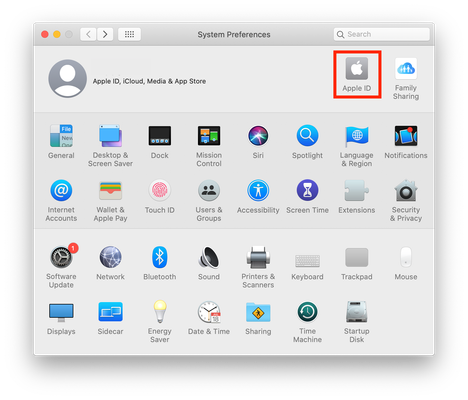


Hi! I'm having the same problem as this user: https://answers.ea.com/t5/Technical-Issues-PC/no-load-game-button-sims-4/td-p/4572495.
Someone suggested the issue be brought to the Mac forum. Long story short: Save files are there but there is no load game button. I've tried all the steps listed in the link and they didn't work for me. I'm down to start over but is there a way to prevent this from happening again? I have a back up but if the files aren't missing and they're just not being read... I suppose that wouldn't help much.
Please could you click on one of the saves that isn't loading once to select it then go to File > Get Info. Under the General > Where section near the top of the info window please copy and paste the location of the save file here.

Hi, I'm having the same issue as this (my load button is gone, have checked to make sure my iCloud system preferences have been changed as per your advice on this).
My save file location is this: /Users/user/iCloud Drive (Archive)/Documents/Electronic Arts/The Sims 4/saves
Pls help!!
It’s worked 🙌🏼🙌🏼🙌🏼
Thanks so much!!
Hello thank you for your help! This is where it is! Looks like iCloud unfortunately. /Users/ryainhudson/Documents/Electronic Arts/The Sims 4/saves. Which is weird because I have plenty of local space. I've attached a picture.
You are a saint! Thank you!





