Unable to start: The Sims 4 is already running - Mac only
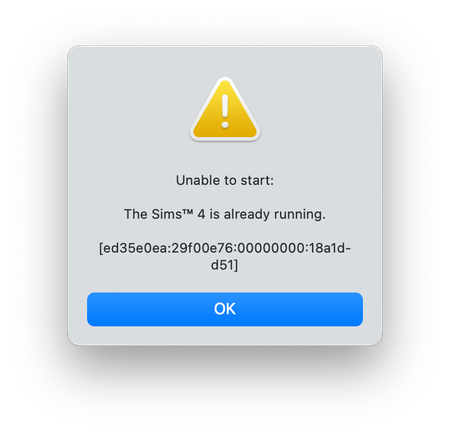


I bought the game june 2016 and I've never been able to open it, since origin keeps telling me that "the sims 4 is already running" with the errorcode:
[ed35e0ea:29f00e76:00000000:18a1dd51]
I've already tried reinstalling origin and resetting it. I've checked my task manager and it is not running. I've gotten a new macbook (the touchbar one) and it still tells me that the sims 4 is already running. Help me, please
(Edited title showing as added to the compiled list - Bluebellflora)

So, I know I'm super late.... but I've been having this same problem for a week now.
I just found a way to fix it and not lose any of your data! So for future reference....
1) go to your finder and your document. There should be a folder labeled Electronic Arts.
2) go in that folder and find your folder labeled Sims 4. Inside this folder you'll find your mods, downloads, cache, and another folder labeled saves.
3) drag the entire electronic arts folder to your trash.
4) Now in your finder that folder should have been replaced with another, go in to where you find the Sims 4 folder in your finder
5) Now open your trash and go into where you find the saves folder again
6) Lastly, drag your saves folder from the trash to replace the one in your new Sims 4 folder.
You have now fixed the problem AND kept all your data.
Omg this worked!! THANK YOU SO MUCH

What the hell?! I tried this fix and it deleted my whole game that I'd been working on for months!!!!!!
This worked!! I just moved the electronics folder to my desktop instead of trash and that worked better! Thank you!

This fixed it for me!!!!! Thank your so much!

Thank you so much for this rarely do I find solutions that work for me and this one worked perfectly. I was freaking out, that my wouldn't start.
Fantastic!!! I solved the problem for me as well. Thank you for sharing your knowledge.