[CURRENT ISSUE] Several Issues after incomplete Installation
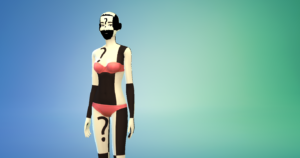


I have been through it the past few days trying to get help from EA on the issue I am facing with The Sims 4 EP10: Snowy Escape. The pack is showing as download and I can see the map and the content in game, but it is not accessible. The map is blank when I try to open the world and the content all has a big red X over it when I try to use the furniture.
The EA Help Advisors have been no help. I was told I needed to post this to the forum to get it resolved. I have already been told to clear the cache (which I have done several times) and told to
Try deleting the folder for Snowy Escape and redownloading it. The folder is labeled EP10: Snowy Escape is the tenth expansion released. In Windows, the default location for the pack is Program Files (x86)\Origin Games\The Sims 4. Be sure to clear Origin's cache after deleting the pack folder and before redownloading it. (which I have also done)
I do not have any mods downloaded onto my game. All of my other DLC is working fine.
I have included screenshots of the issue.

@sami14_2000 I've merged your post with the master thread for this issue. Please see the first post on page one for troubleshooting suggestions.
I am still not able to access my expansion pack. If anyone has experienced a similar issue, please help.
@sami14_2000 Try uninstalling Sims 4, the entire game, and reinstalling it into a different folder, one you create yourself. Uninstall the game, and the EA App while you're at it, with Revo Uninstaller (the free version is fine). Before doing so, rename the Sims 4 user folder in Documents > Electronic Arts to something that doesn't include "Sims 4" so Revo won't find it.
Restart your computer, reinstall the App, and create a new folder into which you'll install the game. It should be on the root level of the drive of your choice, for example C:\Games is fine, but not C:\Program Files\Games.
This worked! Thank you do much!


.png)
.png)