
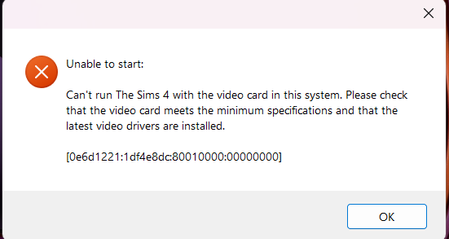
Game no longer recognizing my graphics card out of nowhere
- 10 months ago
shadowsandstars Despite the error message, the problem is not that your GPU is unrecognized but that the game can't use it properly, which is in turn typically due to an issue with the driver or with an antivirus blocking Sims 4. Your dxdiag shows that one of your laptop's graphics drivers is crashing, a lot, so that's the place to start. Specifically, you'll need to clean-uninstall both drivers and reinstall them. Here's how:
Use the drivers HP provides for your laptop, at least for now. Go here:
https://support.hp.com/us-en/drivers/laptops
Enter your serial number, choose your OS (just Windows 11 is fine) if asked, click All Drivers, then Driver-Graphics, and download the newest Intel and Nvidia drivers by version number.
The proper order of operations is uninstall the Nvidia driver > uninstall the Intel driver > restart > reinstall the Intel driver > restart > reinstall the Nvidia driver > restart, all with your computer offline.
If this doesn't help, please let me know whether you continue to see this particular error, or something else happens instead.

