
sd006
7 months agoNew Novice
Game wont start
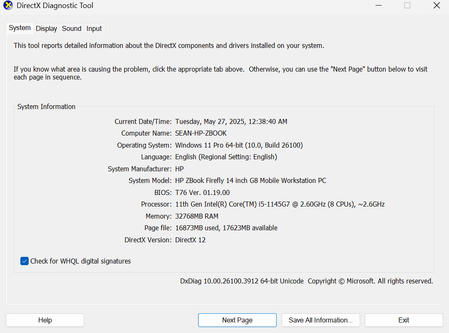
I've been having issues with my game fully starting. When clicking on it, the screen will temporarily flash white and then display the message "Can't run The Sims 4 with the video card in this system...
sd006 Malwarebytes isn't usually an issue, but just in case, you can try pausing its real-time scanning, temporarily of course, and repairing the game (again, if you have already).
If that doesn't help, delete the Bin folder in [install location]\The Sims 4\Game and repair again. You'll need to close the EA App and kill the EABackgroundService in the Task Manager's background processes list in order to be able to delete the folder.
The Sims 4 errors in your dxdiag point to a component of the newest VC++ runtimes, but these days, the issue is more typically something else using the runtimes, for example bad custom content. So if the above doesn't help, and you removed your mods but not your cc, please remove the entire Mods folder.
puzzlezaddict I tried deleting the Bin folder, and while it was able to be deleted it was through Steam, not the EA app. And I wasn't given the option to repair the game through EA, and I'm not sure if this issue is correlated to me deleting the Bin folder, but I haven't been able to open Steam since deleting said folder. I also should have been more clear in my original post, but I did delete all mods and custom content.

