Forum Discussion


jpkarlsen
2 years agoHero (Retired)
The game only saves to its user folder. If you move it from there the game can no longer find it.
What error message do you get when trying to load your game?
Also move your mods folder to the Desktop and delete localthumbcache.package. Start a new game for testing save it exit and see if you can load that. If you can try loading your original game.

Gamer53186
2 years agoSeasoned Novice
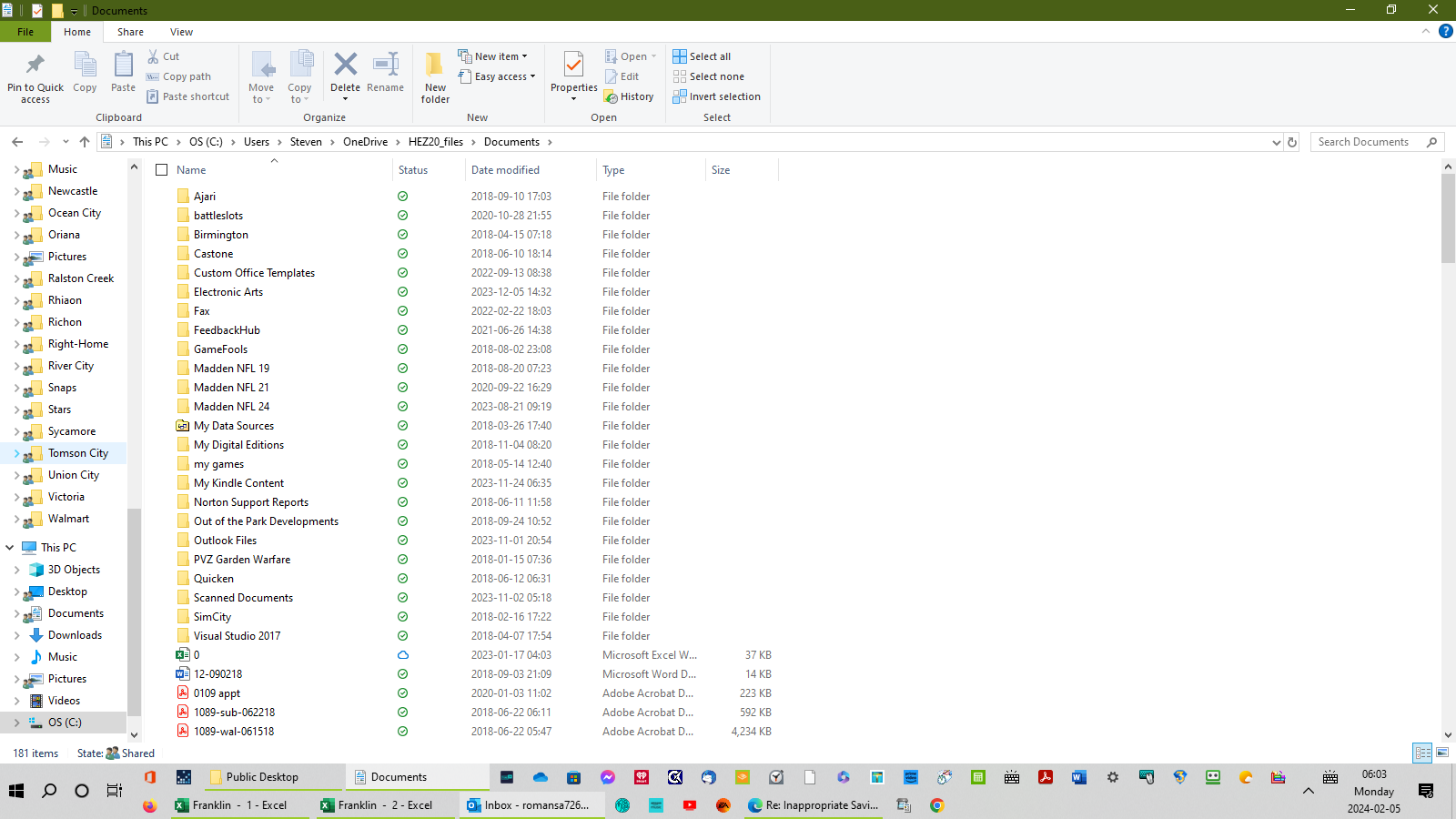
I just made a troubling discovery. The Electronic Arts folder is in the wrong place. What can I do?
- jpkarlsen2 years agoHero (Retired)
It is normal for the user files to be in Documents. Please follow instructions.
 puzzlezaddict2 years agoHero+
@Gamer53186 What is the full file path to your Documents directory, as Windows sees it? Your screenshot shows that the Electronic Arts folder is nested inside OneDrive and another folder, which could explain the problem entirely, but to solve it, we need to know where the files should be and what's currently there. Please open Command Prompt (search for it in Windows) and enter this command:
reg query "HKCU\Software\Microsoft\Windows\CurrentVersion\Explorer\Shell Folders" /v "Personal"
And post the result. Then open the game and find the path to your user folder as Sims 4 reads it. Here's how:
https://sims4.crinrict.com/eng/2018/07/how-to-find-your-user-folder/
If you can't figure out where to go from there, or you want to change one or both locations, please list both of them for me.
- Gamer531862 years agoSeasoned Novice
I am a Windows User. I don't know my Electronics Arts folder got redirected to my OneDrive. How do I get Everything out of my 1Drive and back to my User Documents folder?
- Gamer531862 years agoSeasoned NoviceAre we dealing with an EA App situation?
Featured Places