Forum Discussion


5 years ago
@holger1405 Yes how would I post a new one? It gives me the same one

puzzlezaddict
5 years agoHero+
@robdefalco Run a new dxdiag in the same way as you ran it before, then attach the new one you've created to a post.
- 5 years ago
There you go, this should be the new dxdiag
- 5 years ago@puzzlezaddict Really sorry if it's the same one, I still don't know how you post a new one that says win 10 H2, someone please help
 holger14055 years agoHero+
- 5 years ago@holger1405 What commands again sorry? And btw is it not good to use wicked wims if I download that on the game and others like mods?
- 5 years ago
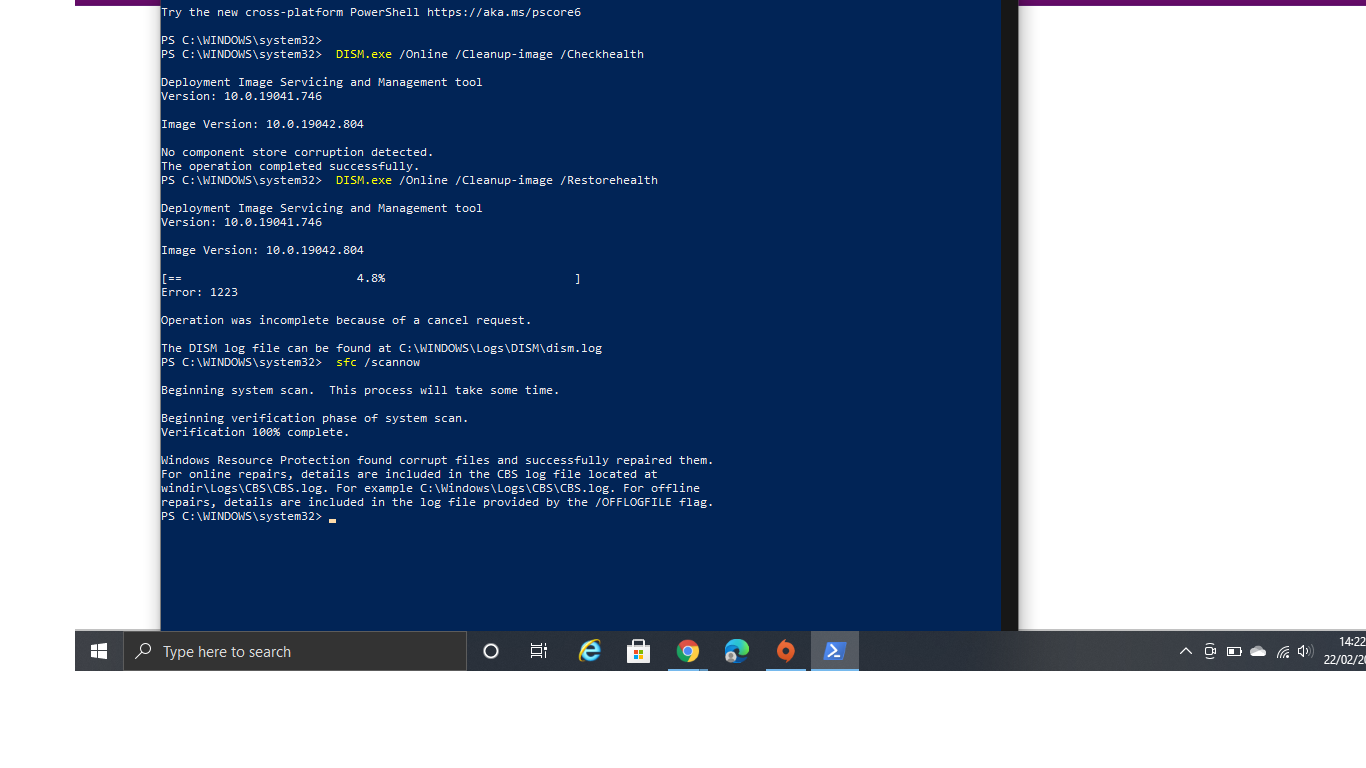
There you go. This explains why it will not let me do what you've said on the post.
- puzzlezaddict5 years agoHero+
@robdefalco Your commands are missing the spaces. Please simply copy and paste the commands Holger1405 posted, rather than typing them out.
As far as a certain mod that shouldn't be mentioned on this site goes, you're free to do with your game what you will. But please don't add any mods or custom content until your game is working again.
- 5 years ago
Here it is, thank you for this what's next?
- holger14055 years agoHero+
- Try to repair the game.
(Origin > Game Library > right click TS4 > Repair / in Steam > right click at MEA > Properties > Local Files > Verify integrity of game cache)
(Steam > right click at TS4 > Properties > Local Files > Verify integrity of game cache.) - Test the game.
- Try to repair the game.
- 5 years ago@holger1405 Thank you and I’m on origin I don’t have steam. Do I repair the game again on 64 bit instead of 32? In fact it’s still not working on 64 only 32 but I’m going to do what you’ve told me and follow those instructions.
- 5 years ago
I’ve tried that. Repaired it from origin and yet still not working, it’s doing the same thing about the error initialization code on 64 only let's me play 32 still. It’s no different I’ve tried everything and still doing the same thing!
- holger14055 years agoHero+
OK.
Press the Windows key > Write "CMD" (Without the quotation marks) > Right click on "Command prompt" in the search results. > Run as administrator.
-
Copy and paste (Without the quotation marks) "findstr /c:"[SR]" %windir%\Logs\CBS\CBS.log >"%userprofile%\Desktop\sfcdetails.txt" into the prompt of the command prompt. > ENTER.
(Copy it here and right click in the command prompt Window.) -
Upload the "sfcdetails.txt" that is now on your desktop.
-
- 5 years ago
Not working, not sure if I have done it right.
- puzzlezaddict5 years agoHero+
@robdefalco Sorry for the late reply; it appears that the AHQ notification didn't come through. The reason your command didn't work is because it didn't have the internal quotes. This is what you'd want to post:
findstr /c:"[SR]" %windir%\Logs\CBS\CBS.log >"%userprofile%\Desktop\sfcdetails.txt
Please run DISM and sfc again before looking for the log, since it's been so long. (Sorry again about that.)
- 5 years ago@puzzlezaddict Hello it’s ok no worries I will try that, hoping it will work
Featured Places