Invalid license message upon launch?
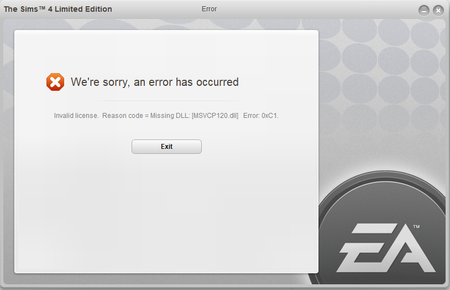

I've tried both methods, still no luck. I'm able to load Origin but whenever I try launching The Sims 4 from my library that message appears.

Thanks for tagging @puzzlezaddict
Lets try the update for VC++ 2013.
https://support.microsoft.com/en-us/help/4032938/update-for-visual-c-2013-redistributable-package
Still doesn't work, I've done it step by step; even repairing the game after my laptop finished booting up
If not > activate > restart PC > Test.
If they are set this way > Disable ".NetFramwork 3.5" > OK > wait until the uninstall is finished > restart the Computer.
After the restart, enable ".NetFramwork 3.5" > wait until the installation is done > restart the Computer > Test.

@Simologist I know this might sound stupid but when I had this error I download the VS C++2015 after I installed the 2013 package