Forum Discussion
14 Replies
Replies have been turned off for this discussion
@xJustSandrax That's exactly what I was looking for, thanks. The issue is that your mods aren't in the folder Sims 4 is reading. You can see the path to the Mods folder includes OneDrive, whereas the path you see in-game does not.
To open the correct folder, open a File Explorer window, click This PC in the left panel, double-click the C drive, then open Users > your username > Documents > Electronic Arts > The Sims 4 > Mods. Put your mods in there and they should show up.
 xCottageCorex3 years agoRising Novice
OMG THANK YOU SO MUCH! IT WORKED!!
Not only are all my mods and cc working but my old save file with the 3 years of progress is back too!! It's all because my files automatically link with onedrive so I'm gonna need to disable it somehow.
I am so so happy, I never would have thought to go into the C drive, thank you so much :D
@xJustSandrax I'm not sure why or how OneDrive was enabled recently, but if this is a shared computer, or someone else was trying to set up some function for you that wasn't working before, you may want to talk to the other person or people involved before changing any settings.
Regardless, please make a backup copy of your saves and mods, or the entire Sims 4 user folder, before changing any OneDrive settings. The process should be safe, but occasionally it gets stuck uploading and manages to lose some files as you're stopping the syncing or unlinking it entirely. Ideally, you'd store the Sims 4 data on an external drive or USB stick, or upload it to a different filehosting service (e.g. Google Drive), and in either case, it's a good idea to zip the folder before moving it around. If you don't have either of these options, you can instead place the backup somewhere else on your computer, but not inside Documents.
None of this is working for me.
@euphemiatravers Please provide the requested info.
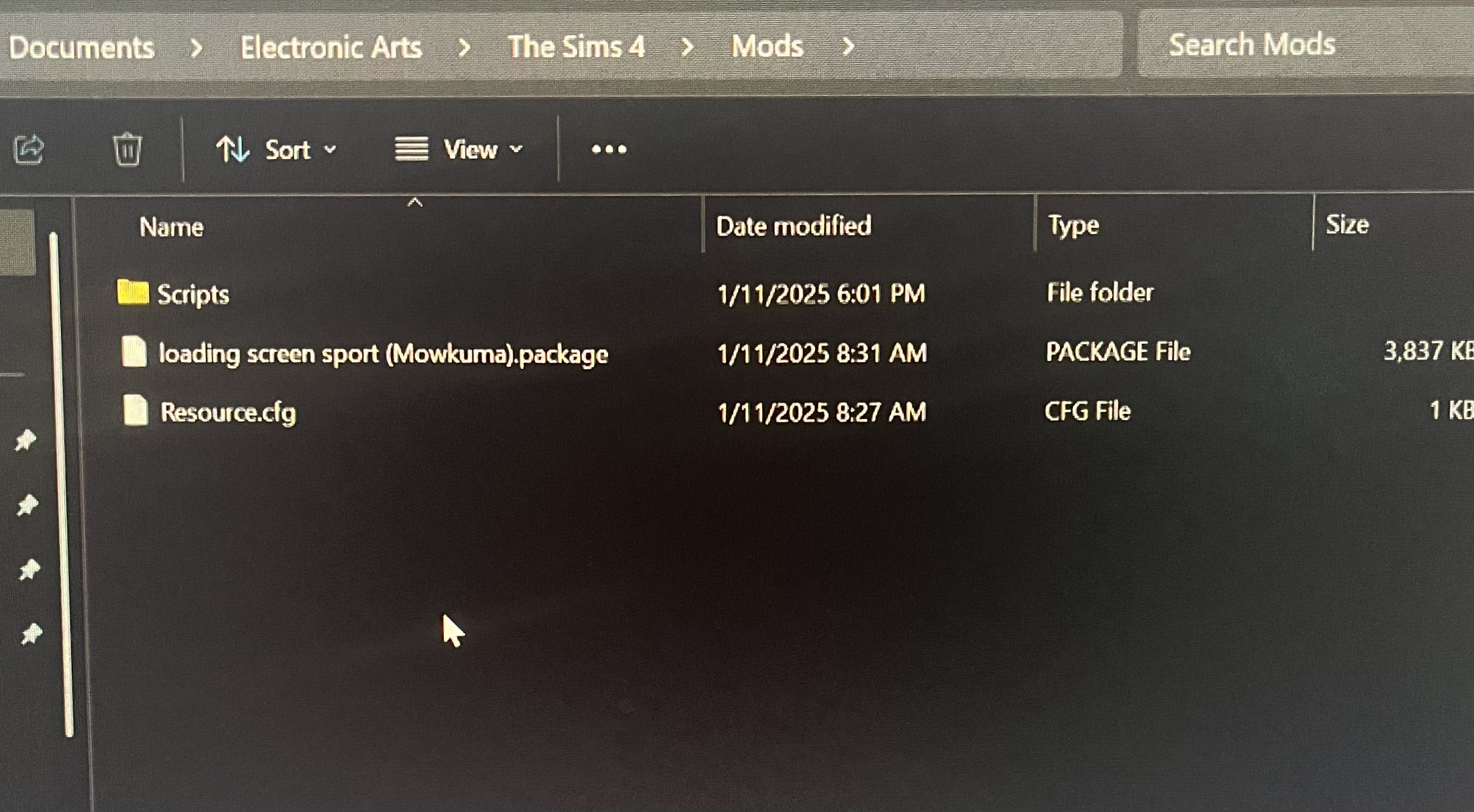
Hello!! I’m having the same issue except one drive is already disabled! It’s been 2-3 days when a few days ago mods were working just fine. Please help, I’ve watched so many videos and tried everything. Mods and Script content are enabled. Everything goes from Documents, Electronic Arts, The Sims 4, and Mods. I also have the resource cfg thing too. I I’ve also tried unzipping or extracting what I needed. I don’t know what else to do.
I’ve also tried reinstalling The Sims 4 as well.
@jneladawn Please move the Mods folder to the desktop, launch the game to create a new folder, download a fresh copy of one mod or cc item, unzip it if necessary, put it in the new Mods folder, and let me know whether it shows up.
Thank you for getting back and helping others as well, I’ve tried this at least twice in the past two days but still nothing.
@jneladawn Please double-check that you're using the correct Documents folder. Here's how to find its location:
https://sims4.crinrict.com/eng/2018/07/how-to-find-your-user-folder/
Compare that full path, up to "The Sims 4," with the location of your Mods folder. Right-click the folder and select Properties > General, then look at the Location.
And to be clear, when you enable mods and cc in-game, does your selection stick, or do you have to keep reenabling the options?
I’m not sure if these are the correct steps but here are photos for reference. And I have tried turning mods and cc enable on and off on game options but once they are on the check stays. My mods just don’t appear before I click resume game, and they don’t show up at all when playing.
@jneladawn I don't know anything about the one mod in your screenshot, but try taking everything else out of the Scripts folder and put it directly in Mods.
Thank you. I just moved them back to Mods, went to the game to make sure mods and scripts are enabled and nothing still. The other mod I had was just to check if I would see a new start screen picture in the beginning to see if the mods were working. I don’t know what I’m doing wrong.
@jneladawn Try a different mod, maybe a popular one that gets updated frequently and that you therefore know works with the game in general.
If that alone doesn't help, download a popular mod again, this time with a different browser.
 delilah03111 year agoRising Newcomer
THANK YOU! i’ve been trying to figure out how to get them out of my one drive for sooo long
 spipodsee6 months agoRising Newcomer
Hello, do you have any solutions for this for Mac?


Featured Places