Forum Discussion
6 Replies
Replies have been turned off for this discussion
Thank you for getting back and helping others as well, I’ve tried this at least twice in the past two days but still nothing.
@jneladawn Please double-check that you're using the correct Documents folder. Here's how to find its location:
https://sims4.crinrict.com/eng/2018/07/how-to-find-your-user-folder/
Compare that full path, up to "The Sims 4," with the location of your Mods folder. Right-click the folder and select Properties > General, then look at the Location.
And to be clear, when you enable mods and cc in-game, does your selection stick, or do you have to keep reenabling the options?
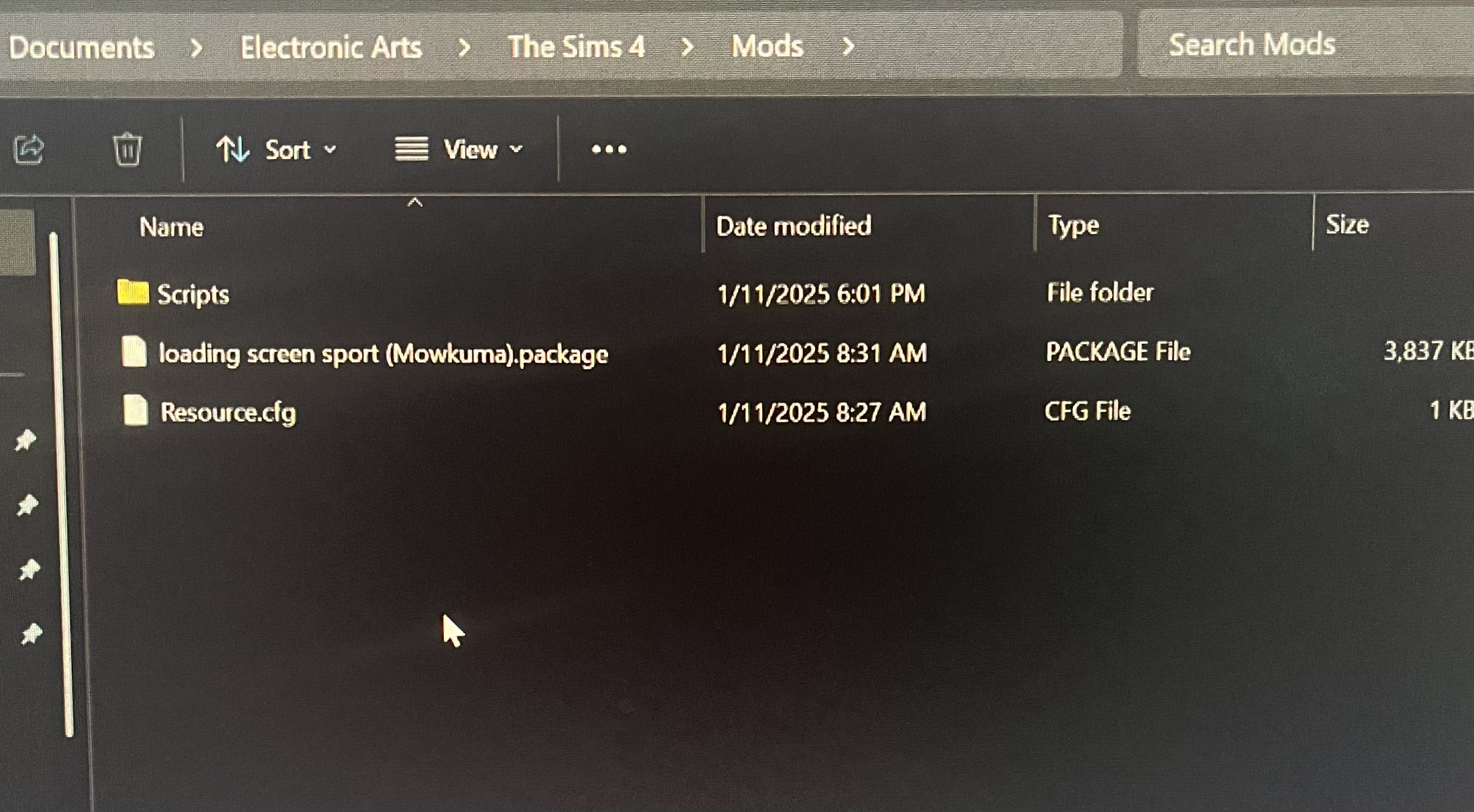
I’m not sure if these are the correct steps but here are photos for reference. And I have tried turning mods and cc enable on and off on game options but once they are on the check stays. My mods just don’t appear before I click resume game, and they don’t show up at all when playing.
@jneladawn I don't know anything about the one mod in your screenshot, but try taking everything else out of the Scripts folder and put it directly in Mods.
Thank you. I just moved them back to Mods, went to the game to make sure mods and scripts are enabled and nothing still. The other mod I had was just to check if I would see a new start screen picture in the beginning to see if the mods were working. I don’t know what I’m doing wrong.
@jneladawn Try a different mod, maybe a popular one that gets updated frequently and that you therefore know works with the game in general.
If that alone doesn't help, download a popular mod again, this time with a different browser.
 spipodsee4 months agoRising Newcomer
Hello, do you have any solutions for this for Mac?

Featured Places