Anonymous
9 years agoRed X in profile lots
Hello!
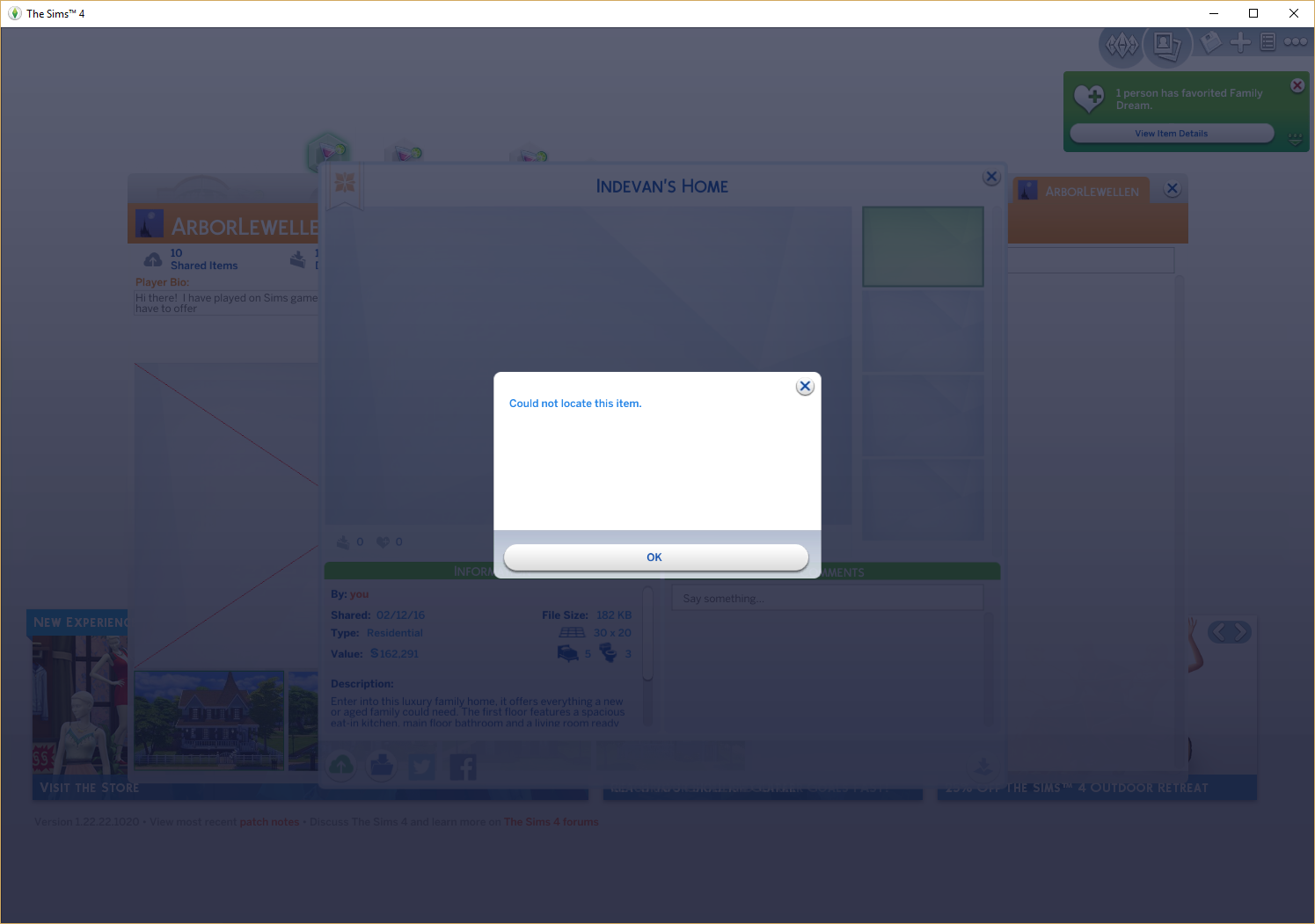
I have been having an issue where in my profile one of the lot pictures will have a red X and whenever I try to click on it I will get a window pop up that says "Could not locate this item....

Just checked your account and my own in my game, it seems to be deleted gallery content that isn't taken out of the favorites.
So as this is your build, it must have been taken out of the gallery, it think by you. But it still shows up in the favorites.
My account has the same but with builds from another player.
Tagging @SimQARobo
Is there a way to remove it from my favorites? Or a way to re-add the lot so that the red X goes away?
I don't think there is a way to remove it. But you can remove it on your profile page (where it's most noticeable).
Just pick another build to show off on your page (see red circle):
For now I only can tag someone that can help fixing it, as it seems to be a little bug in the Gallery.

 EA Staff
Thank you very much! I look forward to receiving some feedback.
Thank you to everyone who had tried to help so far.
When I get to that page where you have the red circle, the page grays out, and the mini window pops up telling me that the item cannot be found, and once I click out of that mini window the one behind it goes away again, and no matter how many times I try to open that first window, the mini one keeps popping up, so sadly there is no way for me to click that button inside your red circle.
Just click that on another build, not that build with the red cross through it.