Forum Discussion
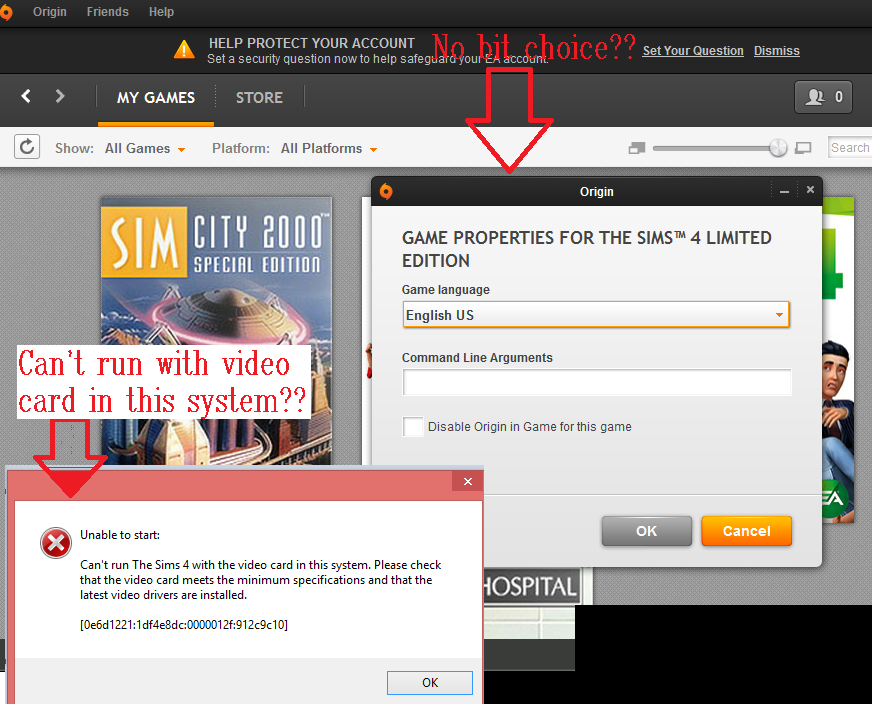
 I need to change the setting but the tab is no longer there.
5 Replies
 crinrict9 years agoHero+
You need to click on game properties for that, not i
Why need to set it back though ? Can you post your DxDiag for the error you're getting ?
- ApprovedAnonymous9 years ago
- crinrict9 years agoHero+
Could you post your Computer's DxDiag?
To gather a DxDiag on your computer, please follow the steps here: http://answers.ea.com/t5/The-Sims-3/HOW-TO-DxDiag-for-Sims-3-PC-Only/td-p/1049584/
You can attach the txt file to your post directly. - ApprovedAnonymous9 years ago
- crinrict9 years agoHero+
You only have a 32 bit OS so the game will automatically start it 32 bit. You can't start it in 64 bit.
Your graphics card is also not made for gaming and underpowered for this game.
Might also be a driver issue as your Dxdiag doesn't give any driver info.
All in all I would say you can't play Sims 4 on this computer.
Featured Places