Sims 4: repair changes language; missing text strings
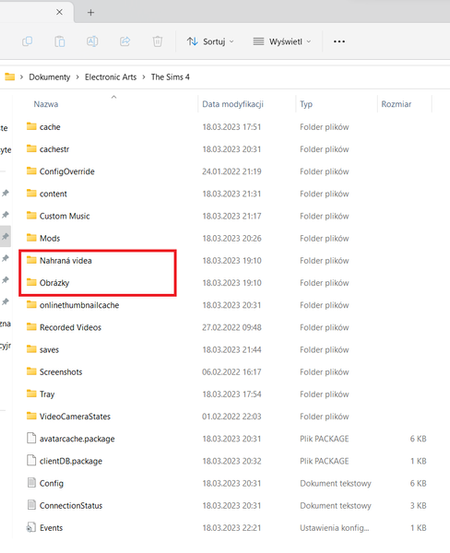


Hello, all of a sudden the EA App decided to start Sims 4 in German (I live in Germany, but have only ever played Sims 4 in English - until today it worked just fine on the app). In addition to this, all my saves are gone, it's like a vanilla version of the game. I still have my original "The Sims 4" folder in my documents folder but the app now refuses to use it - instead it created a brand new "Die Sims 4" folder which obviously has none of my stuff. How do I change this back? I've already renamed the wrong German folder and tried changing the language on the app. Neither helped and apparently you can't even change the language anymore (unlike Origin, why were we forced to switch if nothing works?). Please help, thank you!
@ImpalaMuse When you play in German, the game will read and write user files to "Die Sims 4," as you're seeing now. This is hard-coded into the game. If you want your content back and are fine playing in German, you can delete the current "Die Sims 4" folder and rename "The Sims 4" to "Die Sims 4" so the game reads it.
If you want to switch back to English, you'll need to uninstall and reinstall Sims 4; we haven't found a way to switch languages on the fly yet, and the EA App doesn't support it. In that case, you of course don't need to rename any folders. Please make sure the EA App itself is running in English when you install Sims 4—one common reason for the wrong language to be installed is that the App is running in a different language than the one selected for a game.
Thank you, I was trying to avoid a reinstall but it worked in the end.