Sims 4: repair changes language; missing text strings

After the update on 3/24/2023 (PC: 1.96.397.1020), almost all items from The Sims 4 Growing Together have **DEBUG** descriptions. Only The Mini Camper Sleeping Bag has a description. I cannot use some gameplay objects in the game, such as treehouse and splash pads. I have all expansion packs, game packs, stuff packs and kits. This issue only affects The Growing Together Expansion Pack. I uninstalled and installed the EA app. How can I fix it?
@Sylmos and @Hikari38 I've merged your posts with the master thread for this issue. Please see the first post on page one for suggestions.
The posts have been split into their own thread now. The other thread containing the relevant suggestions is this one:

Thank you!
I've tried the suggestions from the previous posts, but had the strangest experience. I've tried repairing the game via the EA App, which changed my game language to Czech. The problem is - I can't speak Czech, I've never played my game in Czech and I'm a long way from the Czech border.
A household member helped me change the language back through some general Windows thingamajigs (registry or something? He found the file, manually changed the name to en_US, which was my desired language).
The game is still missing bubbles, item names, event tasks, notifications, prompts and UI descriptions from EP13 and I am scared to try repairing the game again since EA App turned out to be very unreliable.
I don't know what to do anymore.
@Hikari38 Please describe exactly what your household member did to change the language back to English, or have him describe it. The issue here is that the text strings are missing or corrupt, and repairing may not have downloaded the correct English-language strings considering the EA App switched you over to Czech.
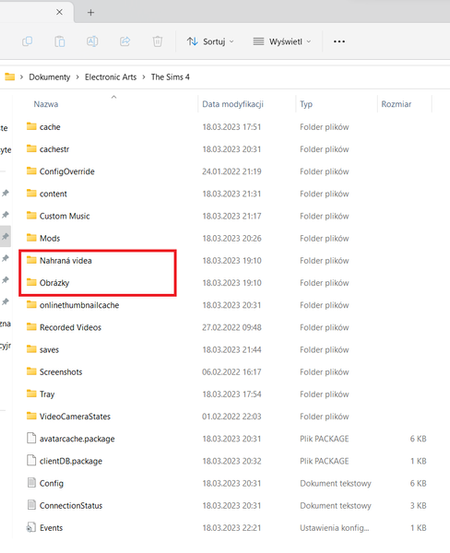
@puzzlezaddict @Hikari38 I avoided repairing the TS4 because the EA app changed my game language from English to Czech last time. I repaired the game using EA app. The language of the game has changed from English to Czech. Do I have to uninstall and reinstall the game again? The only consolation is that there are others with this problem.

Same thing happened to me but my game is stuck in Czech even when manually changing it via registry. And I had the same Growing Together but as you. Pls help
@StarlaShine20 You need to uninstall Sims 4 and reinstall it in the language of your choice. Editing the registry doesn't usually fix the language issue, and we don't know of another way to switch languages without reinstalling.







