Forum Discussion

sapphiretiger's avatar
sapphiretiger
Rising Scout
2 years ago

Steam packs not working on EA app sims 4

As per screenshots, I have several packs installed. My partner bought me steam vouchers instead of EA ones which I have never used before. Someone assured me on reddit that it should work but it isn't.

I purchased rent, chef hustle and a stuff pack from steam. I have linked both of my accounts. I was told I would need to download the base game on steam to make it work.

So these packs and stuff pack are showing up on EA. States manage on steam. No matter if I launch from steam or EA app, it opens as if from steam. My current game shows up and states will not run without many, many packs that I already have installed via ea. It even states I own them but they do not appear to be installed.

PLEASE CAN SOMEONE HELP ME?

How can I run it from EA or even steam with all of my packs showing up please so I can  keep playing my save. I've had a legacy going for 8 generations and I don't want to lose years of a save. I am not the best in technology so please explain it to me like I am stupid. I have ADHD and sometimes struggle with written instructions if they aren't exact and step by step. I'm sorry to ask this.

4 Replies

  • @sapphiretiger  You need to uninstall the EA App version of Sims 4.  Once you've done so, open the App again, click Sims 4, then Manage > Manage add-ons, and download ONLY your packs, not another copy of the base game.  These packs should install into the program files for the Steam version of Sims 4, after which point your Steam version should load all your owned packs.

    If this isn't detailed enough, you can find more information here:

    https://sims4.crinrict.com/eng/2020/06/the-sims-4-steam-version/

  • sapphiretiger's avatar
    sapphiretiger
    Rising Scout
    2 years ago

    Sorry for the late reply, for some reason it went into my junk folder. I'm so grateful you've taken the time to reply thank you. I'll give this a go when I get home from work thank you! 

  • sapphiretiger's avatar
    sapphiretiger
    Rising Scout
    2 years ago

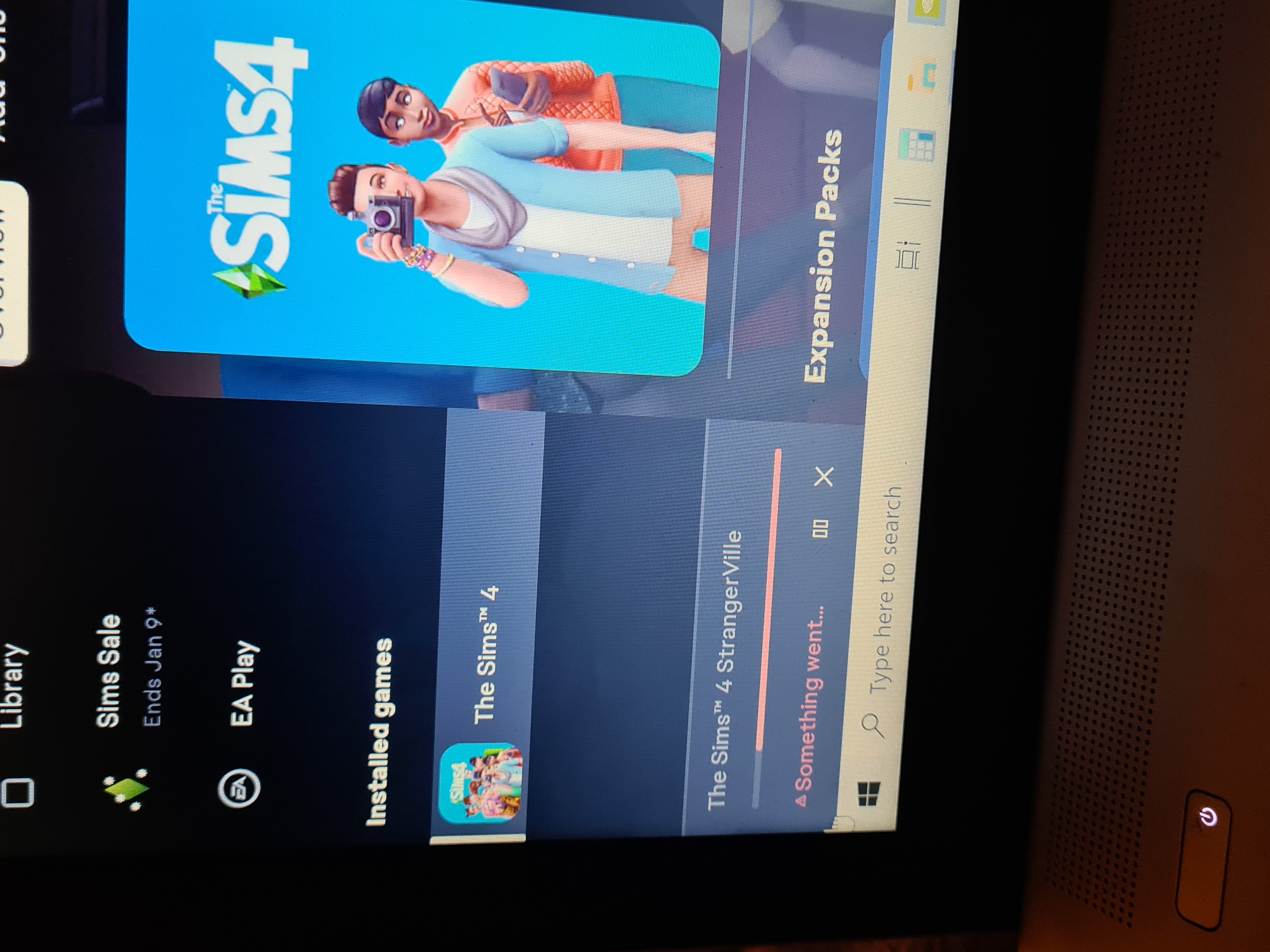
    I uninstalled the sims 4 ea version. Then I'm trying to just download the packs like you said but every single one says something has gone wrong. What am I doing wrong?

    You meant uninstall ea sims 4 then reopen ea app and download the packs right? Which is what I've done above. I even tried through steam and there is nothing to download there. 

  • puzzlezaddict's avatar
    puzzlezaddict
    Hero+
    2 years ago

    @sapphiretiger  Yes, that's what I meant.  Steam wouldn't be able to download your EA-owned packs anyway; there's no way to make them appear in your Steam library.  Since the EA App isn't cooperating, please uninstall it with Revo Uninstaller (the free version is fine) and reinstall.

    If that doesn't help, uninstall the App and also Sims 4, both with Revo.  Don't uninstall Steam if you have any other Steam games installed: removing Steam will also remove those games.  If Sims 4 is your only Steam game, you can uninstall it as well, although it's usually not necessary.

    If you have any saves or other user data you want to keep, go into Documents > Electronic Arts and rename the Sims 4 folder inside to something that doesn't include "Sims 4."  This is so Revo doesn't flag and remove it.

    Reinstall the EA App (and Steam if applicable), then create a new Steam library, as described here:

    https://help.steampowered.com/en/faqs/view/4BD4-4528-6B2E-8327#default

    The library should be in a new folder you create for just this purpose, and it should also be on the root level of the drive of your choice.  For example, C:\Steam Games is fine, but not C:\Program Files\Steam Games.  Call it whatever you want, just not "The Sims 4."  When you install Sims 4, make sure it installs to that new folder.  Then try again to download your EA-owned packs from the EA App.