Apex has been booting my system into recovery mode for 4-5 months
System:
MSI Bravo 15 C7vF
• NVIDIA RTX 4060 8GB VRAM
• AMD Ryzen 5 7535HS
• 16GB RAM
• 512GB NVMe (original)
• 1TB NVMe (new drive)
I've been experiencing this issue for the past 4-5 months ever since the time i got myself a new nvme (Predator GM7 1tb) at that time Apex had the fixed landing spot in ranked, just before Wild Card came out i think. for my gaming laptop. I for some reason ever since that day been getting that issue specifically on apex only. I played apex more than an hour and launches my pc into recovery mode. Then when i tried other games like Marvel Rivals, Helldivers 2, etc. for more than 3 hours, Nothing happens.
Here is a list of what i have tried
(1) Clean Windows Reinstall & System-Level Fixes,
I've reinstalled windows 4 time ever since the issue happens nothing seems to change from doing this, still causing apex to launch to repair mode.
Side note: after reinstalling windows i always install AtlasOS right after a reinstall. (I don't think it affects it though)
(1.1). I've tried installing windows on my new NVMe and only apex in that same NVMe and have the C drive removed since it originally has the windows, My memory is still a bit fuzzy about this since nothing really significant really happened, which means it don't seem to work at all.
(2) Verified game intergrity on both Steam and EA play,
Nothing seems to be affected from doing this, still causing apex to launch to repair mode after a few matches ranked or LTMs.
(3) Updated my drivers,
I've always had my drivers updated (mainly nvidia tho) ever since it happened. until recently i just updated my BIOS and it still causing apex to launch to repair mode.
(4) I moved my APEX from my D drive to my C drive,
It still causes the issue if i were to have both the C and D drive in my system.
(4.1). Unless if i were to remove my D drive,
The issue never happened a single time if i were to play ranked or LTM's. I played for hours in apex and i have no problems at all. But this solution was not optimal for me. So i moved on to find the next solution which is having Apex on my C drive instead of my D drive.
(5) I installed APEX on Steam and EA on my D drive and also my C drive;
This solution worked half half i guess. It still crashes my game in like 2-3 matches in ranked, then couple of LTM matches if i have my D drive still in my system. But if i were to have apex on my C drive while i still have my D drive installed, i would still be booted into repair mode.
(6) I returned the new NVMe and gotten a new one from the store i bought,
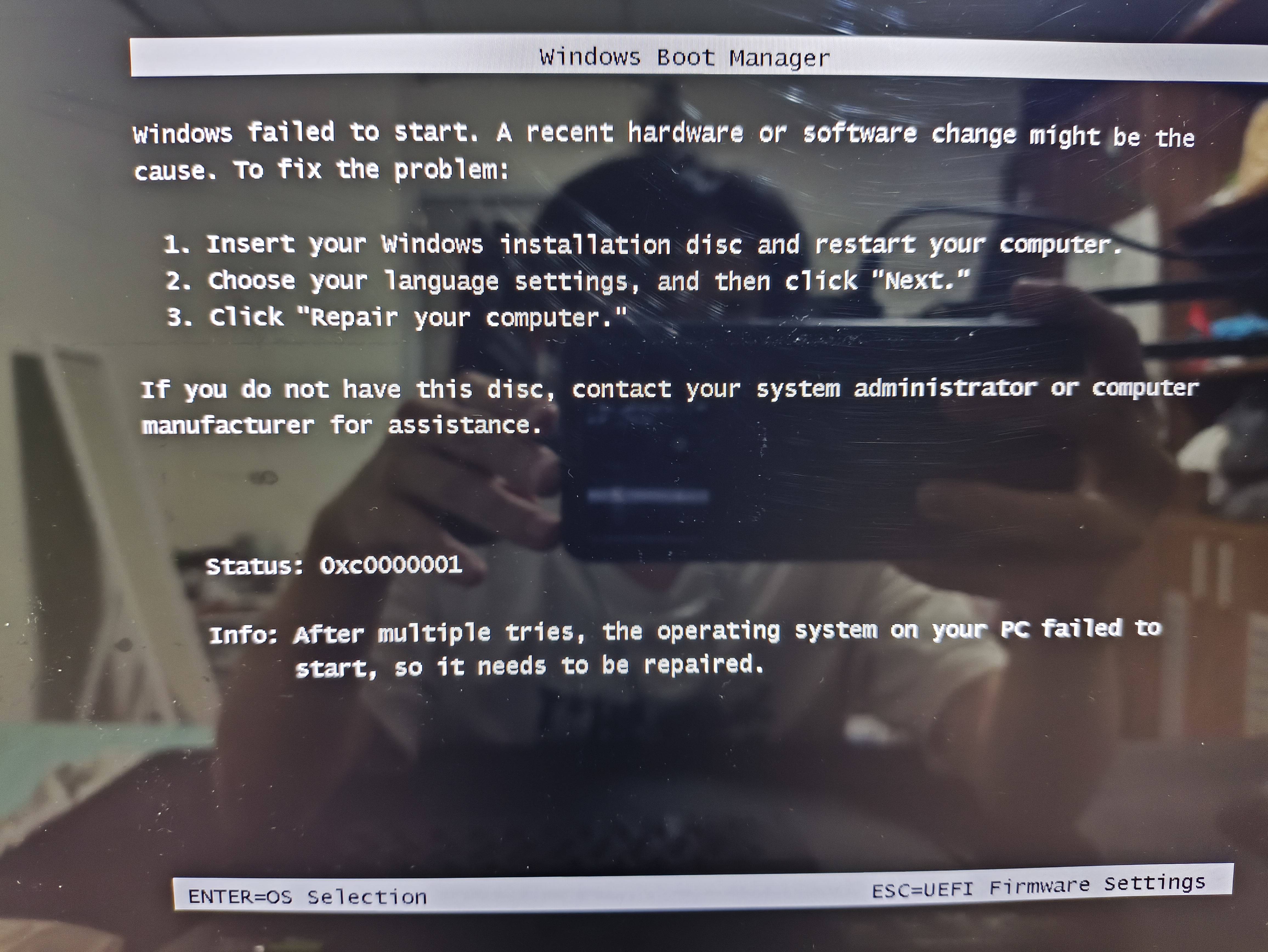
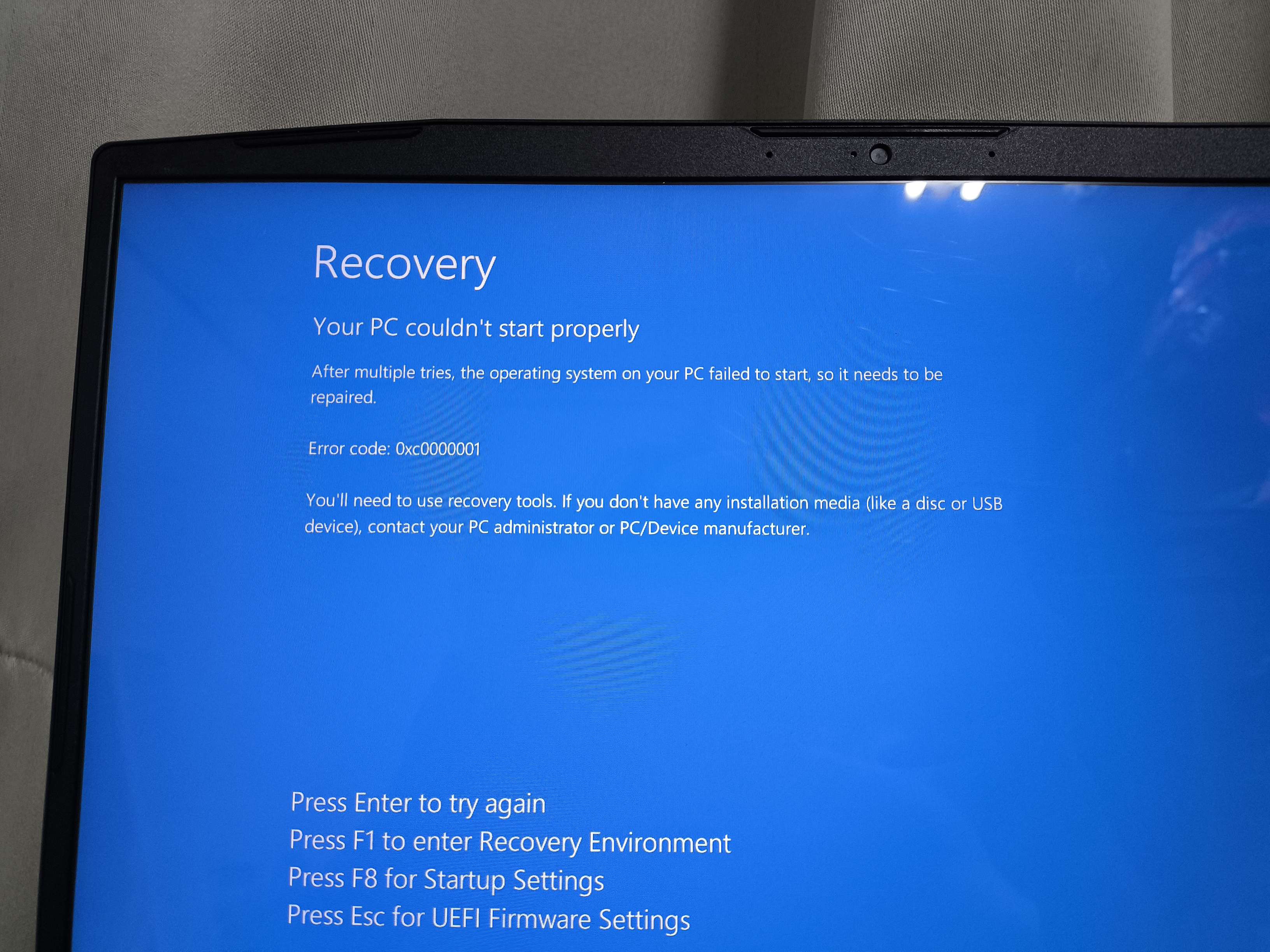
Look at the image attached.
The Black screen was the initial error that I got before I got the new NVMe.
The Blue screen was the error that I have been getting ever since I got the new replaced one.
Findings
- Error Codes: Initially, the system would boot into Windows Boot Manager with the error code 0xC0000001. Later, it would also trigger a repair mode with the same error code.
- Crashes occured on all the game modes i play Pubs, Ranked, Wild Card, LTM's except for Firing range.
- The crashes are not recorded in the typical crash dumps. I can try giving screenshots of my event viewer but it is kinda difficult for me to understand what the issues because i don't really know what to look at. (If you are interested in looking what the logs are saying then do say so)
Conclusion
I am still unable to play apex properly for the past 4-5 months because of the update that occurred and also because at that time I upgraded my laptop by adding an additional 1TB NVMe for my gaming laptop. I tried all the methods that i have mentioned above, and it still doesn't solve the problem. It still stops me from playing the game properly and crashing mid-match. If anyone has a solution for me to try please let me know. I am desperate to play apex without an issue at all.