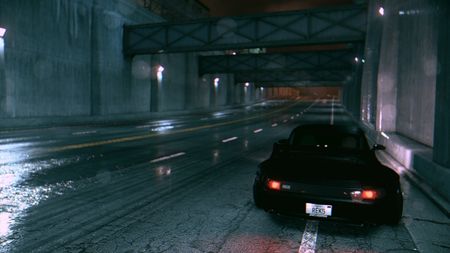
Idea for future or present NFS, 2015. 20 cameras on car.
Idea for future or present NFS. I'm not big fan of NFS, but recently I bought nfs 2015- good interesting rain vibe. Idea about cars: make system of cameras : 1. To save standard cameras (bumper, close , far view - if you want to save..) 2. Advanced view- to make system, you just click /tick the cameras with mouse- max like 20 cameras like needles - dots- put everywhere you want . From higher view of on hood, rear low key view of side vehicle e.t.c etc scenarios, whatever dots on car. Dynamic with speed or just static . Idea, when you change cameras , different view of speed. I have on my Youtube on NFS Run records, now roaming , not playing at NFS 2015 , Live streams with d nb music. With DOF. NFS 2015 just real like , but empty - no activities in city. But with DOF looks wow . https://www.youtube.com/live/Y0P9XQPFQ0I?si=gi3_l62aaf_4SzI1 Watch section live, there is some nfs 2015. Screenshoots wow at DOF , Look section screenshots > recent . There s my screebshots with DOF. I just now from mobile. So Idea is to make tool that player can tick cameras everywhere on car he want , max 20 cameras , with he want less no problem. I think 20 cameras it's more then a lot. It s be Advanced camera view - c c c c c - and player changing between cameras where he put them. So now there is addons where you can put cameras and freeze them at points, and it max 4 . So just imagining , thats not camera mod . 1 camera from top on hood- bumper , 1 camera on high roof static straight like cop camera , 1 camera look to diagonally 1l4 front right side car , - and all these setups- just from players setups. So , save classic , hood , close , far view . And Adcanced - so that s idea. I have on my Youtube video of NFS Run - so there s addon of camera ... So , that idea of visualising came just roaming NFS 2015- " the game is cool , but something off. Graphics/vibe great. 2. "Hmm , city is empty- where s real traffic , hmmm, something wrong"- so that my thougts. So maybe now enter pc , and add screenshots here. But with DOF - wow. But , vibe of city is empty - should be center of city , where you can roam around residentials or near )) there s suburbs , but no city- residentials and parckings - wron wrom , mske some noise on parkings , burnout- so that s missing in NFS 2015- THAT s Online, game have a Big potential of Upgrading... So, my idea is 20 max cameras player can put on car , where he want ....Diferrent angles diferrent playing. Standart cameras- boring. I ll put screenshots further maybe...62Views0likes2Comments
Can we bring ONRUSH back? — A request to EA
Hey everyone! I wanted to make this post because I really don't understand how ONRUSH ended up completely disappearing. ONRUSH is one of those games that I feel had something genuinely unique. The gameplay, the crazy races, the crashes, the team-based mechanics... there really isn't much else quite like it. The biggest problem today is simply that you can't properly buy the game anymore. It's no longer available digitally, and physical copies are becoming increasingly difficult to find I'm currently working on a small community preservation project around ONRUSH, and my biggest hope would honestly be to see the game make a comeback under EA. Even if it came back at a low price, I would much rather see people being able to officially buy and play ONRUSH again than have the game slowly disappear. I'm also very interested in the history of the game, especially the PC version that was worked on internally but never released. I've found quite a few Windows/PC-related traces in the game's data, which made me wonder how far that version actually got. So I'd really like to ask: Would EA ever consider bringing ONRUSH back to the store? And does anyone here know what happened to the unreleased PC version? I'd absolutely love to see a new ONRUSH community grow around the game again. If any former ONRUSH developers happen to see this, I'd also love to hear your memories or information about the game. ONRUSH deserves another chance! What do you guys think?18Views0likes0Comments
Steam Linked to Old Deleted EA Account
Hello, I need serious help. My Steam account is permanently linked to an old EA account. The email registered to that old EA account has been completely deleted and disabled, so I cannot receive any login verification codes.I have tried EA Help support, but the automated bot keeps putting me in a loop and I cannot reach a human advisor.I am the rightful owner of the game Need for Speed Heat Deluxe Edition, purchased on September 13, 2023. I have the official Steam Invoice and the exact Transaction ID ready to provide to an EA staff member in private. Please help me escalate this to an EA Advisor so they can unlink my Steam account. Thank you.Solved66Views0likes1CommentLets talk about Need for Speed Hot Pursuit
EA, It’s Time to Bring Back Need for Speed Hot Pursuit Dear Electronic Arts, It’s time to have an honest conversation about Need for Speed. For decades, Need for Speed has been one of the most recognizable names in racing games. The series has given players everything from illegal street racing and elaborate customization to exotic supercars, police chases, and high-speed pursuits. But somewhere along the way, the series began moving away from what made Need for Speed special. And there is one game that continues to stand out as an example of what the franchise can—and should—be: Need for Speed: Hot Pursuit. The message from a large portion of the community is simple: we want Hot Pursuit back. The Direction of Need for Speed Hasn't Been Working Over the years, EA has experimented with different directions for Need for Speed. Some games focused heavily on customization and street culture. Others tried to recreate the atmosphere of previous entries. More recent titles have experimented with open worlds, live-service elements, cartoon-inspired visuals, progression systems, and other ideas intended to modernize the franchise. Experimentation isn't inherently bad. A franchise needs to evolve. But evolution shouldn't mean forgetting what made people fall in love with the series in the first place. The problem is that Need for Speed has spent years trying to figure out what it wants to be. Meanwhile, other racing franchises have developed extremely clear identities. Forza Horizon knows what it is. The Crew knows what it is. Gran Turismo knows what it is. And Need for Speed? For many players, it feels like EA is still searching for the answer. That answer may have been sitting there all along. Hot Pursuit. Hot Pursuit Understood What Need for Speed Was Supposed to Be The brilliance of Hot Pursuit wasn't complicated. You had ridiculously fast cars. You had beautiful environments. You had aggressive police. You had weapons and pursuit equipment. You had racers trying to escape. You had police trying to stop them. And most importantly, you had fun. Need for Speed: Hot Pursuit didn't need to pretend to be a realistic racing simulator. It didn't need an enormous number of progression systems. It didn't need endless distractions. It understood that driving a Lamborghini at 200 miles per hour while a police helicopter tracks you and spike strips appear ahead of you is inherently exciting. That is the fantasy. That is Need for Speed. The Hot Pursuit Community Is Still Here Perhaps the strongest argument for another Hot Pursuit isn't nostalgia. It's the fact that people still care. Years after the release of Need for Speed: Hot Pursuit, players continue to talk about it, revisit it, make videos about it, play its multiplayer, and ask for another game in the same style. That's important. A community doesn't remain interested in a game simply because it remembers it fondly. It remains interested because the gameplay still works. The core concept of Hot Pursuit is practically timeless. Fast cars + police + weapons + competitive multiplayer + beautiful roads = a formula that still works. In fact, modern hardware could make the concept better than ever. Imagine what a new Hot Pursuit could look like with today's technology. Massive mountain highways. Coastal roads. Deserts. Dense forests. Rainstorms. Nighttime pursuits. Dynamic weather. Traffic. Destructible environments. More advanced police tactics. Hundreds of customizable cars. And online multiplayer designed specifically around the battle between racers and police. The possibilities are enormous. Imagine a Modern Hot Pursuit EA doesn't need to simply remake the old game. Make something new. Take the foundation of Hot Pursuit and build upon it. Give players two complete careers: Racer and Police. As a racer, you're trying to win events, escape police, complete objectives, and build a collection of increasingly ridiculous supercars and hypercars. As a police officer, you're hunting racers, coordinating roadblocks, deploying spike strips, calling helicopters, using EMP technology, and learning how to stop increasingly powerful vehicles. Make the police career just as deep as the racer career. Then take that system online. Imagine a 12-player event where six players are racers and six are police. One racer gets caught. Another escapes through the mountains. A helicopter is searching for them. A police Corvette blocks the road ahead. The racer takes a shortcut through a forest. Another police unit joins the pursuit. Suddenly, the entire event turns into a massive cinematic chase. That's a Need for Speed experience. Stop Trying to Chase Every Trend One of the biggest mistakes EA could make is looking at the current racing-game market and asking: "What trend can Need for Speed copy next?" Instead, ask: "What can Need for Speed do better than everyone else?" The answer has always been high-speed arcade racing and police pursuits. Need for Speed doesn't need to become another Forza Horizon. It doesn't need to become a realistic racing simulator. It doesn't need to become a generic open-world game filled with activities simply because open-world games are popular. It needs to be Need for Speed. The series has an identity. EA just needs to trust it. Give Players the Cars They Dream About A new Hot Pursuit should also embrace the fantasy of driving incredible cars. Ferraris. Lamborghinis. Porsches. McLarens. Koenigseggs. Bugattis. Corvettes. Dodge Vipers. And the newest hypercars that players dream about driving in real life. But the cars shouldn't just be collectibles. They should feel different. A lightweight exotic should handle differently from a heavy American muscle car. A hypercar should feel terrifyingly fast. Police vehicles should have their own strengths and weaknesses. The goal isn't realism for realism's sake. The goal is making every car fun to drive. And Please: Make Multiplayer a Priority One of the biggest opportunities for a new Hot Pursuit would be multiplayer. The original concept is almost perfect for online play. Instead of designing multiplayer as an afterthought, make it one of the pillars of the game from day one. Give players dedicated police-vs-racer modes. Give us massive pursuits. Give us team-based events. Give us ranked and casual matchmaking. Give us private lobbies. Give us custom rules. Let communities create their own events. And most importantly, don't abandon it after launch. If EA wants Need for Speed to have a long-term future, it needs to build a game that people want to keep playing—not one that players finish and forget. Don't Ruin It With Excessive Monetization There is another lesson EA needs to learn. Players are willing to spend money on games they love. But they don't want to feel like the game was designed around monetization first and gameplay second. A new Hot Pursuit should be a complete game at launch. Sell expansions if they're genuinely worthwhile. Add new cars and locations. Support the game. Give players reasons to return. But don't turn every aspect of progression into a storefront. The community wants a great Need for Speed game. Not another digital shopping mall. EA Already Has the Blueprint This is perhaps the most frustrating part. EA doesn't need to invent the formula. The blueprint already exists. Take the best parts of Hot Pursuit. Take the visual quality and technology available today. Take the lessons learned from previous Need for Speed games. Take the community's feedback. Then build something that combines them. Don't simply remaster the past. Build upon it. The Community Has Been Telling You What It Wants When a community repeatedly asks for something over many years, eventually it's worth listening. Players aren't asking for another Hot Pursuit because they hate innovation. They're asking because Hot Pursuit delivered something that the franchise hasn't consistently delivered since: A clear identity. It was fast. It was exciting. It was accessible. It looked incredible. It had an incredible soundtrack and atmosphere. And most importantly, it made players feel like they were part of a high-speed chase. That feeling is what Need for Speed should be built around. EA, Bring Back the Chase The Need for Speed franchise doesn't need another identity crisis. It doesn't need to chase every trend. It doesn't need to reinvent itself with every release. It needs to remember what makes it different. The cars. The speed. The danger. The police. The chase. Give us a modern Need for Speed: Hot Pursuit. Give the community the game it has been asking for. Build it with modern graphics, modern physics, modern multiplayer, modern cars, huge environments, dynamic weather, deeper police mechanics, and enough content to keep people playing for years. But don't lose the soul of Hot Pursuit in the process. Because sometimes the best way forward isn't to run away from the past. Sometimes you just need to look back and remember what worked. EA, it's time to turn on the sirens again. It's time to bring back Hot Pursuit.58Views1like1CommentNeed for speed carbon /most wanted
Hey shout out too the ea team i would and many others would like too see remasters of most wanted and or carbon to bring nostalgia back and the familiar game play could we bring it too ps5 with all the modern graphics and Xbox and the underground series please29Views1like1Comment
NFS Most Wanted 2012
Subject: Need for Speed Most Wanted (2012) crashes immediately when launched through EA App. Hello, I am having an issue launching Need for Speed Most Wanted (2012) through Steam and the EA App. The game is installed through Steam. When I click Play in Steam, Steam launches the EA App. EA App displays "Preparing game", then EA App closes. EA App opens again and returns to the Library. The game never displays a window and does not successfully launch. This happens consistently. I have already tried restarting Steam, restarting the EA App, restarting the PC, verifying the game files through Steam, and attempting to launch the game multiple times. I also removed MSI Afterburner and RivaTuner, removed OneDrive and TeamViewer, tried Windows 7 compatibility mode, disabled fullscreen optimizations, tried running the game as administrator, and cleared the EA App cache. The problem persists. I also captured a crash dump of NFS13.exe and investigated it using Windows Error Reporting and WinDbg. Executable information: NFS13.exe, Need for Speed Most Wanted, Version 1.5.0.0, Company: Electronic Arts. The crash reports Exception Code: 0xc0000005, Access violation, Attempt to write to address 00000000. Failure bucket: INVALID_POINTER_WRITE_c0000005_NFS13.exe!Unknown. The fault occurs at NFS13.exe+0x8c72cd. The relevant instructions are mov esi,ecx and add dword ptr [esi],1. At the time of the crash ECX = 00000000 and ESI = 00000000, so the game attempts to write through a null pointer. The call leading to the crash appears to originate from NFS13.exe+0x618f20, which calls NFS13.exe+0x8c72c0. I suspect this may be related to the EA App or the EA App's interaction with this older game, rather than simply corrupted game files. I have experienced various problems with games following the transition from Origin to the EA App, so I would like to know whether there are known compatibility or initialization issues with older EA titles. I cannot determine from the crash dump alone whether the null pointer is caused directly by the game or by something provided or initialized by the EA App. Could you please investigate the EA App and Steam authentication and launch handling for Need for Speed Most Wanted (2012), EA App background services, EA App cache or account state, EA App overlay or other injected components, legacy EA components required by NFS13, and any known issues with the EA App launching the 2012 version of Need for Speed Most Wanted. I can provide the 110 MB NFS13.exe crash dump, EA App logs, Windows Event Viewer information, or any other diagnostic files you require. Thank you.91Views1like2Comments
NFS SHIFT 2 UNLEASHED Revival on Steam + LAN multiplayer
Hey so I love NFS SHIFT 2 UNLEASHED and this game is pretty underrated. You guys 100% should sell it with multiplayer services on Steam and add LAN-multiplayer, I'd purchase it 100%. I'm playing it with car addons and physics mod so this game has so much potential, please bring it back to stores I will buy it 100%!20Views0likes0Comments
Not receiving any login code via email.
I'm not able to log into my EA account due to not receiving any codes via the email. Not a single email has showed up in any of my folders (inbox, spam, etc) I haven't been able to get any codes. I tried creating another account and that does receive the codes but the games have been linked to the original email account. HELP!Solved105Views0likes5Comments