Farm Merge Valley: Daily Challenge Event November 16 2026
FARM MERGE daily (FIRST of 7 required for weekly special) is not recording orders filled The challenge requires complete 2 orders, so far I've done FIVE without any recording yet they are recording on the task list, please fix asap as it will mess up our weekly. THANKS120Views14likes6CommentsBug Report: Ads appearing over the top of games blocking gameplay.
This is not isolated to one game. Every game I have tried today has had the same problem. Screenshots included. The ads appear to be breaking their frames. They are appearing over the top of the games and interfering with gameplay. Pogo Username: onejbird Device Type: Desktop PC OS Version: Windows 11 Version 25H2 (Build 26200.8655) Browsers Tested: Google Chrome Current Browser Version Number: Version 149.0.7827.115 (Official Build) (64-bit) DxDiag File Attached: No Error Messages or Exact Wording: None What Level is Freezing: None Troubleshooting Steps Completed: Cleared Edge browser cache and cookies Disabled all browser extensions Restarted computer Tried incognito mode1KViews23likes71CommentsError accessing Claire Hart "Secret in the Shadows" game, case 44 and 45
A while ago when there was a sale, I bought episodes in a number of cases including 44 and 45. When I try to access them now in two browsers, Firefox and Edge, I get an error message "Uh-oh! We had problems loading your episode. Please refresh your browser" with a 'refresh' tab. This has happened over several days. Case 43 and 46 are fine as have been all those up to these two. An image grab of the error is attached. Is this a known issue?1.4KViews4likes71Comments
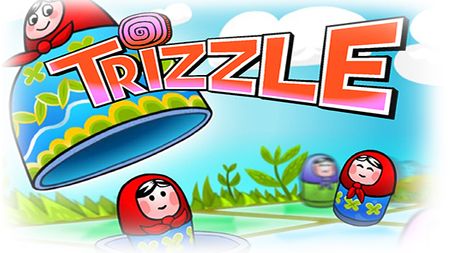
🪆Pogo: A Guide to Freezing in Trizzle
Experiencing freezing while playing Trizzle can be frustrating and disrupt your gaming flow. Fortunately, there are a couple of straightforward adjustments you can make to improve stability and ensure smoother gameplay! Minor adjustments are common in the online gaming world and can significantly enhance your gaming experience by balancing performance and visual quality. Below are detailed, device-specific steps to improve performance in Trizzle. Please test after each step, avoid changing multiple settings at once so you can pinpoint what resolves your issue. 🖥️ Window Users: Primary Fix: Adjust Monitor Refresh Rat. This solves the issue for most Windows users: Close all Pogo game windows first (critical step!) Right-click on your desktop Select "Display Settings" Click "Advanced Display" (usually at the bottom) Find "Refresh rate" dropdown Select 60 Hz Click "Apply" if prompted Restart your browser and load Trizzle Remember: Switch back to your original refresh rate after playing for better overall PC performance. Secondary Fix: Disable Hardware Acceleration Try this if refresh rate doesn't work: Right-click on your desktop Select "Display Settings" Click "Graphics" Click "Change default graphics settings" Turn OFF "Hardware-accelerated GPU scheduling" Restart your computer for changes to take effect Load Trizzle in your browser Additional Windows Fixes Enable Windowed Games Optimization: Right-click on your desktop Select "Display Settings" Scroll down to "Graphics" Ensure "Optimizations for windowed games" is toggled ON Restart your browser and test Trizzle Verify JavaScript is Enabled (Edge): Open Microsoft Edge In the address bar, type: edge://settings/content/javascript Press Enter Make sure "Allowed (recommended)" is turned ON Restart Edge and load Pogo Browser-Specific Hardware Acceleration Microsoft Edge: Click the three-dot menu (⋯) in the upper-right corner Select Settings Click System and performance in left sidebar Under Graphics Acceleration, try toggling it OFF Restart Edge and test Trizzle If issues persist, try with it ON Chrome: Settings → Advanced → System Turn off "Use hardware acceleration when available" Restart Chrome Firefox: Settings → General → Performance Uncheck "Use recommended performance settings" Then uncheck "Use hardware acceleration when available" Restart Firefox 📱Android Users (Phone & Tablet) Fellow player sonyastraubGh added a delightful hint for her Android device: "Go to settings, then go into Display, you should see "Motion Smoothness". Then change to "Standard" see if this works." Additional steps to try: ⛔ Avoid using "Lite" or "Mini" browser versions ✅ Make sure your browser is updated to the latest version If You Experience Freezing: Clear Browser Cache: Open your browser settings Find "Privacy" or "Privacy and Security" Tap "Clear browsing data" Select "Cached images and files" Clear data and restart browser Check Display Settings: Go to Settings → Display Look for "Motion smoothness" or "Screen refresh rate" If available, try setting it to "Standard" or "60Hz" while playing Switch back to "High" or "Adaptive" when done Enable Desktop Mode: In your browser, tap the three dots menu Check "Desktop site" This sometimes provides better game stability Performance Tips: Close other apps running in background. Ensure you have stable Wi-Fi connection and check the speed from your provider often. If on older Android device, try lowering screen brightness slightly (reduces processor load). 🍎 Mac/iOS Users Mac (Desktop/Laptop) Users - Adjust Display Refresh Rate: Click Apple menu → System Settings (or System Preferences on older macOS) Click Displays Hold down Option key while clicking "Scaled" to show refresh rate options Select 60 Hz from the refresh rate dropdown Close System Settings Restart Safari/Chrome and load Trizzle Safari Specific Fix: Open Safari Click Safari menu → Settings (or Preferences) Click Advanced tab Check "Show Develop menu in menu bar" From the new Develop menu → Experimental Features Try toggling "GPU Process: Canvas Rendering" off Restart Safari Chrome on Mac: Type chrome://settings/system in address bar Turn off "Use hardware acceleration when available" Restart Chrome iPhone/iPad Users Best Practices: Use Safari - it's optimized for iOS and typically works best. Make sure iOS is updated to latest version. If Freezing Occurs: Clear Safari Cache: Go to Settings → Safari Tap "Clear History and Website Data" Confirm and restart Safari Reset Display Settings: Go to Settings → Display & Brightness Ensure Auto-Lock is set to at least 5 minutes Turn off True Tone temporarily while playing On ProMotion displays (iPad Pro, iPhone 13 Pro+): Go to Settings → Accessibility → Motion → Limit Frame Rate → Turn ON (this forces 60Hz) Enable Desktop Mode (iPad): Open Safari and go to the website you want to view in desktop mode. Tap the “aA” icon in the address bar. Select “Request Desktop Website.” 🗺️UNIVERSAL TROUBLESHOOTING TIPS: Having trouble with your Pogo games? Try these universal tips to help identify and fix common issues step-by-step: Always close all game windows before making any display or system changes to avoid conflicts. Keep your browser updated to the latest version—browsers frequently update and may require your approval to install. Confirm that JavaScript is enabled in your browser since Pogo games rely heavily on it. Disable ad blockers and privacy extensions while playing on Pogo.com, as they can interfere with game functionality. If problems persist, clear your browser’s cookies and cache to refresh stored data and settings. Make sure your graphics drivers are up to date to prevent display glitches and improve performance. Close other windows, tabs, and applications running in the background to free up system resources. Test each fix one at a time. After applying each change, log back into Pogo and check if the issue is resolved before proceeding. Restart your device after several changes to fully apply updates and clear temporary issues. Check your internet connection for stability and sufficient speed—gaming requires a steady connection. If you suspect browser-specific problems, try a different browser—some issues may be isolated to one browser. Ensure Pogo and EA are on your antivirus or firewall software's whitelist (safe). Verify that your device meets Pogo’s minimum system requirements, including CPU, RAM, and OS version, for smooth gameplay. 🧐By evaluating each solution separately, you will discover the most effective method to return to a seamless gaming experience. Happy gaming!1.1KViews2likes9CommentsMerge Academy: The LAG
I do appreciate that you've finally addressed the myriad of problems involving Merge, but would truly like to see this one taken care of. I have become utterly disenchanted with the game, which used to be one of my favorites and the sole cause is the extreme lag. Click, wait, click, wait, click, wait, wait, wait then wait some more. I would love to see the original functionality restored to this game. It used to be fun and fast, now it's a chore to play. I haven't even bothered with trying for the chests or anything else lately, because simply put, I don't have the time nor the patience to sit through hundreds of instances of the dreaded lag. I've played very little for the past few days and I suspect that anyone else experiencing this is very interested in playing more, either. Please fix your games POGO, not partly, not a band-aid, fix all of the issues. This site used to be fun, but that's lacking as of late.136Views4likes5Comments