pop animation bug
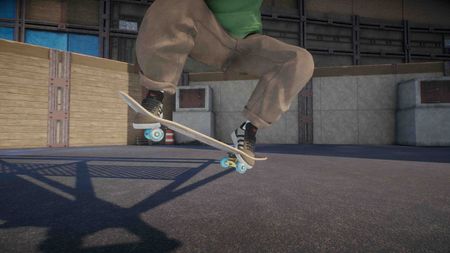
I first noticed this bug when night grom opened up, every great once in a while specially if I was hitting a big gap like a stair set I noticed the animation of my ollie or flip trick looked really snappy and un natural but I couldn't put my finger on why. Soon after S4 dropped I noticed it again but happening constantly so with closer inspection I noticed my characters leading foot clip through the board but its not just that, it appears there is a delay in the foot dragging up the board causing the synchronization between foot drag and board lift to become out of sync resulting in the foot clipping through and an ugly snappy looking animation. The interesting thing about this bug is that I have never been able to replicate it on flat ground, it only happens when popping close to or interacting with an obstacle and also happens when going switch or fakie. In the clips attached each one will have the normal speed so you can see how snappy it looks and then the close up in slow motion. This bug has been driving me nuts!! and a lot of other players in the realistic community are getting really frustrated as well specially those of us who pay close attention to detail in making footage that looks good.174Views2likes15Comments
skate. Error Server Bugs "990104014"
Hello EA Support, I am locked out of skate. due to Connection Lost Error Code: 990104014. I have done all local troubleshooting (DNS, network reset, reinstall) but it still persists. My account session seems to be stuck or bugged on the server side. Please help me to force reset or clear my active game session data. Thank you.
Neighbourhood Progress reset & stuck at 0 / 0
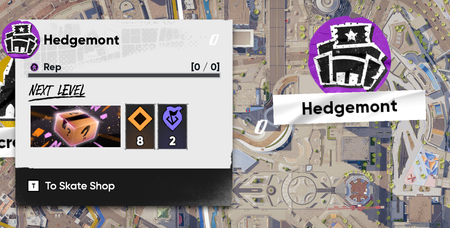
Description of the issue: Right after the Season 3 maintenance was over and I hopped in to check things out, all of my neighbourhood levels and progress got reset/bugged out. They are simply stuck at 0 / 0 and will not update or progress at all. Can't buy any product boxes either, even if it shows that I already have multiple boxes unlocked in said neighbourhood. It's been like this two weeks. Steps to trigger/reproduce the issue: Start the game as usual Look at the 0 / 0 on your current neighbourhood and wonder if all your progress gone Write bug report and hope for the best. I've seen a handful of other people post on reddit and the discord with the same issue. Still no acknowledgement as a known bug, which worries me a ton. Platform: PC (Steam) Troubleshooting steps already performed: Validated files through Steam. Reinstalled game completely. Attempted to run a few missions both old and new in every neighbourhood hoping it would fix things. No luck.2.5KViews25likes72Comments
MEGA THREAD: Board art, Stickers, Trucks, and Tattoos textures low res
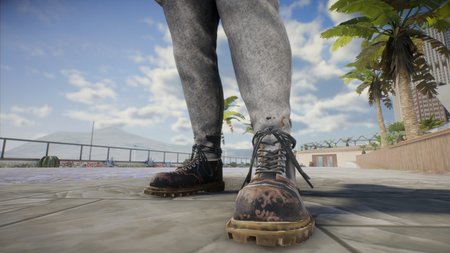
After the update, every board, board sticker, tattoo, trucks I put on seem to be in low res. This wasnt an issue before the update. I have messed around with graphic settings and still the same. Im on PC btw. my pc specs are i7 7700 RTX 3050 6gb 32 gb ram 1tb PNY ssd283Views4likes8Comments
Editor is Exporting Videos @ 1.5x Speed with Season 5 Update
Started happening with the Season 5 update. I've attached a handful of videos. Editor.mp4 is a screencapture showing exactly what happens during an actual short session of editing and exporting a video, where it remains normal speed until Skate exports it and you see it visibly faster. When you press export, you see the countdown timer - 3, 2, 1. During which the video starts playing. At the point 1 hits, the video starts over where Skate starts recording and the video is playing around 1.5 to 2x faster than the original intented speed. Clips that should be 10 seconds long, come out around 5-6 seconds long due to this. The other videos attached are short example clips that are visibly too fast. I can't seem to export a single video without this issue. This is on PC. Specs are i9-13900K, 64 GB RAM, RTX 4090. DxDiag included for reference.198Views9likes14CommentsCPU Heating to 192-195 F
I'm on the Steam version with a 4080 Super, Ryzen 7700, and 32 GB DDR5, but my CPU skyrockets to 195 degrees while playing at 4k 240Hz. I would try 120Hz or 165Hz, but there is no option. This is the only game that gives me this issue, I even have the graphics turned down, but it makes no difference. I love this game, but I fear playing it will just degrade my hardware. Playing at a lower frame rate makes this game significantly less enjoyable, and 1440p on a 4k panel looks pretty bad.