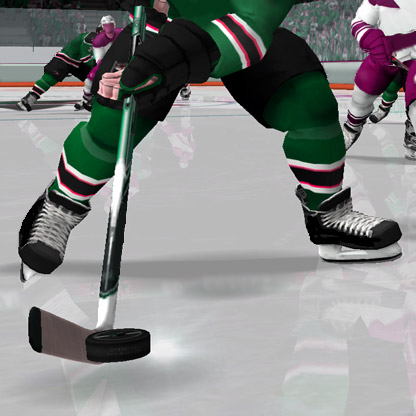
The CPU in NHL26 Is Literally Cheating…
I’ve owned this game for about two weeks now along with my new PS5 Pro; and when I first started using it, the gameplay was just WAY too fast. I turned down a few settings related to game speed and skating speed. Everything was working fine and normally. I went into season mode and noticed some settings went back to default so I changed them to where I had them again. If I remember correctly, it was after that when the cpu just completely broke… the apposing team always seems to be super buffed. The Defense and offense is just absurd. And for my team they’re always scoring into my net (I always play goalie), always turning the puck over. They rarely ever set up plays to score goals, they seem rather lazy and clumsy, the ref is only calling penalties against my team and often it’s for checking and when replayed the missed the other player… no penalty on the other team when they do stuff. when my team isn’t messing around and tries to go on the attack, the apposing Defence just kinda surrounds the person with the puck making it impossible to shoot or pass. I can go on further but idk what the issue is. Idk if it’s a bug in settings or the cpu bugging out or both. I went back to the ‘play now’ and tried it out of seasons mode to see if that would fix it. It didn’t. And it even seems as if the settings no longer have any affect. I’ve resorted to switching sides and doing so mirrors the affect over to my team giving them the advantage. I turned cpu difficulty up and down. Same with AI learning and they don’t seem to do anything. In fact most of the gameplay sliders now have no affect. I uninstalled the game and deleted all saves, reinstalled it and everything is back to default and still no fix. It’s getting kind of annoying now. LOL.Opponent quit while I was leading. no rewards
I’m reporting an issue that just happened to me in NHL 26 HUT, and I strongly suspect it might be an exploit or cheat used by my opponent to avoid losses. I was leading the game when the opponent suddenly quit mid-match. Normally, when an opponent quits, the remaining player is automatically awarded a win and the corresponding rewards. However, as soon as the game returned to the menus, I was greeted with an error message saying Can't relegate at this rank. As a result of this I did not receive any XP or coins for the win. My Ranked standing/points (CR) did not increase at all. It was as if the match never even happened, despite me leading before they quit. It seems highly likely that the opponent used some sort of connection manipulation or "glitch quit" exploit to leave the match without registering a loss, effectively keeping their record clean while robbing the winning player of their rewards. Has anyone else encountered this specific "Can't relegate" error after an opponent quits? Is EA aware of this possible exploit?Incorrect roster and jerseys for IF Björklöven in the SHL
Hi EA Team, I noticed that the roster for the newly promoted SHL team, IF Björklöven, is completely incorrect in the game. The current players do not match the real-life roster at all. For example, key players like Lucas Wallmark (C), Robin Kovacs, Phil Di Giuseppe, and some more are missing or have wrong data. Could you please look into this and update the roster for IF Björklöven in the next official roster update? The jerseys and team assets for IF Björklöven in the SHL are currently incorrect in the game. It looks like generic templates or outdated designs have been used, while the other 13 SHL teams have accurate jerseys. Since Björklöven is a fully licensed SHL team this season, could you please update their home and away jerseys to match reality in an upcoming patch? Thank you!