
Spore Creature Creator is just a black screen at launch... help?
I just bought Spore Creature Creator and have downloaded and installed it to my computer. (Windows 8) I seem to meet the system requirements, but whenever I try to launch the game from either Origin or actually going to the folder and running the application from there, all I get is a black screen that minimizes and continues to do so when I try to open it again. I've uninstalled and reinstalled the game several times and I still get this. There is no sound or cursor, and I'm a bit frustrated to have paid for this when it doesn't work in the slightest. Does anyone else have this problem and/or know how to fix it?796Views1like2Comments
Spore Steam Login "Internet Failed" Error - Received as Gift in 2019
Hello Community Managers, I am trying to log into the Spore game servers using my Steam copy but am blocked by the infamous "internet failed" loop. I recently reset my password to 8 characters, but my EA profile is missing the backend game entitlement required to complete the login handshake. I contacted EA Live Chat support multiple times, but because I received this game as a legitimate Steam Gift back in 2019, I do not possess a standard storefront invoice ID. The chat advisors are bound by a script that requires a financial transaction receipt, and they told me my only option is to track down the person who gifted me the game, which is impossible since I am no longer in contact with them. I have full, uncropped web browser screenshots of my official Steam Help Portal (proving Spore is in my permanent library) and my Steam Account Licenses ledger showing the 2019 gift activation. Could a Community Manager please review my account and manually grant the Spore server entitlement so I can finally log in? I am happy to provide my screenshots to a staff member via DM. Thank you so much.35Views0likes1Comment
Spore
I was recently talking to my AI companion about trying to modernize spores old systems graphics and just its gameplay in general, I then realized I could attempt to simply just put the idea out there in hopes it catches wind up the chain of command. where they would have the funds and resources to accomplish this way faster then I ever could. I know games have become a bit more fast paced and companies are mostly looking for big money but I truly believe with the AI we have now you could have teams of AI write the coding exactly as you want it then proceed to just need human testers and so on..... this may not be the right group necessarily but its not easy to contact a big company for a rouge idea!19Views0likes0Comments
Spore Galactic Edition: Cannot access online features or redeem activation key
Hello, I own an original Spore Galactic Edition purchased at launch in 2008. I can still install the game from the original DVD, but it cannot connect to the online servers, so I cannot access the Sporepedia or any online features. I tried redeeming the original activation key printed in the manual through the EA App, but it says the code has already been redeemed. However, Spore does not appear in my EA library. Is there any way to restore or add the game to my EA account so I can access all its online features? Interestingly, when I log into the official Spore website using the same EA account, my profile still shows the only achievement I unlocked years ago, which suggests my old account is still linked somehow. I have photos of my original game, manual, and activation key if you need them for verification. Thank you very much.41Views0likes1CommentHow to fix corrupted Spore saves
I was playing and the game suddenly crashed, when I rebooted it, all my saves were gone ingame but still appeared in the files, I searched through the metadata of the files via HxD and there were no signs of corruption, a crash log in the files mentioned something about the game's memory failing, so what do I do?34Views0likes1Comment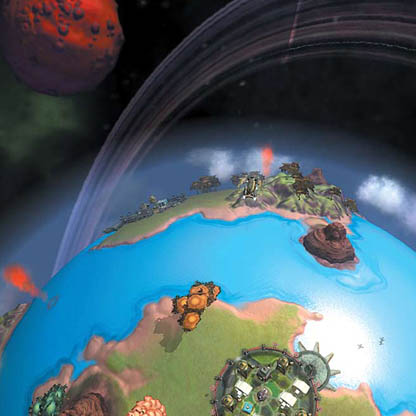
Bought Spore on Steam, want to move it to EA app
OK, so i bought spore on Steam before i had an EA account, played it a bit and kinda put it away for a few years. Now I want to play it, I got login issues and was told it might help to move it to the EA app. I was told that Steam gives you a CD key, that you can ender it on the EA app, then boom, you're done! Issue? It wont give me a CD key :( I looked it up google told me that it is because they ran out of codes, what do I do? Am I cooked?? Also, it does the same for the DLC's Any help would be greatly appreciated <3Solved49Views0likes1Comment
CD key for the Steam version of the game
How can I get the CD key for Spore if I bought it on Steam? Getting in touch with support is like winning the lottery, and the %CDKEY% in the registry is locked. I've reinstalled the game multiple times, and soon. I managed to contact support once, but they told me to wait a bit longer, like it might fix itself, but it didn't.Solved616Views0likes3CommentsIssue with connecting to Spore's online servers
I bought Spore on steam back on June 30th, 2023, during an online sale, and I had honestly thought nothing of it until trying to get connected to the official Spore servers. I have tried every method in their help logs, attempted to find the CD keys manually, and yesterday, had tried to contact their online support chat. The two times i had managed to connect to someone, the first person had said that there was nothing they could do and to raise the issue to Valve. The second one was just as unhelpful, and had even suggested I break Steam's TOS by refunding the game and using the money to buy it on EA's servers. I can't refund the game on Steam, both because i have over 2 hours registered onto the game itself, and I've had it for much, much longer than 14 days. I had even sent an email to EA directly, and haven't gotten a single response. I just want to connect to the EA servers, and every other method has failed me catastrophically. I'm tired of fighting, I just want my online connectivity so I can share the freaks I've made with the Spore community.65Views0likes1Comment