
Craftsman Style Home Tips?
I've started building Craftsman style homes in Newcrest. I've figured out a few things already (keeping the value of starter homes under §20k, building dormer rooms, etc.). But there are a few things that I haven't figured out how to do. (These are all based on actual Craftsman style home designs, which I'm trying to recreate in game.) Gables (especially those facing the front) are often covered with scalloped shingles rather than with regular siding. The game includes a few styles of scalloped shingles, but I can only put them on roofs. I can't put them on gables. Is there a way to put scalloped shingles on gables in the base game (no packs, no cc, no mods)? If not, then do any packs include scalloped shingles as wall patterns? Another common treatment of gables is board-and-batten siding. Do any packs include board-and-batten siding as a wall patterns? If the slope of stairs up to the second floor matches the slope of the roof, then actual designs use this to their advantage. The ceiling above the stairs can be sloped, matching the slope of the roof: even with the lower floor ceiling above the bottom of the stairs, and even with the upper floor ceiling above the top of the stairs. I'd like to incorporate this feature, but it seems that the game insists on the ceiling above stairs being even with the upper floor ceiling for the entire length of the stairs. Am I missing something? I've figured out how to build dormer rooms when the walls of the dormer room are all vertical. But many dormer rooms have angled walls (ceilings?) that follow the slope of the roof. Is there a way to reproduce this in game in a way that require "Walls Down" view to keep the roof from obscuring what's going on in the dormer room? Instead of full-height columns supporting the front porch, Craftsman style homes often have short pillars made of brick or stone that matches the foundation, with short columns extending from the top of those pillars to the porch roof. I haven't been able to recreate this in game. Any suggestions? Thanks in advance.Moving houses to different lots?
I've started building houses in Newcrest, and I've run into an issue. I built 5 nice Craftsman style houses in the Ridgeline Drive neighborhood. Only after I had them built did I realize that I had a house with a relatively wide floorplan on a relatively narrow lot, and a house with a relatively narrow floorplan on a relatively wide lot. I'd love to be able to move the wide house to the wide lot, and the narrow house to the narrow lot. But obviously, I don't want to bulldoze them and build them all over again. Is there a way to take a home that is on one lot and simply move it to another? Or, if there is a way to copy a home that is on one lot to another, then I could use any of the empty lots as temporary holding locations as I shuffle the houses around.Solved
Sim needs auto-recovering / bouncing back to full on one specific lot (Ondarion)
Hi everyone! I've run into a very specific bug with my Sim (Cordelia). Her needs decay normally until they hit a certain level, and then they automatically recover back to maximum. This only happens when she is on her home lot in Ondarion (she is an active sim). If I move her to any other lot in any other world, her needs decay perfectly normally. What I have already tried (and it DID NOT help): Using testingcheats true and toggling "Enable/Disable Need Decay" via the mailbox/Sim. Hard-resetting the Sim via Shift+Click -> "Reset Object (Debug)". Checking the lot traits - there is nothing there that should trigger automatically needs recover. I tested the game without my Mods folder, but the issue still persists on this lot. (I only have the latest version of MCCC mod and CC installed) Has anyone ever experienced a lot that forces Sims' needs to auto-recover like this? Is there a way to hard-reset the lot or clear whatever invisible is causing this? Thanks in advance for any insights!Still glitching since 5/12/26 update
Anyone else still having issues playing live mode and CAS? I don’t even use mods. I’m frustrated. Here is a list of things that have happened in my game recently since the update yesterday: Male sim glitches when playing as a parent. The child either clings to him weirdly or his action panel has multiple actions pop up and won’t stop adding to the queue. Sim newborn and toddler’s needs are being weird. For example, because the male sim glitches, I get the mom to do the task with the child instead. My child’s needs for fun and energy are “dangerously” low and I tried putting her to sleep and she won’t go to sleep. So I can’t get her energy bar to go back up. Also my nanny and butler were helping take care of the kids but then it started messing them up too. “Slenderman” child glitch is happening to my kid now when trying to do an action… ifykyk. CAS keeps popping into tutorial mode even though I don’t click it so I can’t add more sims or animals to my household in CAS. I like adding pond effects to my ponds and fountains like the swans, ducks, fireflies and dragonflies but for some reason, they aren’t showing now during live mode. They’re still there in the pond on build mode but not live mode. There are some other things but that’s pretty much the gist right now. Is anyone else experiencing similar issues or what do I do? I’ve repaired and cleaned out my cache multiple times. When my sim glitches like that I don’t even save the game and just exit it to try and restart where it was last saved but it still glitches pretty quickly after restarting the game. I do want to point out that I do use sims from the gallery that have max skills but says the creator didn’t use cc’s or mod’s, cause it’s easier when starting out a household imo. It takes too long for them to build the skills otherwise lol. The game was working fine up until late last night, eastern standard US time.Term Presentation Board Missing/No Prom
I recently moved my sims to a new lot and one of my sims that is enrolled in college lost the presentation boards for 2 of her classes. I checked the inventory of the other sims in my HH and the house inventory but could not find it. my current lot does have CC but I do not have any active mods. Any idea how I can get a new one? the second issue I have is my sims that are enrolled in HS do have a prom on the calendar. I made sure that my allow romantic invited and requests, and allow friendly invites and requests is turned on. Looking for solutions for that.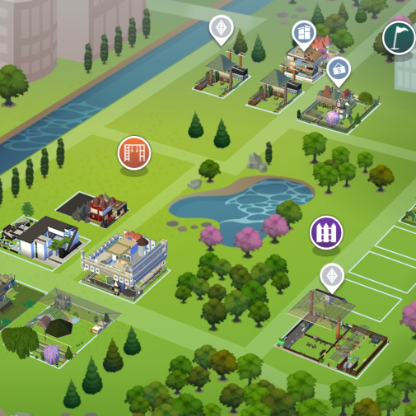
E-P,GP,SP Management way
it's a best way to manage what i wanna to play pack just as Launcher(like 3 Generation)As a More and more Packs Previous-order&available,i won't reboot game all packs every time,it will be slow down Speed for my computer,Please don't tell me the —Disable packs:(all packs,E,GP,Sp 01020304)this Inside test code,it's So Long to remember it and i'm not a Pragmatism-Programmer. I take a picture for every Sims-Guru member and Players can seen it Answer:is yesSolved