Compatibility & Self-Discovery Explained
Hi! This thread is a 2.0 version of these threads put together: Sim Characteristics and Social Compatibility - A Look into Tuning Files Self-Discovery - An Attempt to Understand Tuning Files Due to spoiler tag issues in this forums and how the post hierarchy system works here (and how posts can be collapsed), I've decided to make a new thread which could also look in other things. Turn-ons and turn-offs for example, even though the description of each one gives you the exact into which attracts sims. This thread contains info on the following topics: Sim Characteristics & Social Compatibility Self-Discovery system Turn-ons and Turn-offs & Attraction Grief Trait Replacements Update Log Use links to jump to desired info. Please do not comment under the linked post. If you have any additions or suggestions, let me know! Comment under this main post or any other post that isn't linked here!576Views3likes108Comments
Funeral ceremony - facts and ideas
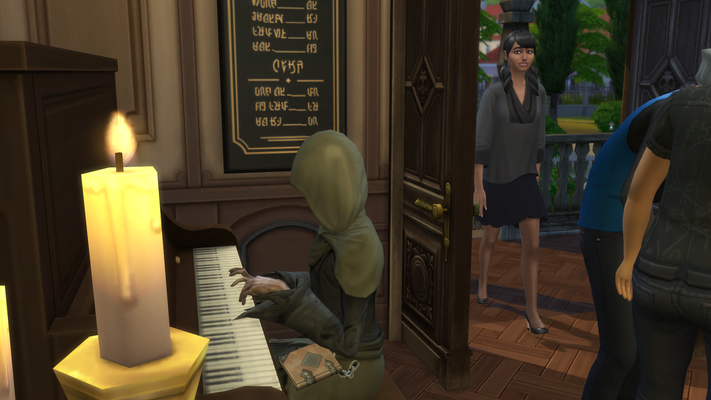
Let's share finds and ideas related to the funeral event. It seems to take some trying to master it, and that some events might vary a bit with guests and perhaps relations to the deceased sim. It also seems that elements can be used in more ways than the obvious, this event seems to be much more flexible than I was expecting :) I've been testing a couple ceremonies, and made a few discoveries that might help other ceremony newbies, too :) The memorial ceremony can only be for a sim who is a ghost. So, in my case, I can not host funeral service for most of my previously dead sims because I had a habit of freeing their spirits in order to limit the sim count of my save. In the future I might wait until the funeral to free those spirits. I find it a bit annoying that the ghost can appear at its own funeral ceremony. On my first test the ghost left the group at the gate of the cemetery, and the Host waved goodbye (which I thought was super cute). On my 2nd test the ghost showed up inside the ceremonial room, but it's easy enough to tell a ghost to "just go away". The event, lasting for 8 hours, can be initiated (=hosted) by anyone with a relation to the ghost of deceased sim - relative or friend. Being a member of the same club doesn't seem to be enough, you need the ghost in your relations panel. My Host knew only one ghost, but could invite numerous ghosts as guests - not sure why they could be guests when he did not know them, but they might have been ghostly relatives of the deceased one, which would make perfect sense. If so, the Host won't need a relation to all guests. If you place a piano/pipe organ in the room, there seems to be a chance Grim Reaper himself shows up to play music. I had it happen only once, so it might be a random thing. Grim is a talented Pianist, but I found it weird that he played a ragtime piece. Shouldn't they choose something a tad less joyful? Well, he is probably less sad at this event than the guests... Cassandra G. Mux-Raisser looked a bit worried arriving the ceremony, when noticing who played the piano. The coffin casket thing to be placed on top of a memorial podium can be opened. I never understood why I would want to store anything in that casket, it's not as we have a body, but it is intended for placing the urn, resulting in some activities focusing on that coffin (hidden urn) rather than the host. Coffin is not opened visually, only in UI as a storage box. In my first test I did not learn this, so when my Host initiated a moment of silence, the guests flocked around her and totally ignored the coffin. By open casket and click the hidden urn, they will focus on the coffin instead, which looks a trillion times better ;) Guests are limited to 8, it might seem tight especially when not all invited show up. I don't know if their relation to the ghost affects this (enemies might skip it, although they actually should applaud the passing). It might be just that the hour conflicted with work/school. Sundays might be the better day even in SimNation... And, 8 seems like a good limit after trying to control those unplayed guests a few times :) Guests' outfits can be chosen by Host (style and color), which is super cool for a more themed memorial ceremony. For general funerals, I found that this includes too much randomness, making some outfits not so suitable despites being correctly chosen technically. Pictured above is Fehla Cracrow, wearing Preppy+Black, as requested... I think I will go for the standard formal attire, just making sure that most sims keep their formal #1 moderate, avoiding wedding dresses and gala gowns and tiaras at the funerals. My plan will work well only if the game always picks Formal outfit #1, though. I won't mind a few weird outfits as long as they link to the sims wearing them. There are pie menus for choosing activity, but they vary a bit depending on what object you click. Some has a dedicated Funeral menu that I assume is active only during the event. This far I clicked the Host, the urn, memorial table and eulogy podium. There might be more. Your Host will not need to even know where the deceased sim's urn/gravestone was located, or to bring it, because when arriving the memorial ceremony a gravestone will be placed in the Host's inventory. I did not check if this affects the original urn/gravestone, but I assume it is just a copy to use at the event. I did not dare to delete it yet. I liked his, because it will be a typical thing for me forgetting to bring the urn :)169Views8likes6Comments
My Favorite Maxis Match CC and Vanilla Mods
I play with a ton of mods and cc but I do it to enhance the game, keep it fresh, or rotate out my BB. I like using Maxis Match content and mods that just add more vanilla gameplay. I just finished updating a lot of my mods, and cleaning up my cc and I realized that my tailored collection might be interesting to some of y'all so here it is! Links to the Patreons of my favorite CC creators in order of most to least favorite. (Please note I only use build/buy cc) Pierisim Definitely check out the Pantry Party collection! Sixam CC A wonderful creator with tons of amazing packs full of useable furniture and great clutter. They also do a ton of pet and kid stuff. Small Spaces if my favorite collection. Taurus Design I just discovered this creator and am IN LOVE! I think my favorite collection is the Judith Closet collection because I can use it like a walk in closet collection or I can use it in a retail shop. Taurus also has another closet collection called Eliza that's amazing. Also the Eliza canopy items! I am a FANGIRL for this creator Felixandre Amazing creator for architectural details inspired by international architecture. My current favorite is the Paris collection but also check out Chateau and Gothic Revival. And you NEED the floating wall shelves from the Grove collection. Just trust me. The Clutter Cat It's literally in the name: GREAT CLUTTER! Just gorgeous, functional, maxis match clutter. A newer find of mine but I just looooove them. However, some of it can be very alpha. Leaf Motif If you like clutter, please check out this creator. There are some great items here but be warned that while most textures are maxis match, I find a lot of it very alpha. I definitely recommend scrolling back on their timeline to hit up the plants, though! Charly Pancakes Great kids' stuff! I really like the Munch and Lavish collections. Please note, I do think some of it is a little too alpha but it's not that noticeable. Tuds One of my newest discoveries. I really love the IND Restaurant collection right now but I can also recommend Crib and Lilith Chilling Areas. Just some really great usable, functionable items and wonderfully thought out clutter here. Kaiso A must see creator who does great specialty animal items. Check out the Rodents, Lizards, and Parrots collections for decorative exotic pet items that stay true to realistic needs for these pets. As an exotic pet owner myself, I really appreciate the realism while also maintaining the maxis match style. They've also done some cute small sets like the Onion set (literally onion couch!). I cannot recommend them enough. My Cup of CC A newer creator who does great clutter. I love the Tiny Dreamers collection. Hey Harrie A really popular CC creator but I don't use a lot of their stuff so that's why they're further down. Merely the Coastal (for those gorgeous cabinets!) and Spoons collections Madame Ria She does awesome kitchens with lots of great clutter. And there's this matching wall and floor tile that I just LOVE. Also a surprising amount of CAS content too. MyshunoSun This creator did a recent partnership with EA so that's cool and their stuff is super high quality and attractive but I find myself deleting it from my game constantly because it's very unique. I use the whiteboard from the Edge Office collection and a few plants here and there but everything feels too overdesigned to put in most builds. But if you like unique items, definitely check this creator out. Little Dica Super high quality items from this creator but I find a lot of the items are too specialized and consistently remove them from my game due to disuse. By I can say their Greasy Goods collection is amazing IF you would use it consistently but I find other creators' restaurant items are more versatile. Simkoos Lots of great clutter here, but their stuff is super alpha. The only thing I really use are the PC gaming items so this one is more like an honorable mention. Max20/MaxsusStore Pretty great utility items like appliances, garage sets, closet collections, etc. The Garden at Home collection is so cute. But this person has a patreon, curseforge, tumblr and I think a website so updating their cc is kinda a nightmare because they're not super consistent and use different names. I also want to mention Kalino because they do a lot of CAS cc and premade animal creations for Cats and Dogs and Horse Ranch. Anything you want like farm animals, mythical creatures, etc, they have a massive catalogue! I think there might also be a tumblr or a website if you don't want to sift through their patreon. If you know any maxis match cc creators I didn't mention, let me know! I'm always looking for new creators. I prefer creators who make batches of items so I can download a pack instead of individual items. It feels like getting official content. Now for mods, I love functional small gameplay mods that make my life easier while playing. So I'm gonna list things in order of most to least functional. UI Cheats by weerbesu Literally right click or control click on anything in the Live mode UI and cheat it from weather to needs to friendship. So versatile, so easy. A must have. The most common way I use this is to cheat my sims' sleep need down so that they will be tired and sleep through the whole night. Stop Checking on Babies Literally the best thing in my game. I can't function without it. Basically how it works is when an infant, baby, or toddler cries, it stops the eligible sims from checking on the child because if not, they will cancel their current interaction and go deal with the kid, even if the kid is already being dealt with by another sim. This also fixes the issue where you set a kid in a high chair and then another sim picks it up immediately. Little Ms Sam Sam is my goddess. She is that person that got annoyed by a little thing in the game, mad a tiny mod to fix it, and then published it for everyone. She has HUNDREDS of little mods so go through them and fix those annoyances in your game. My must haves are Release All the Ghosts and More Holiday Traditions. Pandasama's Childbirth mod If you ever thought pregnancy in TS4 was ick, this fixes that. Lots of new interactions, moodlets, tie-ins with GTW, and some functional cc items to make pregnancy better. My favorite overhaul ever. Also, Pandasama has some really great toddler items that are interactable and I use all the time because I'm so tired of the dollhouse and the blocks being our only interesting toys. Panda is also great at keeping their mods updated! Deaderpool's MCCC If you haven't heard of this mod, I'm shocked. This is the OG do it all cheat mod. If you're annoyed by certain tuning values like how often your sim gets kidnapped by aliens, friendship and romance decay, need decay, monsters under the bed, household bill amounts being too high or low, and so much more, this mod helps soooo much. My must have tunes are adjusting the pet need decay to zero (seriously, why are they so needy?), setting the option to Pause on a New Lot to ON, Sims Die on Lot to ON, raising household bills by 20%, Auto Bill Pay ON, setting friendship decay slower, and adjusting a ton of the population settings so fewer sims move in and the ratio of the different ages of NPCs remains consistent. SNBank The best way to manage your sims' money, given to us by a group of wonderful modders. They also have some addons like a Realty system, custom bank lot and items, etc. I love being able to set up investment accounts for my sims that they can use on their phones, and get loans for more expensive houses. It's very well thought out and I haven't run into any bugs. The group keeps this mod wonderfully updated. Twisted Mexi's Cheats So many good mods by this creator. Definitely check them out. The one I use the most is the expandable BB catalog. However, the creator isn't great at updating their mods and when they break, they are usually the culprit behind your game not working after EA releases an update. KaBLOOM Literally shift click anywhere to make all the plants on the lot and in teh surrounding world immediately harvestable no matter the season. This helps fix that weird bug that reverts plants back to ungrown all the time. It also helps with creating new lots and growing plants fast. Healthcare Redux by Adeepingo I really like this mod because it adds more functionality to GTW's hospital system but downloading it is kinda annoying and it gets bugged frequently and the creator isn't the best at updates. Definitely worth a try once or twice if you have GTW. Lighting Fix Haunted Houses Paranormal Pack Lighting is bugged in haunted houses in the Paranormal pack so 12th Doctor has so kindly fixed this issue and makes playing in a haunted house not annoying anymore. No Advice Popup Parenthood If you have kids in your household and the Parenthood pack, they will ask any adult in the household for advice that affects their reward traits and I find it so annoying so I found a mod that removes that! Keep Tablets in Inventory No longer will sims set down tablets and laptops and then leave them there. They will use the item and then put it back in their inventory. You don't have to search for or replace the missing item anymore. Holiday Traditions by Missy Hissy I really liked LittleMsSam's Holiday Traditions but I need more so I found these and they're great! Although I'm always looking for more traditions so if you have anymore suggestions, let me know. Pied Piper's Crafting ModsI love this creator and their mods so much. They have Cheese making, Vinegar distilling, toymaking, and so much more. There's also a ton of custom craftable items, harvestables, and recipes available. Worth checking out! Ravasheen's Llamazon Marketplace It literally inserts a little cc card item that you put in your sims' inventories and when you need to purchase something specific, you just click the card, "order" it, and it hops in your inventory instead of you combing through the BB catalog through all the hidden items. Ravasheen also does other cc and mods but I really dislike a lot of it because it feels so alpha and if it is maxis match, it comes in weird color swatches that don't match anything. Brazenlotus' mods and cc This creator makes a lot of functionable cc items such as great items for retail lots so you can make a grocery store and a really cute Voidcritter pack. There's also a lot of great harvestables and recipes but downloading their mods is an utter mess. They rely on you downloading the core mod so their file sizes can stay small which I think is a great idea but it makes downloading mods from their website really confusing because there are so many dependencies. So every time I update my mods, I usually ignore this creator and forget about them until I want to play with something they made. Expanded PlantSims Basically a custom occult pack that makes plantsims feel like nymphs in your game. I recently started playing with it and love it. It's now a staple in my game. The creator has also made a Fairies and Unicorns pack as well with amazing trailers on youtube so definitely check it out! 20th Century Plumbob's Map Replacements Have you ever looked at the maps and thought, wow that is not what the world actually looks like... well now you can fix it! Completely aesthetic but just beautiful done maps that replace the bleh ones in your game. Also, check out their loading screen replacements: they're hilarious. I hope you find this helpful! I tried to give the most relevant links so things could be easily found but some creators rearrange their stuff so it might involve some difficult searching and sorting. If there's anything you think I should add, let me know! I also want to mention that all mods and cc are free so the creators do this in their spare time while maintaining a full time job. If you want to support them, most of them have patreons where they release a lot of great early access stuff. If you really like someone, I highly encourage you to support them monetarily. However, there are a ton of creators out there and I know you can't support them all. I certainly can't. So my personal rule of thumb is to support my top 3-5 creators for 6 months, and then switch it up so I can show my appreciation.
Bucketlist goal: spend the day outside
Hi everyone! I've been playing with the Life and Death pack and just got the bucket list goal to spend the day outside. My sim lives in Henford-on-Bagley so I took her to the park/forest lot there and stayed there for 24 sim hours. It did not complete the goal. What should I have done instead? Did it not work because my sim slept in a tent; is that not "outside" enough? Or is just glitched for me? Has anyone seen anything weird with this particular goal? Thanks! :)1.3KViews1like12CommentsQ&A: Life & Death
INTRO #AD (just in case this counts as social media) I was invited to join the CFE (not final build) opportunity for Life & Death. Thank you to the EA Creator Network for this chance to answer questions for you about ALL THE THINGS! I will be taking and answering questions about gameplay, writing several Bucket Lists, finishing Unfinished Business, being Macabre, running as I'm Chased by Death, digging graves and WooHooing in ALL THE THINGS! Plus I'll give you info on Ravenwood, Crows, Festivals, Careers, Ghost Historian Aspiration, Tarot, Wills, lore and anything else you guys want to know about! And there's a lot. I haven't even scratched the surface yet, and I've been playing for a week. The embargo has already lifted at time of posting and I'll break answers down into spoilers (if they are working yet, if not, replies) in case you just want to know some things and keep the rest a mystery. Format will be similar to last time where I have links to each subject and add more info to each based on questions asked and as I discover things through gameplay. If you didn't see it the first time you look, check on the subject post again later. Index to follow (if I can get it working this time). Let me know if there's something I forgot. You know the drill... Let the Reaping commence! P..S. - I also have a Creator Code now, so if you find my Q&A useful you might consider it as an option at checkout. This doesn't give you a discount, but it would give me a 5% commission on price of the pack. If you wish to use it, my code is EmmaVane. Just enter the code on the the payment screen where voucher codes normally go. Thank you, EA for this opportunity. INDEX CROWS - PET CROWS CROSS-PACK GAMEPLAY - MISCELLANEOUS COLLECTIONS - TAROT CARDS COLLECTIONS - MISCELLANEOUS GHOSTS - GHOST MASTERY ABILITIES & UNLOCKS GHOSTS - GHOST BABIES? LOTS - CEMETERIES & HALLOWED GROUND LOT TRAIT MEDIA - TV, RADIO AND BOOKS PREP FOR DEATH - WILLS & HEIRLOOMS PREP FOR DEATH - FUNERAL ARRANGEMENTS & GRAVE MARKERS RECIPES AND NEW INGREDIENTS SOUL'S JOURNEY - OVERVIEW SOUL'S JOURNEY - BUCKET LIST & UNFINISHED BUSINESS GOALS - ALL PACKS, BY CATEGORY15KViews18likes82Comments
Does anyone else play this way? (Rotational gameplay)
I have been playing the sims for years. I started playing with Sims 3 about a 1-2 years before the Sims 4 came out and started playing ts4 upon release and I’ve always played mostly rotationally. I used to play with one household until my founders died then create another and just let the first household fend for itself while checking in every once in a while, but now I play exclusively in rotations with only families that I’ve made because: I enjoy playing the sims that I make and creating different household dynamics ( large families, young couple starting out, grandparents raising their grandchildren etc) I get so bored playing with one household in the slower moments when they are having to go to work/ school and nothing is going on for 2-3 days at a time ( I’ve always been this way for me, even with ts3) it adds so much variety and to see how multiple families grow and interact. i get to experiment with the different career paths and aspirations as well as different methods to achieving them without having to wait until someone the next gen picks that career/aspiration im generally really impatient and like to move around a lot 🤣 I know that rotational gameplay itself is not new at all but I’ve never seen someone play the way that I do. The typical rules for rotational play are: Auto- Aging is off for either everyone or unplayed sims which means you’ll either be manually aging everyone or turning on/off auto-aging between rotations Stay in the household between 3-7 in game days I’ve seen some rules state to turn off neighborhood stories to ensure you can control who is doing what when it comes to moving, having children etc The only difference I have with most I’ve seen who play is I allow aging to stay on and I keep neighborhood stories on for unplayed households. So all of my rules are : Auto aging is on for all households ( long lifespan) Leave households every Sunday (with the exception of weddings and births because I want to name all children) All households that are not in my rotation have neighborhood stories on No cheating for money unless it’s part of the family’s initial story (rich family moving into town etc) Adoption and science babies allowed for 1 sibling every other generation ( if there is an adoption in gen 3, no adoptions until gen 5) Currently I am playing 9 households (originally it was 5 the other 4 are new branch offs of them) I would like to create more, but I know these 9 will become more as the next gens grow up 🥲 I like this method of playing because everyday is different and I think it keeps things fresh. I like seeing the my other sims walking around in the background, living their lives. I don’t like feeling like a “God” over the characters (if that even makes sense 😭) and having super control over every detail. I like letting a story naturally unfold, while managing and guiding their choices. While I’ve been playing, two of the funniest unplanned scenarios were: (Starting family : YA woman, man and their dog) - I’d just updated their house so they had about $700 simoleons in their account, the women was pregnant and at work (criminal career) and the husband was at home. He can’t cook so he died by fire the day before the baby was born so she had to quit her criminal career & turn her life around because she had to take care of the newborn and a dog. She got a job as a babysitter and started painting on the side. Now she has a new husband $30,000 in the bank and paints full time. It was a struggle to get them to that point but they’re my favorite household now. (Starting family: a couple and their twins, m&f) As the twins grew up their parents continued to have more children, causing a financial burden so great that they had to fit 6 people into a two bedroom house. Both twins found love but since the family only had about $4,000 in the bank, the parent had no money to help them move out with their loves. The girl twin married a friend from childhood and ended up in one of the richest townie families, going from sharing a bunk bed with her brother to living in a mansion with 1,000,000 in their account ( this was completely unplanned as I don’t play the townie families and didn’t know who lived where) So I really enjoy how much randomness can be in the game when played rotationally. I used to play on pc but I had to switch to console but once I’m back on pc I want to improve my game play using mods to : Decrease the likelihood of pregnancy ( I feel like everytime I try for a baby I have one and that’s not realistic. I’d like it to go down at least to 50%) increasing the length of my sims lives to at least 1000 in game days make the seasons longer( I know there currently isn’t a mod for this but a gal can dream) What do you think? Could you play like this? Sidenote: I did find ONE other creator that keeps aging on and increased her sims lives to 2400 days. let me know if you all know anymore https://simsarahsarah.tumblr.com/howiplay275Views5likes13CommentsUnstoppable "Always on the move - View lessons" notification!
Hi everyone, is anyone else experiencing this or having problems with notifications? I’m having an issue with my game. Even without any CC or Mods, I keep getting the "Always on the move - View lessons" notification nonstop. What’s going on?? I can’t even play because it’s so distracting! Does anyone know what might be causing this or how to fix it? I’d really appreciate any advice!
Sim cannot go to prom
Hello, no matter what I have tried, my sim cannot go to prom. I have researched and many have said it clashes with Get Famous, so I launched my game without the pack and it still did not work. I have also taken out all custom content and mods to see if that was the issue and it still did not work. I have turned off aging and it did not work. Prom has come around 4 times now. One of the times, I got the pre-prom get together invitation and it took me there, then I got the pop-up notification that prom was starting and I selected the option to go to the prom with him, then nothing happened. The game just went on like nothing happened, and prom was no longer on the calendar. Another time, I went to the pre-prom get together, then come 7 pm I don't get any notification that prom is starting. Once again, prom just vanishes off the calendar. The most recent time, I got the invitation to the pre-prom get together and prompted my sim to go, and then nothing happened. So I waited around until 7, and no surprise there was no pop-up notification to go to prom, and it just vanishes off the calendar. I am at a loss for what else I can even do. It's very frustrating as nothing else in the High School years expansion pack really excites me, and prom is what I was most excited for. When researching ways to fix this problem, most people posting about it are from 2 years ago, so I'm very confused on how this bug is still not fixed. Has anyone been able to go to prom with their sim??Sim Characteristics and Social Compatibility - A Look into Tuning Files
The Sim Characteristics preferences has intrigued me by two thoughts: 1. Where would my sims fall? 2. What expansion pack traits are included and are additional traits also included? So, I've decided to look into tuning files and put together this list. In addition, I have also found info on Social Compatibility ranges. Though from my in-game experimentation, I found out that disliking an activity won't affect the score, only liking it affects it. The list is in here is based on if the sim likes the characteristic. If your sim dislikes the characteristic, the values will be reversed. The list consists of traits (both additional and personality), liked activities, and lifestyles from Snowy Escape. In the list, I'll put + and - icons after that. The more there are, the more points will these give (so +++ is +3 points). Ambitionless Sims Argumentative Sims Cerebral Sims Egotistical Sims Emotional Decision-Makers Family-Motivated Sims Funny Sims Hard-Working Sims High Energy Sims Homebody Sims Idealist Sims Nature Enthusiasts Optimistic Sims Pessimistic Sims Pet Enthusiasts Rascals Romance Enthusiasts (Teens and up) Spirited Sims Compatibility scores go like so: 6 and up - Amazing 2 to 6 - Good -2 to 2 - Neutral -2 to -6 - Bad -6 and lower - Awful The final score is the sum of both of the sim's score to each other. So if Sim A has 3 points towards Sim B and Sim B has 4 points towards Sim A, it totals up to 7 points, making the game show Amazing Compatibility for both of the sims. So then, what do you think about it? What traits could also be in which characteristic? What characteristic could there be too? Any findings on your own? Feel free to share them below!Solved5.4KViews2likes35Comments