
Anonymous
4 years agoRe: Glitches in PC apex...
@beththeseth
I had the same issue, but fixed it by doing the following. If you get lost with any of this, just reply to my username and I'll try to help out.
Clear cache to fix problems with your games
I only did the first part btw the way.
ORIGIN - WINDOWS
- If Origin is running, close it by clicking Origin in the menu bar then Exit.
- Double-check that Origin is fully closed. If it isn’t, you won’t be able to complete all the steps.
- To double-check, open Task Manager and go to Processes. Make sure that Origin.exe and OriginWebHelperService.exe aren’t there. If they are, end the tasks to close them.
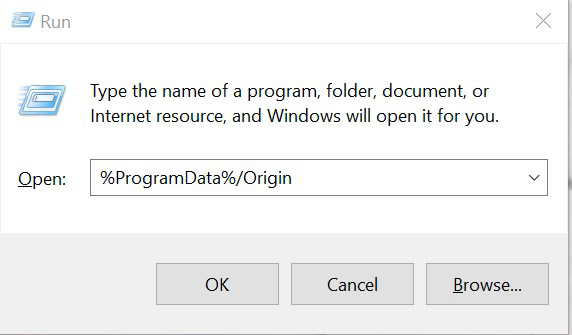
- Hold the Windows key + R.
- In the command box that opens, type %ProgramData%/Origin then click OK.
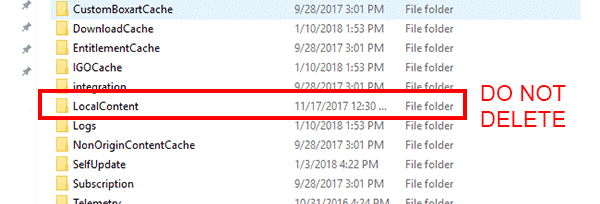
- Delete all the files and folders inside it except for LocalContent. Do not delete this folder.
- If you’re on Windows XP, you’ll find the ProgramData folder in C:\Documents and Settings\All Users\Application data\Electronic Arts\




