Forum Discussion


EA_Barry Community Manager
6 years agoCommunity ManagerPlease let us know if these steps help you:
Before reinstalling a game, first you need to uninstall it from the console's hard drive. To uninstall:
- Press the Xbox button to open the guide, then select My Games & apps.
- Select Games.
- Highlight the game you want to uninstall, press the Menu button, then select Manage game & add-ons.
- Select Installed>Uninstall all, then confirm by selecting Uninstall all again.
You can reinstall the game by inserting the disc or downloading it again from the Microsoft Store. To download it again, go to My games & apps > Ready to install and select the game. You may also find the game by searching for it in the Microsoft Store.
 Gip5yDangerMK26 years agoNot applicable
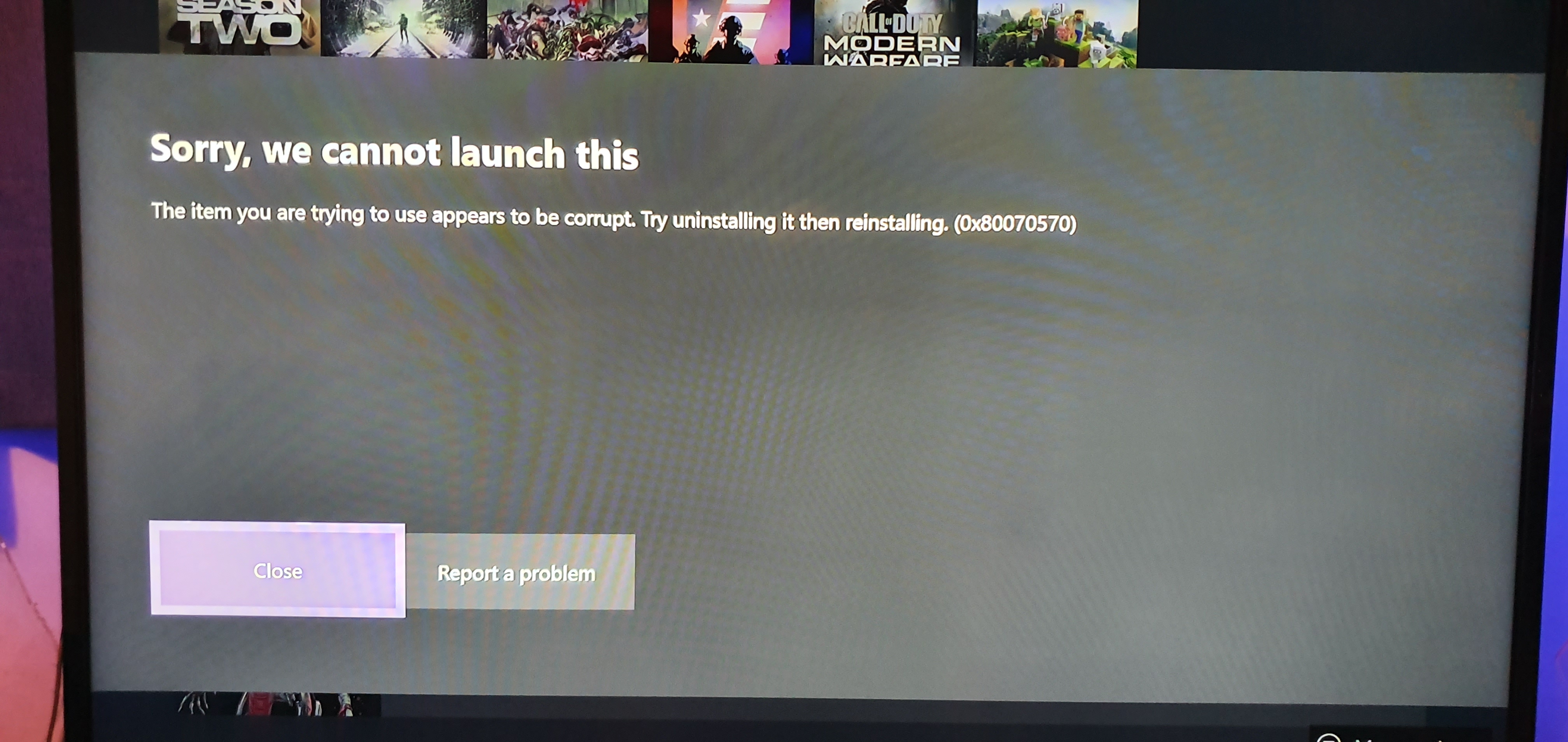
I've tried uninstalling and reinstalling but the installation stops and when i click it to try installing again it just says "The item you are trying to use appears to be corrupt. Try uninstalling it then reinstalling. (0x80070570)"
- EA_Barry6 years ago
There are some more troubleshooting steps for that error code at the following link, can you let us know if they help, thanks.
Featured Places

Apex Legends Technical Issues
Having issues with Apex Legends? Join here to find help with connectivity, performance issues, crashes and more.Latest Activity: 22 minutes agoCommunity Highlights
- EA_Blueberry7 years ago