Forum Discussion

Heroxoot's avatar
4 years ago

Direct X crash (GPU Hung) fix for AMD 6900XT users

Here is the fix until EA figures it out. 

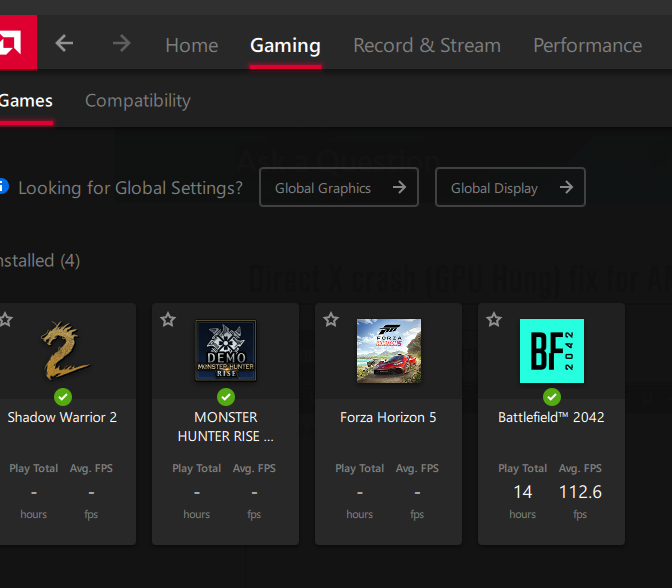
Click the gaming tab on the radeon software and then click on BF2042. if it isn't there, add it. 

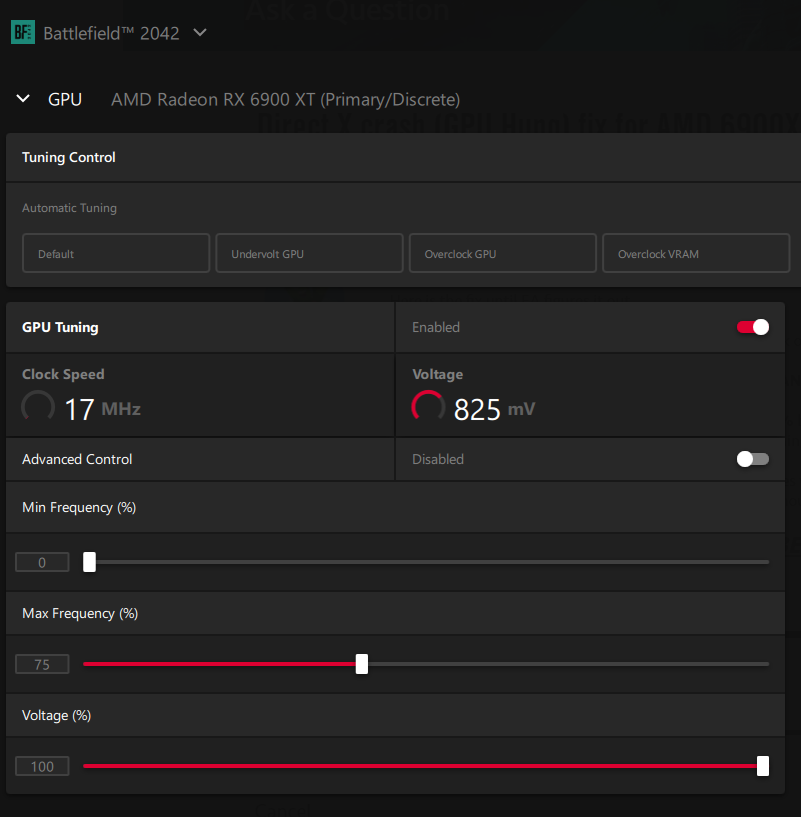
Click on the game icon, and then click TUNE GAME PERFORMANCE.

Finally, on the next page, reduce your MAX FREQUENCY % by 5% until either your GPU load reaches over 90% usage, or the game quits crashing. For me, and my MSI 6900XT Gaming Z Trio, 75% has been solid for me. 

Why does this work? Some GPU are having utilization issues with the game. It will use a mere 60-70% load and crash randomly/frequently. Since doing this fix I have clocked 6 hours without crash, one session being 3 hours long. I have my game on high settings and I get generally 100-120fps. 

Below are pictures to help aid you in your tweaking. 

THERE IS NO PERFORMANCE LOSS, BECAUSE THE GAME WASN'T USING IT ANYWAY!!

4 Replies

  • If a mod sees this, sticky it, it works for a lot of people so far.

  • zerofivefour's avatar
    zerofivefour
    Seasoned Rookie
    4 years ago

    I was having this exact error occur multiple times daily. Sometimes multiple times hourly.

    I was able to solve it by doing 3 things in this order. 1 of which I think was the actual fix. (Number 3).

    1. Delete, reinstall the game.

    2. Changing the direct x value from 0 to 1 in documents folder.(not sure this really does anything).ie: this line in documents/2042/settings folder,  profsave_profile  GstRender.Dx12Enabled 0

    3. Limiting my FOV to 60. (this is a starting point).

    I have yet to incrementally increase my FOV to determine if this somehow overloads the GPU. It's what I suspect is the cause. 

    I've played 2 days continuously with absolutely no crashes. Thats 12 hours a day each day.

    I also turned off the toxic boost, and have yet to turn it back on. with 2 days of No crashes, I may try it with boost. It' just so nice to not crash all the time, and the card is running smooth and Cool. Great frames at 1440p. on med settings atm. I do plan on trying to increase the quality to high. But I suspect the card was getting taxed, resulting in errors. So I'm going to do it methodically and incrementally.

    Sapphire Toxic 6900xt Air cooled

    Steam version of bf2042

    32 gigs ram @3200 

    i7-9700k

    I had my POV set to 80 and it would always crash. I played this game with 2 cards, My current 6900xt Sapphire Toxic Air cooled, and my previous Vega 64 Sapphire Nitro. My Vega 64 nitro would get so hot, the game would crash. It was time to upgrade. I didn't consider dropping the FOV prior to getting the 6900xt Toxic and uninstalling the NItro, and wonder if that would have helped. I bet it would have. 

Featured Places