Solved
Forum Discussion



668 Replies
 8ySix4 years agoSeasoned Novice
@levlups perhaps nvidia shadow play or something like this causes the error
I have now tried 8ySix's solution with the Studio drivers and that did nothing for me. I even did a whole fresh install with DDU + A fresh install of Battlefield, and removed everything in the registry related to both drivers and Battlefield. Still didn't do anything.
I also tried with/without things like GeForce Experience, PhysX drivers, HD Audio drivers, etc. all related to Nvidia to see if that was the culprit.
I then tried rdalcroft's solution, but that didn't do anything for me either. It has nothing to do with a heat/performance GPU/CPU/etc. related crash. My GPU never goes above 15-20% usage whenever I launch the game, but I still tried limiting my FPS to 144, 60 and 30 just to be 100% sure. It didn't change anything.
 EvoDevv4 years agoNew Rookie
Battlefield 2042 Multiple Crushes.
Errors:
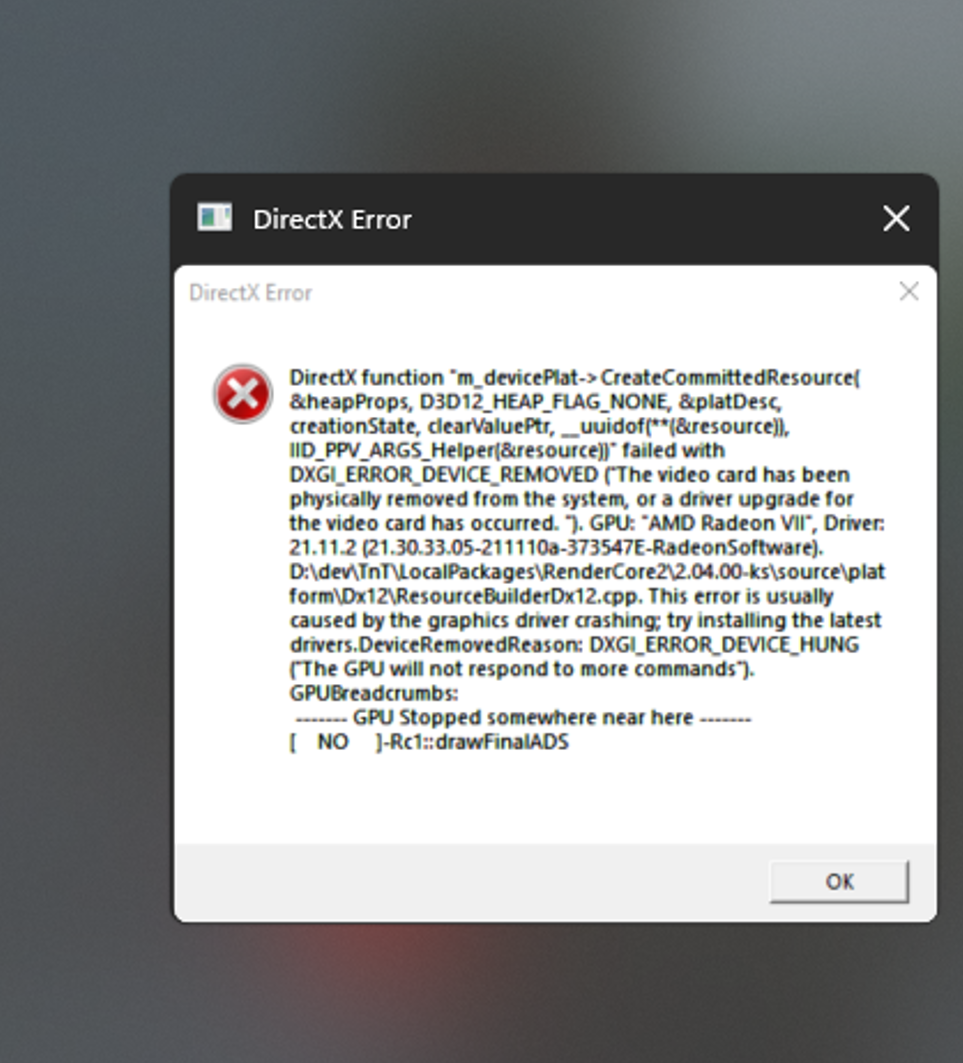
DirectX function "GetDeviceRemovedReason" failed with DXGI_ERROR_DEVICE_HUNG (*The GPU will not respond to more commands"). GPU: "AMD Radeon VII", Driver 21.11.2 (21.30.33.05-211110a-373547E-RadeonSoftware). This error is usually caused by the graphics driver crashing, try installing the latest drivers
DirectX function *m_devicePlat-> CreateCommittedResource(&heapProps, D3D12__HEAP_NONE, &platDesc, creationState, clearValuePtr, __uuldof(**(&resource)), IID_PPV_ARGS_Helper(&resource))* failed with DXGI_ERROR_DEVICE_REMOVED ("The video card has been physically removed from the system., or a driver upgrade for the video card has occurred. "). GPU: "AMD Radeon VII", Driver 21.11.2 (21.30.33.05-211110a-373547E-RadeonSoftware). D:\dev\TnT\LocalPackages\RenderCore2\2.04.300-ks\source4\platform\Dx12\ResourceBuilderDx12.cpp. This error is usually caused by the graphics driver crashing, try installing the latest drivers.DeviceRemovedReason: DXGI_ERROR_DEVICE_HUNG ("The GPU will not respond to more commands"),
System specs:
Graphics Card: AMD RADEON VII
Operating System: Windows 10 64bit Version 21H1 (Build 19043.1348)Driver version installed: 21.11.2 (Latest)
CPU: AMD Ryzen 7 3800X
Motherboard: ASUS ROG CROSSHAIR VIII HERO WIFI
Power Supply: Be Quiet Straight Power 850W
System Memory: Kingston HyperX Fury 16GB 3200Mhz
No overclocking. TheIVIatrix4 years agoRising Newcomer
I'd like to report the error while playing Battlefield 2042 related to Game crash. It wasn't there in Beta Test back in October so I think it exist somewhere on the game side.
The problem starting to happen during intense gunfight and after Aim down sight, while playing All-out Warfare. Hazard Zone and Portal seems to be working properly. The only way to enjoy the game is use Sniper Rifle while has no problem at all. I tried reinstall drivers, and even reinstall the game.
Here's my specs:
AMD Ryzen 5 2600X16GB 3200Mhz
Radeon VII
Windows 11 Insider Preview 22494
Using EA Desktop Apps Schn1cks4 years agoRising Rookie
Win 10 new installed. Graphic drivers old and new one crashes.
dxdiag uploaded
 Amgtree4 years agoRising Novice
Updated drivers, uninstalled then reinstalled drivers, looked up several fixes. None worked.
I have a ryzen 5800x and gtx 1070
@Kana1896
Ive the same issue. DirectX error after the boat scene, since yesterday. I test all things that can be tested. Waiting for solution.Commenting to add to the pile of people that are having the DirextX crashes. I have tried everything noted so far (and more) with no improvement.
Adding my voice as well. This is super disappointing. Been hyped for months, had friends block off schedules, only to have some random error completely stop us from early launch.
- EvoDevv4 years agoNew Rookie
DxDiag Radeon VII


Featured Places