XBOX Elite Series 2 Controller is not working with BF2042 on the PC
- 4 years ago
Hi all.
I was able to find my issue.
I use a Razer Orbweaver Chroma that actually installs itself as an HID-compliant game controller and this clashes with any Game controller I connect to my PC.
So I found the following article that provides the solution to this:
https://steamcommunity.com/app/235600/discussions/0/846962439253315359/
Step by step:
1. Press Start in your Windows and write down "Device Manager"
2. Go to "View" at the top menu and chose "Device by connection"
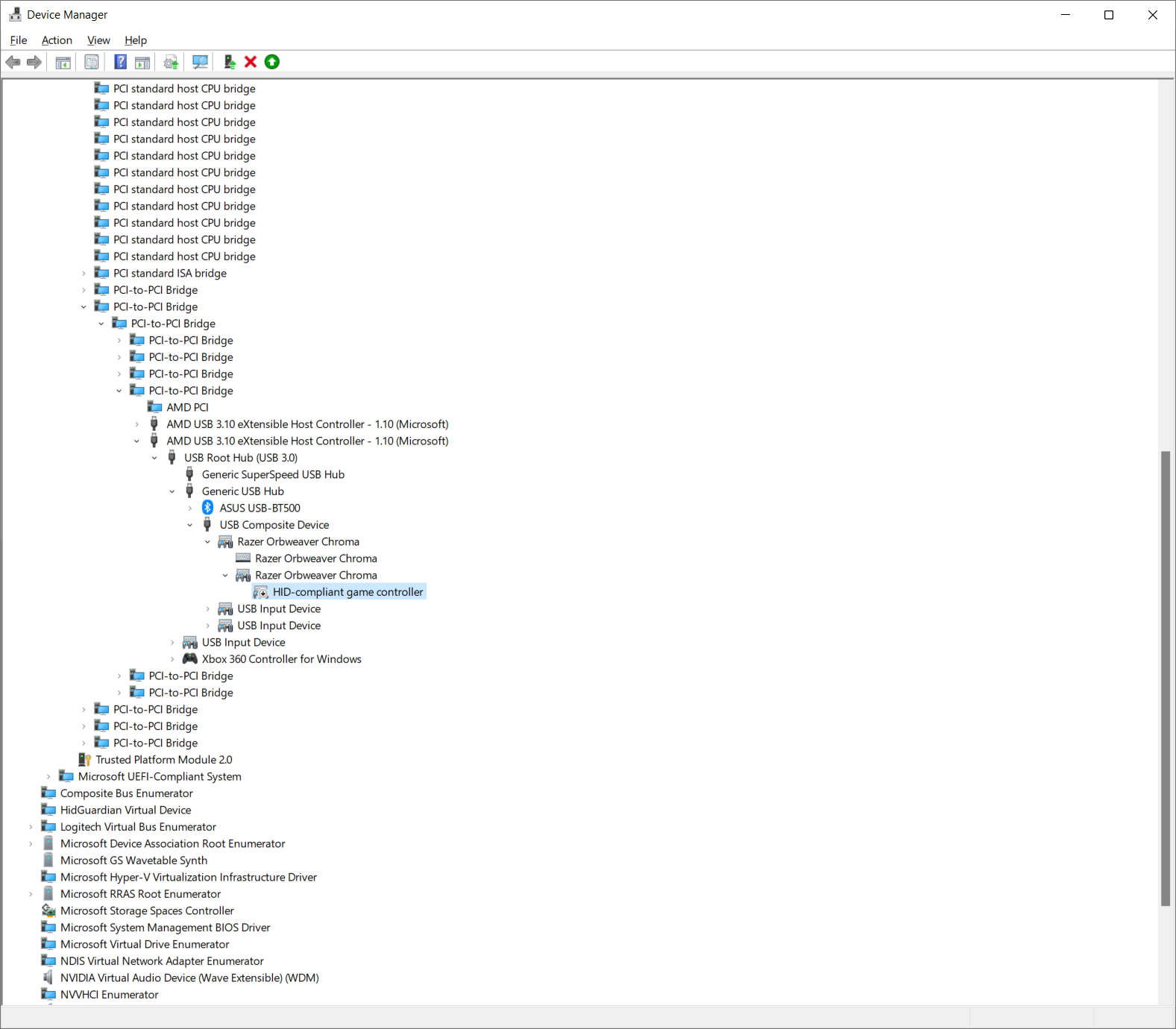
3. In my case I followed the below tree menus for the Razer Orbweaver
ACPI x64-based PC -> Microsoft ACPI-Compliant System -> PCI Express Root Complex -> PCI-to-PCI bridge -> PCI-to-PCI bridge -> PCI-to-PCI bridge -> AMD USB 3.10 eXtensible Host Controller - 1.10 (Microsoft) -> USB Root Hub (USB 3.0) -> Generic USB Hub -> USB Composite Device -> Razer Orbweaver Chroma -> Razer Orbweaver Chroma -> HID-compliant game controller
4. Right mouse click the option "HID-compliant game controller" and chose "Disable Device"
Check attached screenshot.
In my case there is a conflict of Game Controllers.
After I took the above steps everything is running smoothly.
I hope this works out well with you guys.
Have a pleasant day.
Regards,
Koi