Black screen after splash, shuts down...

Day 2, still not fixed, bumping

Are these BF6 system requirements enabled in Windows settings?
HVCI, or Hypervisor-Protected Code Integrity, can be enabled in Windows by going to Settings > Privacy & security > Windows Security > Device security, clicking Core isolation details, and toggling the Memory Integrity switch to "On". A restart is required for the change to take effect. This security feature helps protect against malware by running kernel mode code integrity checks in a virtualized environment.
https://www.ea.com/en/games/battlefield/battlefield-6/system-requirements
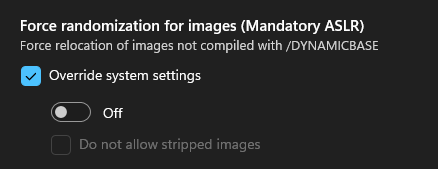
Yes, just checked all of them:
Anything else I can check?
This is also on which I guess is HVCI anyway
Is Windows Insider Preview installed by chance. I found a thread talking about Windows Insider causing anticheat issues.
https://forums.ea.com/discussions/battlefield-6-technical-issues-en/ea-javelin-anticheat-won’t-start-error-87-on-battlefield-6/12737582/replies/12753801