Forum Discussion

MaliBouban's avatar
MaliBouban
Rising Newcomer
3 months ago

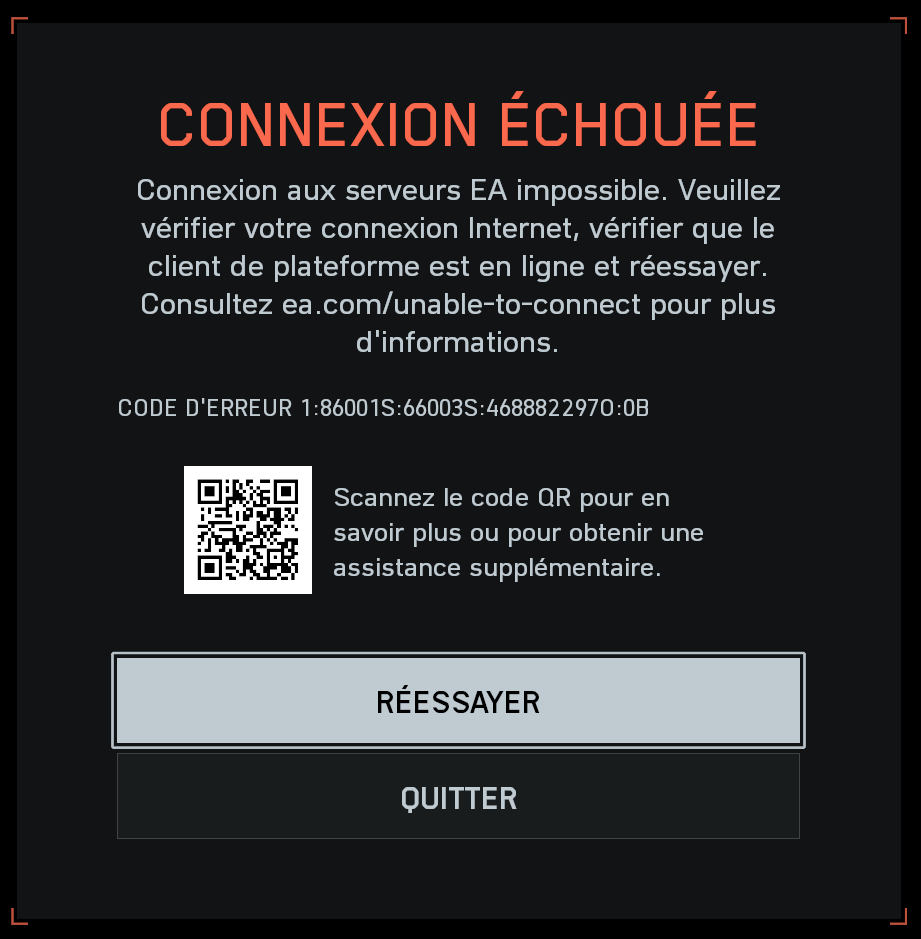
Can’t connect to EA servers Error code 1:86001S:66003S:4688822970:0B

Hello,

I purchased Battlefield 6 on Steam, but when I launch it, I get the following error message:Unable to connect to EA servers – Error code 1:86001S:66003S:4688822970:0B.

I’ve already tried verifying the game files, clearing EA App cache, repairing and reinstalling the EA App, and restarting the EA Background Service (Javelin). None of these steps fixed the problem.

Interestingly, if I install Battlefield 6 directly from the EA App, the game connects fine — but that version doesn’t detect my paid Steam license. 

This makes me think my Steam and EA accounts may not be linking correctly, or my EA Javelin authentication token is broken.Could you please help me by checking or resetting my Steam–EA account link, and/or refreshing my Javelin authentication data?

Thank you very much for your help!

7 Replies

  • hunter909's avatar
    hunter909
    Seasoned Novice
    3 months ago

    Yep Ea doesnt care been getting that all day yesterday. On m,y buddy's account on my same PC no issues. Something weird is going on. 

  • According to an AI answer:

    "Error code 1:86001S:66003S:4688822970:0B in Battlefield 6 typically indicates issues with account authentication or network connectivity. To resolve it, try logging out and back into the EA app, verifying your game files, and ensuring no VPNs or firewalls are interfering with the connection."

    That said, I believe this is the same error I had early in the game.  My wi-fi had connection issues, so i updated and rebooted my router. (Then I got this error)

    For me it was fixed after I restarted my PC.  Before that I verified my files and restarted steam, both didnt help.

    Hope this helps


  • RaynoxSama's avatar
    RaynoxSama
    Rising Newcomer
    3 months ago

    I got the exact same problem, on ea app no issues.
    I've tried to change DNS, I've tried VPN, disable antivirus and firewall, I check game files nothings work for me.

  • I just found out a very strange but working fix for me on another forum. It's because I had a Windows 10 USB Stick in one of my port. I was reading that a guy was having a USB stick of Windows 11 in his plugged USB port, and since he disconnected it, it worked. So I realised that yesterday I plugged in a USB stick of Windows 10. I did unplug it, restarted the game, anndd it's working again! Weird but effective. 

  • rayjrubi27's avatar
    rayjrubi27
    Newcomer
    1 month ago

    Omg I had just installed windows and I left my intall drive in took it off and it work omg your a life savor 

  • longboardskier's avatar
    longboardskier
    Newcomer
    8 hours ago

    I haven't been able to get into the game for two days now, and just came across your post while looking for answers. Tried all the rebooting router, modem, computer, flush dns tricks. Unplugged my usb stick and just like that I'm back in. Thank you for posting this. Crazy that something like that would cause this.

Featured Places

Node avatar for Battlefield 6 Technical Issues

Battlefield 6 Technical Issues

Having issues with Battlefield 6? Join here to find help with connectivity, performance issues, crashes and more.Latest Activity: 9 minutes ago
6,797 Posts