Vlad_Woland
5 months agoSeasoned Newcomer
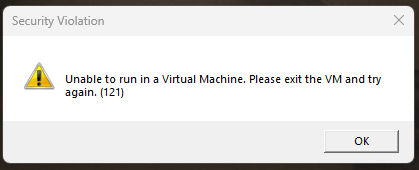
Unable to run in a Virtual Machine. Please exit the VM and try again. (121)
Platform: PC (Windows 11 via Steam) What happens: 9 hours ago everything was working, but today the game didn't start at all. It shows an error when I start it up - "Unable to run in a Virtual Mach...
- 5 months ago
UPD. Found a solution.
Didn't help:
- Disabling "Intel (R) VT-d Feature" in BIOS
- Disabling "Core Isolation" in Windows Security
- Uninstalled both Windows updates: 2025-KB5066835 and 2025-KB5066131The key to solution is to run PowerShell as an administrator and run the command:
Get-CimInstance Win32_ComputerSystem | Select-Object HypervisorPresentTo run Battlefiels without this issue it should return a result:
HypervisorPresent
-----------------
            False
I had "True" instead of "False", so HyperV still works even despite the fact that all its services are disabled, if you check the services (Win+R -> "services.msc") and all related Windows Features are disabled.
Fix
The following commands disabled it for me and the game launched without problems. Run them in PowerShell one by one and restart PCC after it.reg add "HKLM\System\CurrentControlSet\Control\DeviceGuard" /v EnableVirtualizationBasedSecurity /t REG_DWORD /d 0 /f reg add "HKLM\System\CurrentControlSet\Control\DeviceGuard" /v HyperVVirtualizationBasedSecurityOptout /t REG_DWORD /d 1 /f reg add "HKLM\System\CurrentControlSet\Control\Lsa" /v RunAsPPL /t REG_DWORD /d 0 /f reg add "HKLM\System\CurrentControlSet\Control\Lsa" /v IsPplAutoEnabled /t REG_DWORD /d 0 /f bcdedit /set hypervisorlaunchtype off