Solved
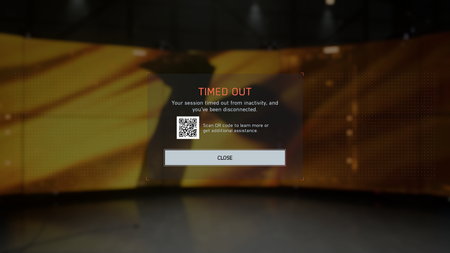
Your session has timed out from inactivity and you’ve been disconnected.


I think i was able to fix my issue.
I went to Documents > Battlefield 6 , and then just deleted it. I launched the game and as of right now, I'm able to play my 3rd match
Same issues here. I start up a game, it takes me to a loading screen where it loads up, then after 5 seconds it stops loading.
Then it takes me to a black screen with a BF6 logo, still frozen.
And then finally it gives me a Timed out error message.
Did similar stuff as everyone as everyone else: Verified integrity of the game files, restarted my PC, and restarted my router. I only somehow managed to play 2 games yesterday only after several resets. I hope this can get fixed cause not being able to finish the weekly challenges would be ridiculous. PC/Steam - Midwest USA
I think i was able to fix my issue.
I went to Documents > Battlefield 6 , and then just deleted it. I launched the game and as of right now, I'm able to play my 3rd match
This has worked for me for now, although this doesnt help our friends on console.
Thankyou
So if i delete the Folder will it also delete my Settings ?
because der is a folder with saved settings in it
it probably will, i didn't actually check my settings yet. Maybe screenshot your settings before deleting it, or copy the folder with your saved settings and then delete the whole folder. Launch the game, test to see if you can actually get into a game, close the game, then paste the settings folder into the new BF6 folder that gets created.