EA app won't open or re-install
Product: The EA app
Platform:PC
Error Report ID (learn how to create an Error Report ID in the sticky post) error report doesn't work
Which client functionality are you experiencing this bug with? Application Navigation
When did this happen? (dd.mm.yy hh:mm) 19/12/2023
Summarize your bug In December, the user tried to update the EA app in Sims 4, but it failed. They tried deleting everything related to EA, uninstalling the app, re-installing it, and repairing the app. Despite restarting their PC, the issue remained, and they were unable to resolve the issue.
How often does the bug occur? Often (50% - 99%)
Steps: How can we find the bug ourselves? Opening the EA app
What happens when the bug occurs? It shows me that EA app is already installed even if it was previously uninstalled.
What do you expect to see? I expect to open the App normally, to show the login screen and then my library
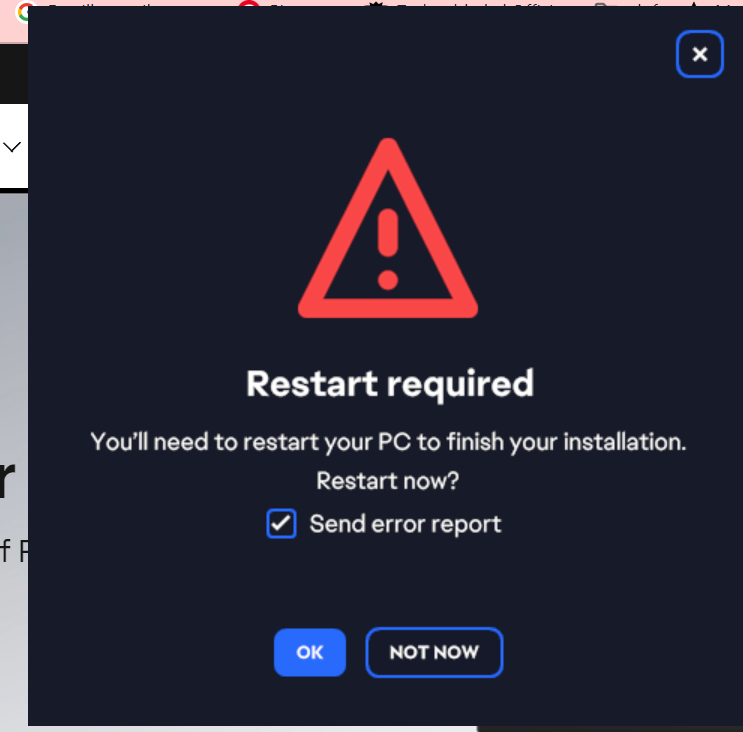
Around December, I tried to play Sims 4 and had to open the EA app to update it, but when I tried to update it, it wouldn't apply and would fail. I tried every day to see if it would work but never did. I went online trying to find a way to fix it, including deleting everything EA-related, but after I uninstalled the app and tried to re-install it, it would say I already had the app. When I tried to open it, it would say repair and open the app, but when I tried to open the app, it said this file did not exist. I tried again, but I clicked repair, but it would say there's something that went wrong and you have to restart your PC. I restarted my PC, but it didn't do anything.