Forum Discussion

48 Replies
Replies have been turned off for this discussion
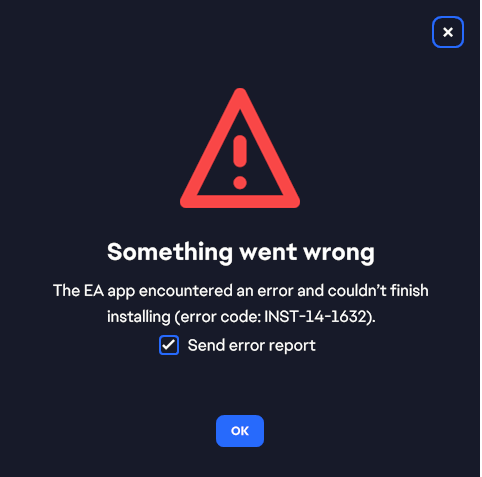
I also just got a new computer, I have the Player One Computer from NZXT, it's running windows 11. I'm having the same issue with this error code 14-1632, trying to install EA in order to play Sims 4 through steam. It refused to install the EA app even after cleaning the temp files, fresh reboot.
I'd like to note I had a similar issue with trying to play Baldur's Gate on Steam, it claimed I didn't have the runtime installed in order to play, wouldn't install, looked at the files and physically saw it in there, found a application inside the folder and was then able to bypass the strange issue.
Same issue here. New PC, unable to install, tried the methods as well. EA at its finest
I just got a PC as well and attempted to download the EA desktop app. Same Issue, same error message. Took my PC into a computer repair place to see if it was my PC even the people there couldnt get it to download no matter what they attempted. This includes all of the recommendations from above as well as many others. I was told that it is likely EA released an update, patch or something that broke the download. Essentially its EA's fault and they currently dont seem to care to fix it.
Having this same error after trying all of the above suggestions. Feels really silenced considering this error isn't on the common list of error codes.
 EA_Pulsar2 years ago
Community Manager
@miranellwolf Can you run your PC in clean boot mode and then try the installation process again?
- Please someone! ☹️
I recently got a new computer, I was trying to install the EA App so I can play Sims on it, however every time I try to install the app is says 'Error Code INST-14-1632'. I tried deleting my temp stuff, but it still won't install. I would really like to play my game, please help!
- EA_Pulsar2 years ago
Hey @laela321
Have you tried using a different web browser already? Check if your antivirus or firewall is not blocking the downloading process.
I'd also recommend clearing the temp folder. To do this, here are the steps:
Spoiler- Press the Windows + R key to open the run command window.
- Type %temp% in the search box and press OK.
- Press the CTRL + A key to select all files.
- Click the Del key or right-click, then select Delete.


Featured Places