Forum Discussion

3 years ago
I tried to bypass the message in the Origin app, but no success -_-. Maybe something with the language and the first page displayed in the Origin app. I have a french account so maybe the language display the EA App message.
By the way, I contacted the support and they answered that they are aware of the problem, but no solution for the moment...
But in my opinion, more than one week is not acceptable... But who care my opinion lol
3 years ago
Ahah WIN ! I was able to install a working old version for Origin to be able to play Anthem :D
Uninstall the current Origin version on your computer.
Download the version origin-10-5-78.exe from here for example :
- list : https://origin.fr.uptodown.com/windows/versions
- correct version : https://origin.fr.uptodown.com/windows/telecharger/2316777
Install the Origin version 10.5.78 and launch it.
The message on this version is not a blocking message and you can launch Anthem just after Origin install.
At installation do not check "Keep updated" and at each Origin launch keep offline without update.
Your first launch should be allow you to launch Anthem offline then.
For me, I downloaded Anthem with EA App and launch it with Origin...
If you launch EA App before Origin, do not forget the kill the EAbackgroundService before launch Origin.
Have fun until EA try to correct there aaaaaaaaawsooooooooome new EA App... :D
- 3 years ago
More precisions, EA App is still dead for me right now (inadmissible !) and I must overwrite the old Origin app installation (Origin version 10.5.78) each time I want to play Anthem because the Origin client update itself at each launch...
This is the "workaround" for me but it is a shame EA...
- 3 years ago
@StephZarx wrote:Ahah WIN ! I was able to install a working old version for Origin to be able to play Anthem :D
Uninstall the current Origin version on your computer.
Download the version origin-10-5-78.exe from here for example :
- list : https://origin.fr.uptodown.com/windows/versions
- correct version : https://origin.fr.uptodown.com/windows/telecharger/2316777
Install the Origin version 10.5.78 and launch it.
The message on this version is not a blocking message and you can launch Anthem just after Origin install.
At installation do not check "Keep updated" and at each Origin launch keep offline without update.
Your first launch should be allow you to launch Anthem offline then.
For me, I downloaded Anthem with EA App and launch it with Origin...
If you launch EA App before Origin, do not forget the kill the EAbackgroundService before launch Origin.
Have fun until EA try to correct there aaaaaaaaawsooooooooome new EA App... :D
This is the only fix that worked for me too, tysm 3 years ago
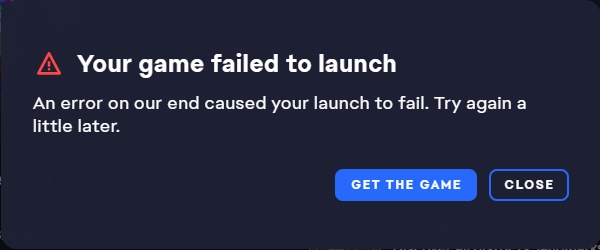
This is happening to me too. How can your launcher still be broken after so many weeks since this thread popped up?
- 3 years ago
That is a good question... Right Now, EA App does not launch Anthem ☹️
A real shame...
But I think that it is not the case for everybody. I think this appears only when you played Anthem with several différent buy plans (via EA Play and then via Promotional harware licences, ...).
I think the majority of the players does not experience any problem.
Or I am wrong and it is a real mess for everybody, but in this case I think the forum would be a real spam land :D
 3 years ago
Worked thanks
 3 years ago@StephZarx This worked for me, I haven't tried using the EA app again, but I did have to download an update on the Origin app in order to play Anthem.
 3 years ago@PUREdisdain And you can play with origin without having a pop Up for update through ea app ? You can open origin twice in a Row without problem ?
- 3 years ago
I'm still having this issue. This is really getting frustrating. It's been months now and I'm not able to play my game.
Featured Places