Forum Discussion

3 years ago
@StephZarx wrote:Ahah WIN ! I was able to install a working old version for Origin to be able to play Anthem :D
Uninstall the current Origin version on your computer.
Download the version origin-10-5-78.exe from here for example :
- list : https://origin.fr.uptodown.com/windows/versions
- correct version : https://origin.fr.uptodown.com/windows/telecharger/2316777
Install the Origin version 10.5.78 and launch it.
The message on this version is not a blocking message and you can launch Anthem just after Origin install.
At installation do not check "Keep updated" and at each Origin launch keep offline without update.
Your first launch should be allow you to launch Anthem offline then.
For me, I downloaded Anthem with EA App and launch it with Origin...
If you launch EA App before Origin, do not forget the kill the EAbackgroundService before launch Origin.
Have fun until EA try to correct there aaaaaaaaawsooooooooome new EA App... :D
This is the only fix that worked for me too, tysm

3 years ago
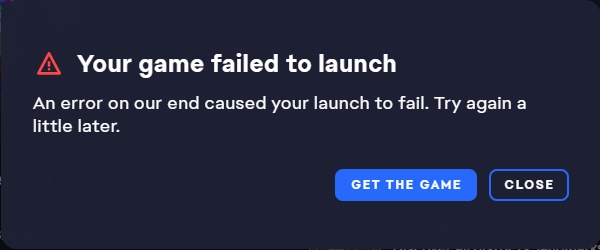
This is happening to me too. How can your launcher still be broken after so many weeks since this thread popped up?
- 3 years ago
That is a good question... Right Now, EA App does not launch Anthem ☹️
A real shame...
But I think that it is not the case for everybody. I think this appears only when you played Anthem with several différent buy plans (via EA Play and then via Promotional harware licences, ...).
I think the majority of the players does not experience any problem.
Or I am wrong and it is a real mess for everybody, but in this case I think the forum would be a real spam land :D
 3 years ago
I had the same issue (enthesis on had), but it got fixed in a very unspectacular way...
As I was browsing EA forum (like this thread) and losing hope of playing Anthem, I decided to run EA App's repair on Anthem (with no manual file adjustments before) and as I was waiting for it to finish I opened up a support contact site (https://help.ea.com/pl/contact-us/?product=anthem&searchTerm=Anthem&community=true&platform=pc&category=technical-support&issue=game-wont-launch&isContactForm=true&isChannelSelection=true) so I could write that auto fixing the game didn't help when they asked about it.
But the auto repair finished and the game launched...
No issues after this point to...
That is a bit bizarre.- 3 years ago
I am still having this issue. I had tried the repair function several times and it also failed to install. It seems like it wants to install something, but similar to the game launch the app fails to complete the process for some reason. I submitted an error report with diagnostic info after trying to launch and repair the game. The report ID is:
a8af3cdb-6144-4a6d-9382-d855540d3186 if this is helpful.
Featured Places