EA_Leeuw Community Manager
Community ManagerCommunity Manager
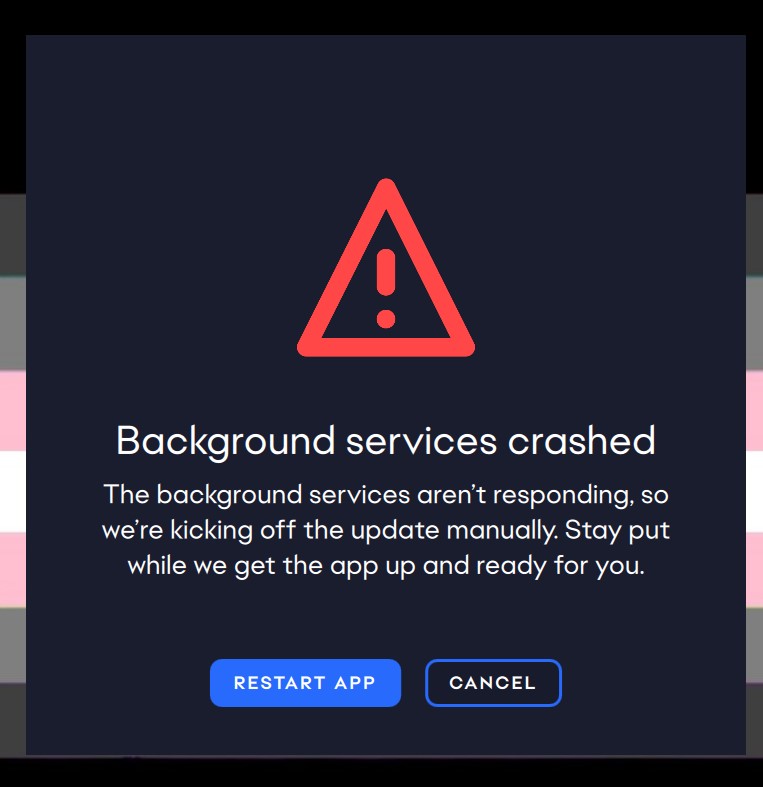
Hi yes, Im on a Windows 11 and when I open my EA app I have this background crash and no other option than to cancel or restart app (restart app just loops the same problem). I try to go in the start bar to fix the app but left clicking just restarts the app again (again it just crashes) and right clicking just gives me the options to pin or uninstall. im out of ideas here, I also cleared cache just yesterday, what is wrong with my EA app please. all you have as solutions are for Mac, please help for Windows.
 Community Manager
Hey there,
Could you please try using CCleaner to clear out issues and errors? Please click here for instructions on how to use Ccleaner to uninstall an app on Windows.
Once that's done, re-download the EA App from https://www.ea.com/en-gb/ea-app and run the installer as admin.
Please let us know if that helps.
While we suggest using CCleaner, EA does not provide user support for this program–use it at your own risk. Please follow any installation guides straight from CCleaner when installing and performing program set-up. You can find help on CCleaner’s support page.
i just now tried uninstalling the app with CC cleaner, but there was an error. now i cant repair or uninstall the app and the app appears grey in CC cleaner. EDIT: trying to repair from the app does the same thing as trying to uninstall.