EA_Illium EA Staff (Retired)
EA Staff (Retired)EA Staff (Retired)Hello, @EA_Illium
I'm attaching EA app screen capture as requested.
Below you can see
1) Bulletstorm game - No Picture, game listed as N/A
2) C&C Generals - Picture, game listed as N/A
3) C&C Red Alert - Picture, game listed as N/A
4) C&C Renegrade - Picture, game listed as N/A
5) C&C Tiberium Sun Firestorm - Picture, game listed as N/A
6) Need for Speed Undercover - Picture, game listed as N/A
I'm live in South Korea, so I guess I'm in ASIA region.
Thanks.
 EA Staff (Retired)
Hello @EA_Illium
I've installed a few of them
1) BulletStorm - installs but won't start - GFWL isssue
2) NFS Undercover - installs, starts, but won't run after the intro - more than 4 physical core issue
3) C&C Red Alert - installs, runs fine
But, those N/A won't go away.
So, I guess it's cosmetic issue on EA app?
EA Staff (Retired)Hi @ArchAngelBK It's possible we're running into a unique visual issue, can you check the following?
Hello @EA_Illium ,
I've run some tests after your recommendation, and found below
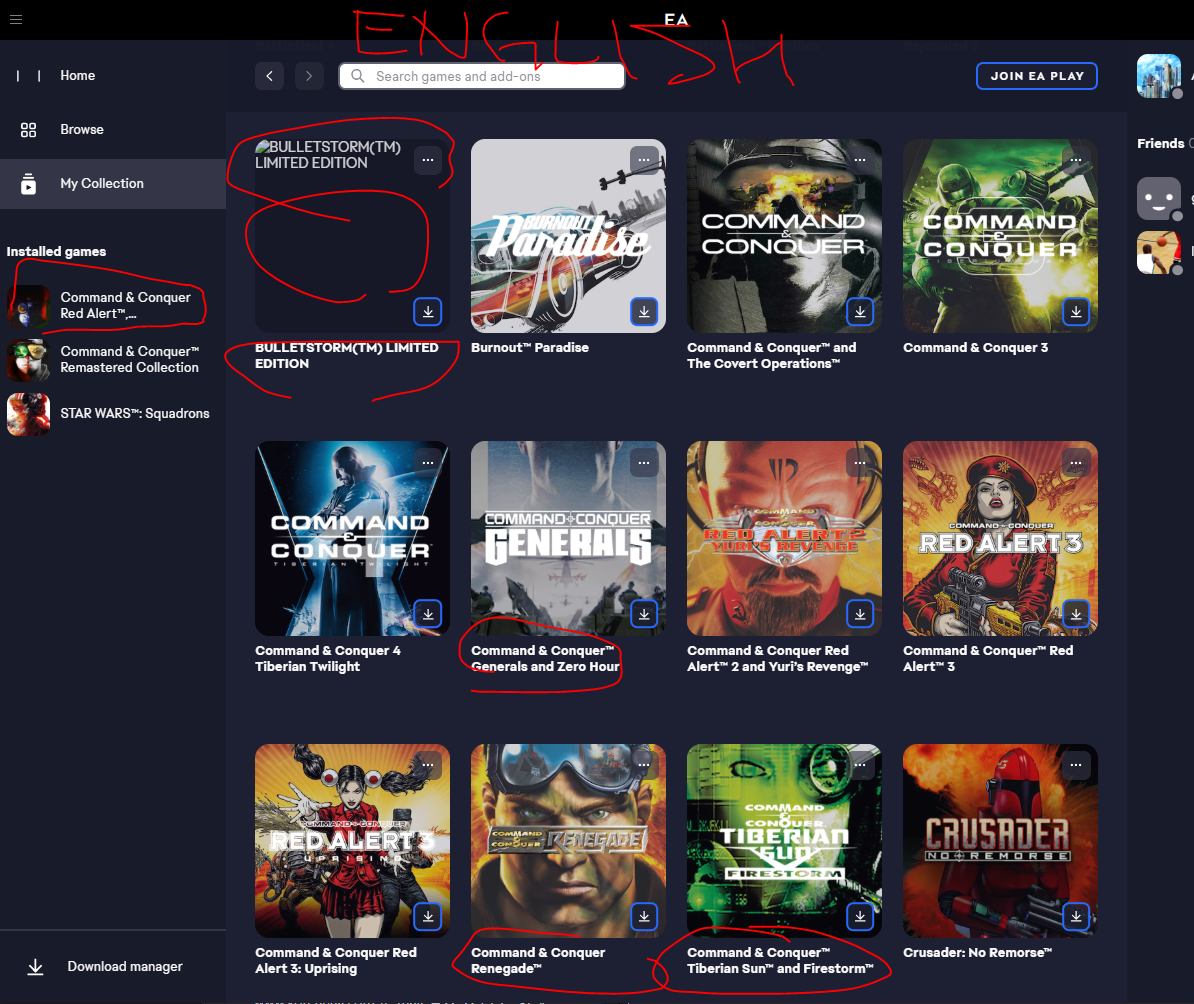
1) When I change language to English, all games' names displayed correctly in English
2) But, BulletStorm's Icon (thumbnail picture) still missing
3) When I change language back to Korean, some games' names displayed incorrectly as 'N/A'
So, I guess EA app or your server has 2 problems
1) Some games' Korean title name's not entered correctly - either blank or N/A
2) BulletStorm game does NOT have thumbnail (icon picture)
Please see below screen captures.
First - Korean Language, games in question's name are displayed as N/A, and BulletStorm picture missing
Second - Changed EA app to English.
Game names are correctly displayed, but BulletStorm's game PIC still missing (no thumbnail)
I've already tried clean booting, cache clear, up-to-date everything etc.
Thank you!
Same here for games Bulletstorm ("N/A", no cover, unclickable won't open its page) and NFS Undercover ("N/A", unclickable won't open its page).
EA app 12.115.0-5372-92c549332, Win 11 22H2