Forum Discussion


EA_Illium EA Staff (Retired)
3 years agoEA Staff (Retired)Hi @ArchAngelBK It's possible we're running into a unique visual issue, can you check the following?
- Allow EA App through your Anti-virus and firewall, and disable any Proxy server or VPN.
- Make sure your system data/time and account region are all correct.
- Run the System File Checker tool then Check for Windows and GPU updates
- EA App's Cache (Top Left Menu > Help > App Recovery)
- Run the client as admin
- Put your device in a Clean Boot then launch the client

3 years ago
Hello @EA_Illium ,
I've run some tests after your recommendation, and found below
1) When I change language to English, all games' names displayed correctly in English
2) But, BulletStorm's Icon (thumbnail picture) still missing
3) When I change language back to Korean, some games' names displayed incorrectly as 'N/A'
So, I guess EA app or your server has 2 problems
1) Some games' Korean title name's not entered correctly - either blank or N/A
2) BulletStorm game does NOT have thumbnail (icon picture)
Please see below screen captures.
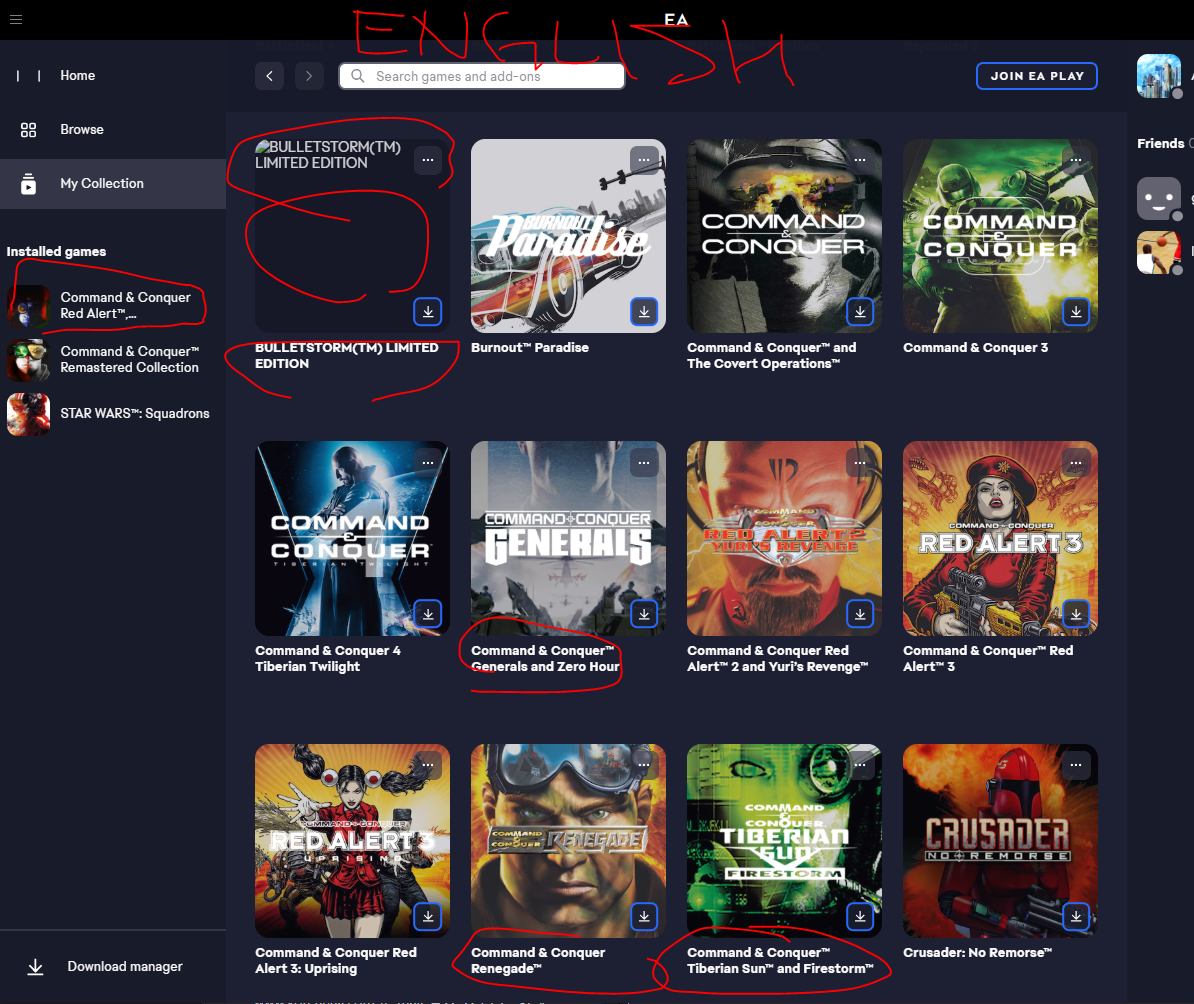
First - Korean Language, games in question's name are displayed as N/A, and BulletStorm picture missing
Second - Changed EA app to English.
Game names are correctly displayed, but BulletStorm's game PIC still missing (no thumbnail)
I've already tried clean booting, cache clear, up-to-date everything etc.
Thank you!
 3 years ago
Same here for games Bulletstorm ("N/A", no cover, unclickable won't open its page) and NFS Undercover ("N/A", unclickable won't open its page).
EA app 12.115.0-5372-92c549332, Win 11 22H2

Featured Places