Forum Discussion

r_dawg_889's avatar
1 year ago
Solved

EA FC 24 - Keep getting disconnected from online UT matches

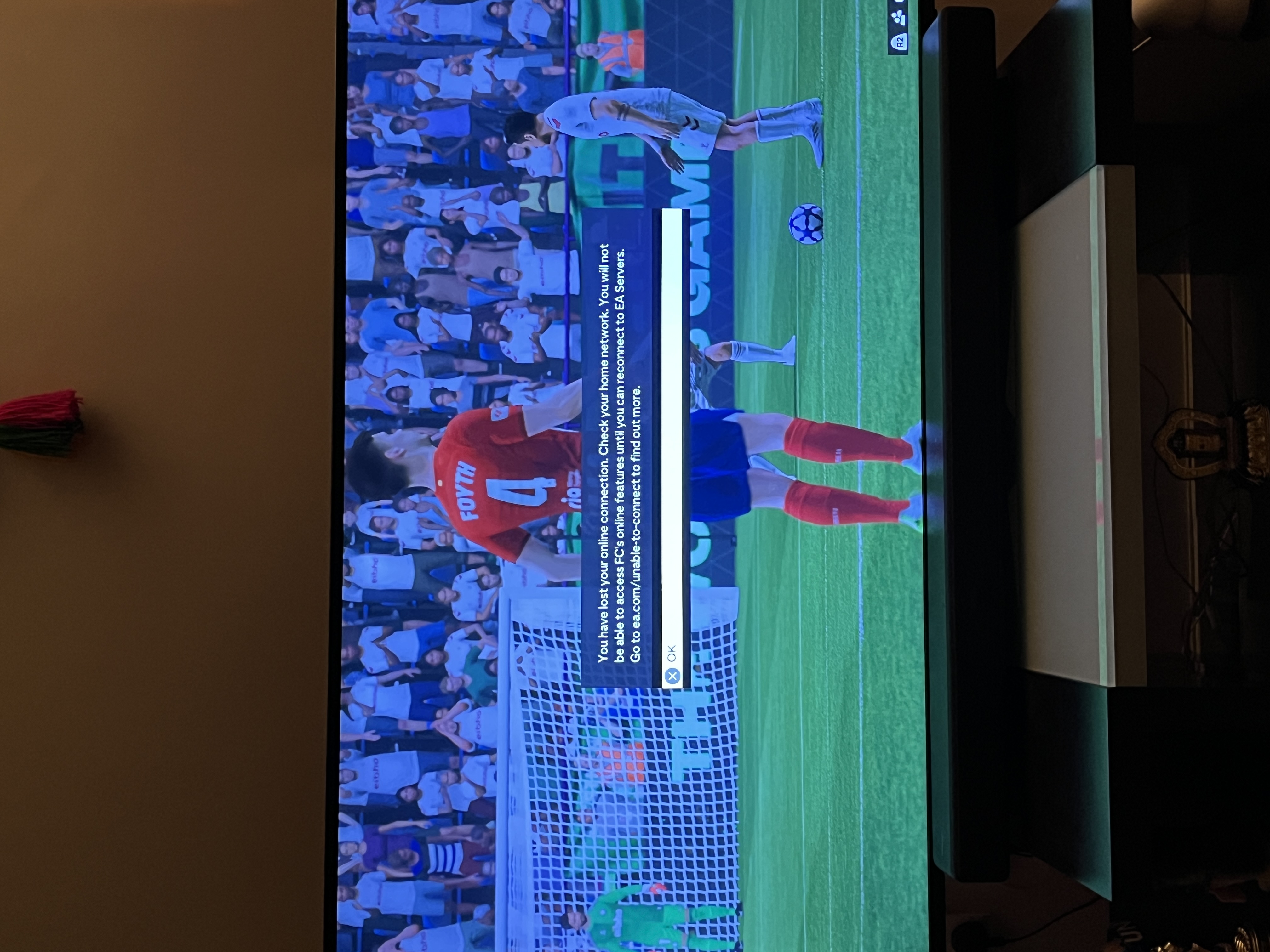
This issue started a couple days ago. One day, my ultimate team seemed to be extremely laggy. My WiFi is pretty good, and I’ve done a lot of testing and the WiFi seems to be perfectly fine. But for whatever reason this day UT was very laggy. It got infinitely worse when I started playing squad battles. It would let me play for 10 in-game minutes, and then would disconnect me, saying that I’ve lost my connection and need to check my home network.

I’ve tried to fix this in so many ways. I saw another thread talking about this, where someone suggested I use the FC 24 web app and change my active squad as well as reset my wifi router. I did all this, but the issue still persists. It still lets me play for roughly 7-10 in game minutes in a squad battle match, after which it disconnects me and gives me the same error message.

This is insanely frustrating as the game has been completely fine up till now. I’m really hoping someone can help me with this and that I’m not limited by this issue for too much longer.

  • EA_Aljo's avatar
    EA_Aljo
    1 year ago

    @r_dawg_889 

    There is an excellent chance this is due to being on a wireless connection. Wireless is unstable. Especially when the router is in another room or on another floor. Wireless connections will fluctuate based on interference as well as bandwidth usage. For example, someone else streaming on your network could cause you to disconnect. As a test, you should try moving close enough for a wire to see if there's a difference. If you do that, be sure to power cycle your network equipment and switching to a wire.

8 Replies

  • EA_Aljo's avatar
    EA_Aljo
    Icon for Community Manager rankCommunity Manager
    1 year ago

    Hi there, @r_dawg_889 

    Most likely, this is happening due to being on a wireless connection. Can you switch to a wire or is your router too far away?

  • Hey, thanks for the quick reply. Unfortunately my router, like you said, is too far to reach my console for a wired connection. After reading your reply, I started wondering if this issue was only limited to online multiplayer modes like division rivals, so I tried playing squad battles - the game went smoothly without any issues. I then tried playing division rivals, and the game went fine without any connection problems, so I think the issue resolved itself?

    im not sure what caused it and what fixed it, but I now seem to be able to play UT fine. Do you have any idea what could’ve caused my connection problems, and how I could fix it if it happens again in the future? I don’t think it’s a wireless router problem, as the game worked perfectly fine before these issues started, and I was on a wireless router then too.

  • EA_Aljo's avatar
    EA_Aljo
    Icon for Community Manager rankCommunity Manager
    1 year ago

    @r_dawg_889 

    There is an excellent chance this is due to being on a wireless connection. Wireless is unstable. Especially when the router is in another room or on another floor. Wireless connections will fluctuate based on interference as well as bandwidth usage. For example, someone else streaming on your network could cause you to disconnect. As a test, you should try moving close enough for a wire to see if there's a difference. If you do that, be sure to power cycle your network equipment and switching to a wire.

  • Sounds good, I'll try that if I have any more issues with connecting to UT. Thanks again for the help!

  • My internet doesn't have any problem while

    I finishing match even in squad battle or my opponent leave game

    Kick me out 

Featured Places

Node avatar for FC 24 Technical Issues & Bugs

FC 24 Technical Issues & Bugs

Trouble with connectivity, performance or crashes? Join the EA SPORTS FC™ 24 community forum to discuss troubleshooting.Latest Activity: 1 hour ago
20,851 Posts