Forum Discussion

mykealzate17's avatar
mykealzate17
Seasoned Newcomer
3 months ago

Saturation and Flickering Issue on the Field in FC 26 - PS5

Hey everyone,

I wanted to see if anyone else is experiencing a frustrating graphical issue in FC 26 (PS5). During matches, the field becomes visually saturated, with color tones changing and flickering. The odd part is that this only happens when the match is set to daytime, regardless of whether the weather is rainy, overcast, or clear. Everything else, like menus and other game modes, seem to work fine.

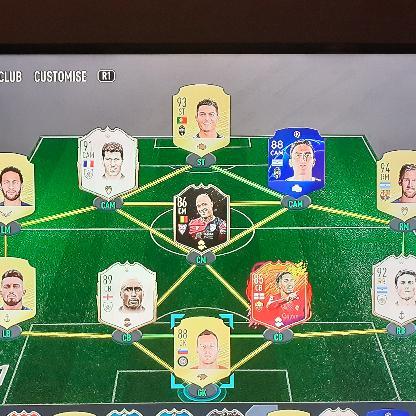
I’ve already tried clearing the game data and reinstalling FC 26, but the issue is still there. I’ll attach some images and a video to show how the saturation looks during gameplay.

Has anyone else encountered this issue? If so, have you found any solutions? Would appreciate any help or advice!

Thanks in advance!

8 Replies

  • The same thing happens to me. In some FC 26 matches, the colors on the field begin to flash repeatedly during the game.  This happens several times in some matches, not all of them, but it's annoying. I thought it was the TV or my PS5, but it only happens in this game. I don't know how to fix it.

  • daniel13dark's avatar
    daniel13dark
    Seasoned Newcomer
    1 month ago

    Happening to me too. There’s clearly a rendering issue sometimes the green grass turns purple. It feels like a game-related video bug. I tested it on two different LG screens and got the same result. For a triple-A company, this basic issue is really disappointing.

  • n7csgl0czt2v's avatar
    n7csgl0czt2v
    Seasoned Newcomer
    1 month ago

    I'm seeing fluctuations and red dots on the screen. There are existing complaints in the link I sent. Please respond immediately.


    https://forums.ea.com/discussions/fc-26-general-discussion-en/saturation-and-flickering-issue-on-the-field-in-fc-26---ps5/12712298?fbclid=PAT01DUAOS_NBleHRuA2FlbQIxMABzcnRjBmFwcF9pZA81NjcwNjczNDMzNTI0MjcAAafHSbl4Vq3T3tOX4G-lggTXqJmtnl7rAhlEFS2LbEZ7GZe0IHnMB0RsNU6EVQ_aem_a3w25jdGD7DmBlh9vqIU_A


  • EA_Pulsar's avatar
    EA_Pulsar
    Icon for Community Manager rankCommunity Manager
    1 month ago

    Thanks for sharing this. I’d like to see what could be causing these issues.

    Have you already tried changing any in-game settings or adjusted any accessibility options? Does anything change if you tweak your TV/console settings, such as HDR, Game Mode, or filters?

    I’m trying to narrow down what might be triggering these issues.

  • Blackmamba24vr's avatar
    Blackmamba24vr
    Seasoned Adventurer
    1 month ago

    I try everything:

    -TV LG, tv hisense, tv samsung 4k

    • change game mode and any details of video
    • Change hdr off and on
    • Change video options in game 
    • Turn off and on any video filter 


    Results : zero change!! 

    It happens only with ea fc26, with others games of ea sport doesn't happen!! 

    IT'S UNPLAYABLE!! FIX IT!!! 


  • daniel13dark's avatar
    daniel13dark
    Seasoned Newcomer
    1 month ago

    Here’s what I’ve noticed and how I managed to find a temporary fix. This issue seems to happen more often on MiniLED TVs. LG TVs use Game Optimizer, which forces ALLM and low-latency mode, and that combination is what triggers the purple flashing patches on the field. The PS5 also activates ALLM by default, so disabling it isn’t straightforward.

    When you turn off ALLM and VRR and switch to the standard HDR profile, the purple flickering disappears, but you immediately feel input lag and slower gameplay. After testing multiple combinations, I found something interesting: when ALLM is active on both the PS5 and the Game Optimizer, several TV processing features get disabled automatically (MPEG Noise Reduction, Noise Reduction, Smooth Gradation, Super Resolution). With all these off, the purple saturation becomes visible much more often.

    The goal was to keep Game Optimizer benefits without disabling these clarity features. Here’s the workaround:

    • Turn ALLM Off on your PS5 console.
    • Keep VRR On on the PS5.
    • In the LG Game Optimizer, turn ALLM and VRR On again.

    With this setup, the TV unlocks the processing settings under HDR, you can re-enable MPEG Noise Reduction, Noise Reduction, Smooth Gradation, and Super Resolution. Set them to Auto or High and the purple flickering disappears completely. You still get ALLM, VRR, 120Hz, smooth gameplay, and no extra input lag.

    It probably comes down to how MiniLED TVs handle image processing and how aggressively they disable features in low-latency modes. OLED models don’t seem to be affected because their processing pipeline works differently and doesn’t produce this kind of flicker.

    This approach fixed the issue for me and doesn’t affect any other games, everything still runs smoothly and I can freely adjust my TV settings as needed.


     

  • Hola.

    Probé muchas cosas para solucionar el error (que no debería pasar) pero la única solución fue desactivar el HDR de la ps5, fue la única manera en que dejó de ocurrir el error. Pero me molesta siempre estar cambiado la configuración para poder jugar otros juegos, creo que esto pasa con LG

Featured Places

Node avatar for FC 26 General Discussion

FC 26 General Discussion

Discuss the latest news and game information around EA SPORTS FC™ 26 in the community forums.Latest Activity: 8 hours ago
4,565 Posts