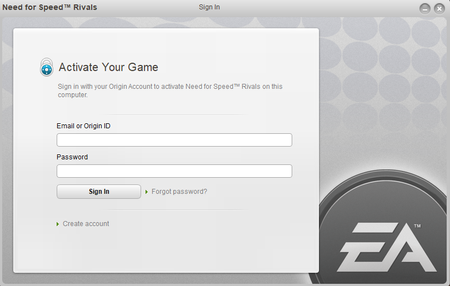
Need For Speed Rivals Origin activation popup on launch (Doesn't work)


 Community Manager
Thanks for that update KillerV722!
This is a bit tricky with Origin out of the picture. But here are some more steps we can try:
Delete all files and folders, then clear the EA App's cache
It might be worth checking with live support to make sure the Need for Speed: Rivals entitlement is synced properly on the account, and to see if they can run a refresh.
I already tried that step about hidden files and it did nothing just as the previous fixes did nothing. I tried getting to live chat via EA Help but this popped up.
So I'm completely out of options. I paid for this game and yet I can't play it at all. I understand the online servers went down but the Singleplayer should be fully available. Why is the Origin popup even coming up at all? I thought it had been removed a long time ago? Anyway that doesn't matter, I'd really like some help to make this game work (though I'm not sure what else to do at this point).