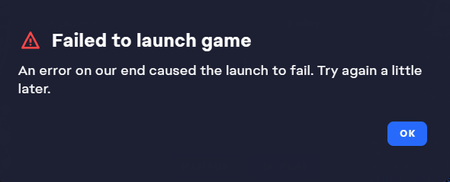
GW1: "Failed to launch game, error on our end caused the launch to fail".

 Community Manager
Hey Ev1ilPenguin , we've seen the posts about the Garden Warfare 2 issues and we're waiting on more info from the teams.
Regarding this issue, here are some steps you can try to see if that helps:
Try adding EA app as an exclusion to Windows Security by adding the following files to the exclusion:
EADesktop.exe, EALauncher.exe & EABackgroundService.exe in C:\Program Files\Electronic Arts\EA Desktop\EA Desktop
thanks for your response, this unfortunately didn't fix my PVZ GW 1 from launching.
I've done the following:
Cleared the cache of the app
Added all necessary files to my antivirus
Updated windows and my GPU drivers
Repaired the game file
Uninstalled and reinstalled the game and EA software
And it still doesn't work unfortunately.
Even if he launches the game, he won't be able to play multiplayer. All game sessions remain unplayable due to hackers taking over and controlling EA's servers!
Community ManagerWe've seen the reports and are working on letting the teams know!
Will my DxDiag file help solving this GW1 launch issue with Origin/EA Launcher
Thank you very much for looking into it.
Can’t wait to hear again from the team regarding Garden Warfare 2! Keep up the good work!