Bug in the game: paintings images suddenly change into a generic image
Hello everyone,
I would like to share an issue I'm encountering in the Sims 2 game, regarding paintings:
Here's the context:
I'm creating new neighborhoods in The Sims 2, which are large cities with lots of apartment buildings, etc.
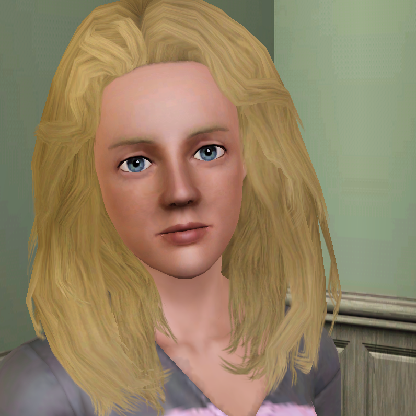
In these neighborhoods, I'm trying to set up "paintings shops." With my Sims who are painters, I create paintings using the easel via the "still life" painting option, and then I put the paintings up for sale on a community lot. These paintings I've created in the game make me dream, because they're posters of my famous Sims, movie posters of my actor Sims, artistic images of my artist Sims, and so on. The Sims in the city can then come and buy them, and even better: selling them through a community shop allows them to be duplicated many times over. These paintings are at the heart of an imagination and cultural cohesion in my neighborhoods.
All of this might seem idyllic at first glance. But here's the thing: there's a huge issue: a bug that prevents the transfer of a painting from one lot to another lot.
Bug Description:
When a painting created by a Sim remains on its original lot (the lot where it was created), everything is fine. However, if I put the painting in my Sim's inventory and move it to another lot, after a few hours or days (after two or three game restarts, after two or three playthroughs) the painting image will suddenly disappear and transform into a generic game image: the "sunset" image (an abstract image that is a gradient of orange and yellow colors).
For example, I play with a Sim who goes to my paintings store and buys some paintings: these ones are in his inventory. Then the Sim goes back home, and I place the paintings on the walls. At first, everything is fine. But the next day (or the day after), when I load the game to play again with that Sim, I'm shocked: all the painting images have disappeared and transformed into the "sunset" image.
In my games, this bug is very common. Almost every time I move a painting from one lot to another (via inventory or by selling it), it disappears after a few hours of gameplay. This is very frustrating. My paintings shops are therefore useless, as the paintings bought by the Sims end up vanishing, transformed into images of the "sunset."
My attempts to solve the problem, in vain...:
I started by searching for reports of this issue on forums. And I was surprised to find almost no results, except on a forum specialized in mods. Some modders have documented this bug, having encountered it themselves, and see no concrete solution. According to them, the images of paintings transferred from one lot to another mysteriously disappear from the lot file, for no apparent reason, after a few hours/a few game sessions. And in the absence of a file, the system automatically replaces them with a generic game image, namely the "sunset."
On this forum, the only workaround found for this issue is to use the SIMPE software (which allows access to the internal data of the lots) and extract the image file of the painting as a PNG, JPEG, or BMP (before the image disappears, of course), and place this image file in the "PAINTINGS" folder of The Sims 2 game. Then we have to repaint the painting by selecting the "Custom Painting" option, which will draw from this folder.
I tried this method. But I must admit I was disappointed with the result. Because in the PAINTINGS folder, the system only accepts low-resolution images. I managed to extract the images of my paintings in PNG format (and other formats), but once repainted in the game, the images are no longer as good as before: you can see the pixels. The original paintings created in the game (via "still life" painting) are so beautiful, so clean and smooth: I haven't been able to achieve such image quality using the alternative "Paintings" folder.
Finally, some modders, having found no real solution, advise against using paintings and instead recommend using photos (with the camera on a tripod, for example), which don't have any bugs. However, the photos created in the game are much smaller than the paintings. Printed photos with the "professional camera" are not the same thing, not the same quality... you can't make posters out of them.
This bug I'm encountering is incredibly frustrating, as it completely ruins my experience with paintings in The Sims 2. I can't use them the way I'd like. I've spent a lot of time creating all these paintings in the game, and yet I can't get my Sims to buy them, share them, or display them in my neighborhood without this bug occurring.
That's why I'm reaching out to you today, directly on the EA forum. I think it's worth mentioning this problem directly here. Perhaps new solutions will be proposed? Have you ever encountered this issue? Does anyone have any ideas or solutions? How can a painting (created using the "still life" easel) be transferred from one lot to another without its image disappearing permanently?
Have any of you ever created "paintings shops" or transfered paintings to another Sim in a different lot without this bug occurring? (I should mention that this bug doesn't appear immediately. Everything is fine at first. It's only after restarting the game two or three times, after playing in that lot for a few hours, that the original images of the paintings suddenly disappear.)
Thank you so much! Your help would be invaluable for me!
Have a great day everyone! 🙂
(I sorry, English is not my native language. I initially placed this message in the French forum, but the French side is less active than the English one... so I'm trying to post it here also. Thank you so much!)