Forum Discussion
165 Replies
Gemdoll Please open Documents > Electronic Arts > The Sims 3 and delete Version.tag.
 Gemdoll8 months agoSeasoned Newcomer
Thank you so much!! Worked a treat!!
 lylay717 months agoNewcomer
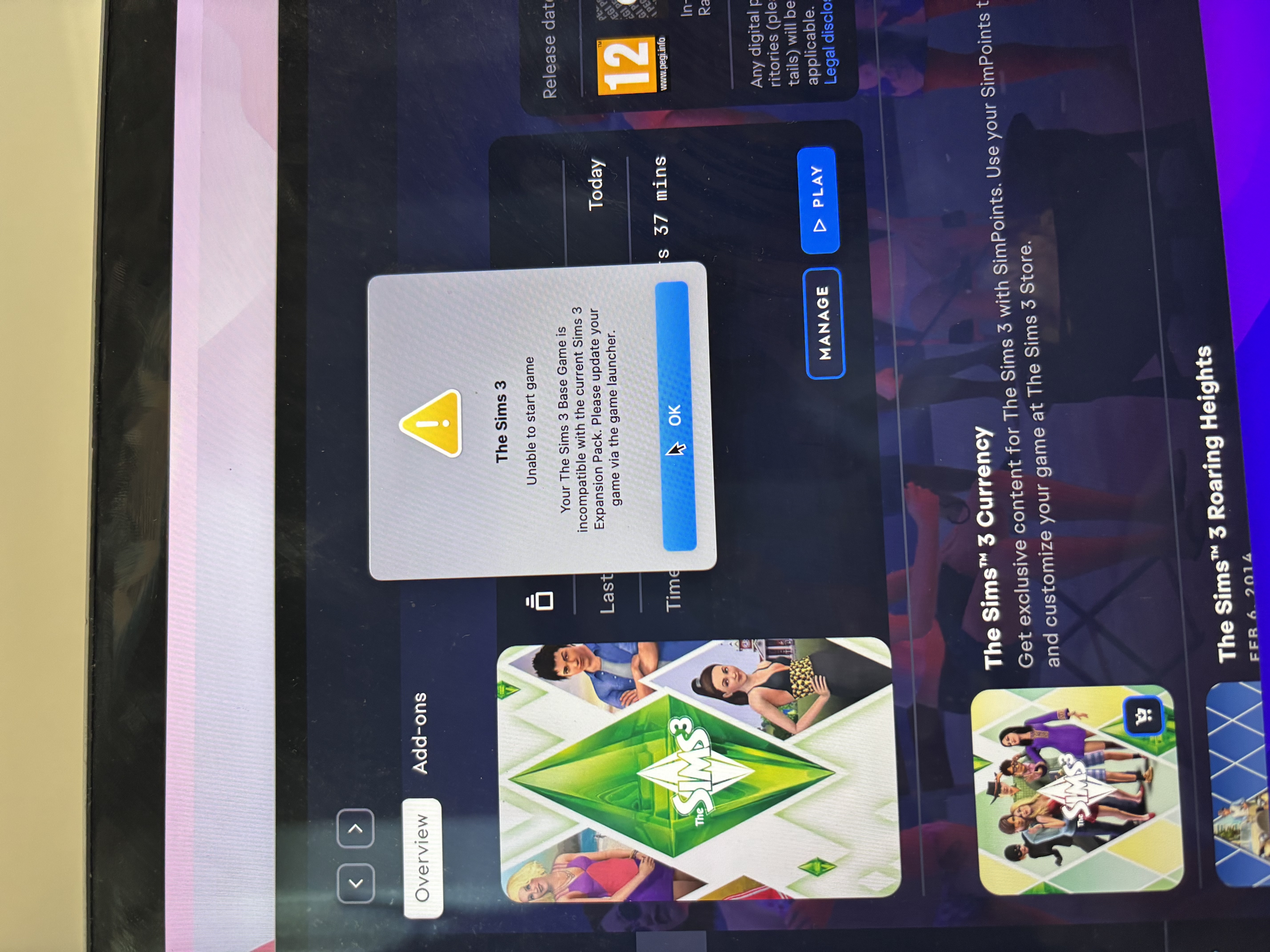
Hey, when I try to launch the sims 3 on my MacBook this message displays on the screen. I’ve tried uninstalling the expansion packs and it makes no difference. Can anyone help? Thank you!
lylay71 I've merged your post with the master thread for this error. Please open Documents > Electronic Arts > The Sims 3 and delete the file labeled Version.tag.
- alexdubu19987 months agoSeasoned Newcomer
puzzlezaddict Thank you, comment from 5 years ago still helped me
 lsmithsomaphone6 months agoSeasoned Newcomer
THANK YOU THANK YOU THANK YOU THIS WORKED!!!💗💗
 ddhuhgh6 months agoSeasoned Newcomer
deleting the version.tag file helped me on my mac as well, thank you!
- Caylie20126 months agoRising Newcomer
Thank you! Still the solution 5 years later- much appreciated!
- upinthemountains4 months agoRising Newcomer
I've had The Sims 3 for a while but didn't play. Now I want to play again so I downloaded the base game and also the one expansion pack I have Ambitions. The message popped up that the base game was not compatible with expansion pack and to update with sims launcher, however it wouldn't let me click anything on the launcher.
what can I do?
upinthemountains I've merged your post with the master thread for this error. Please open Documents > Electronic Arts > The Sims 3 and delete Version.tag.
Featured Places