[Current Issue] Sims 3 "serious error" when loading save


hello, firstly thank you for making this guide and thread. secondly i have the onedrive problem.
i have been able to play once per time installing the game and then after that it has the error.
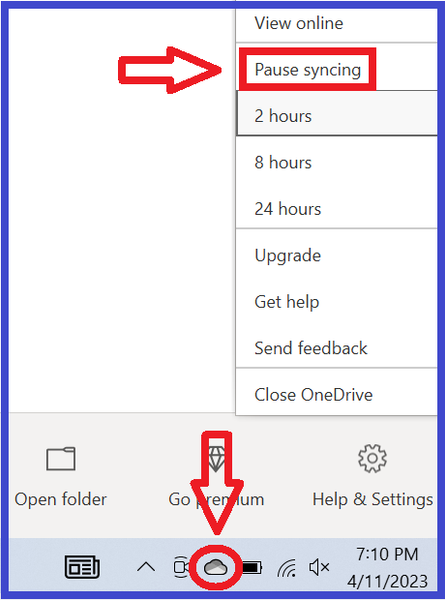
i have tried pausing syncing. did nothing. i then installed the directory outside of onedrive. fixed it for the base game. once i downloaded my packs it all broke again. i uninstalled the packs and it was still broken. i then completely removed onedrive from my user on the pc, and it was still broken.
i am not the most tech savvy and have had my father and sister helping me do this, we are all stumped as to what to try now.
i have also tried installing it on my laptop and it has a different error and will not even launch on there.
zylahbee7 The point here is not where Sims 3 is installed, although if it's installed anywhere in Documents, please uninstall it and put it back in the default C:\Program Files\EA Games. The question is where the user folder is, and the user folder follows the Windows setting.
So please run the reg query command in the first post and provide the result here. You can write [username] instead of your actual username if you want, but please leave the rest intact.
For the other computer, if you'd like to troubleshoot there too, please post a screenshot of the error or write out the full text.
sorry i got very sick and couldnt be online, thank you for replying!
HKEY_CURRENT_USER\Software\Microsoft\Windows\CurrentVersion\Explorer\Shell Folders
Personal REG_SZ C:\Users\username\OneDrive\Documents
i dont understand how it is in onedrive when i logged out of one drive on this pc?