[Current Issue] Sims 3 Store world can't register/install
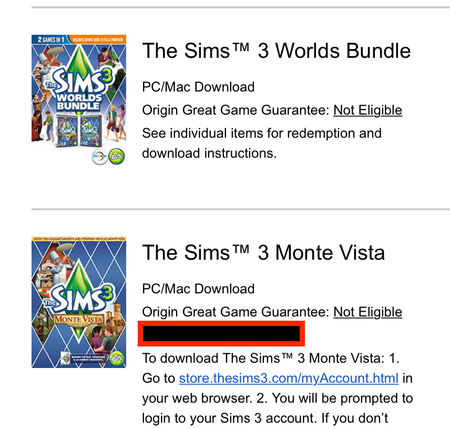


Hello, I tried to find a another thread like my problem, but to no avail. I tried to find the prodct code so i could register it on the sims 3 store, but no avail. I also checked to see if all my games were registered that I had purchased off of EA, and they were already, just not dragon valley. I believe this is a problem. PLS HELP!!

@AttaGirl04 First Dragon Valley is a store item and not an expansion pack. If you purchased it through the Sims 3 store you do not get a code as it is added to your EA account automatically. The code is is only needed when you buy from a third party vendor. The code is an activation code to let the system know it is a valid purchase. Once you enter the code AND that code is accepted by the system, that code can not be used again. If your using a pc thje item needs to be downloaded and installed. If you are using Origin the item in the store should say download instead of buy. Once the item is in the downloads tab of the launcher you need to click install. If you are using the EA app that item should appear in the downloads dashboard. Click download and the item should download AND install to the game. Check the EA account purchase history. Should there still be an issue you will have to contact an EA game consultant about this issue. This is an open public forum for users by users and accounts can not be accessed here.
@AttaGirl04 If you have purchased Dragon Valley on Origin / EA App, you should have got a confirmation email with the product key. There might be an additional code for Celtic Lands if you got the Gold Edition. For 3rd party stores, it depends on how they handle these, but it is usually by email.
If you have purchased it on a disk, the code should be in the box on the installation manual. These 16-digit codes can be redeemed here: https://store.thesims3.com/myAccount.html
If you have already done this, then Dragon Valley should have appeared in your Purchase History: https://store.thesims3.com/purchaseHistory.html. You can also check its product page on The Sims 3 Store to see if the Download button is available.